
H3C LSW1FC4P0 Interface Card for S5820X-28C Ethernet Switches Command Line Interface Guide Firmware Version 9.0.7


Command Reference
Image
59272-00 C 167
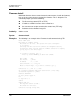
unpack [file]
Installs the firmware file given by [file]. After unpacking the file, a message
appears confirming successful unpacking. The
Switch Module must be reset for the
new firmware to take effect.
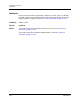
Notes To provide consistent performance throughout the fabric, ensure that all switches
are running the same version of firmware.
To install firmware when the management workstation has an FTP server, use the
Image Install command or the Firmware Install command.
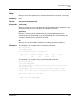
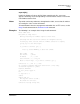
Examples The following is an example of the Image Install command:
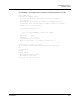
H3C #> admin start
H3C (admin) #> image install
Warning: Installing new firmware requires a switch reset.
Continuing with this action will terminate all management sessions,
including any Telnet sessions. When the firmware activation is complete,
you may log in to the switch again.
Do you want to continue? [y/n]: y
Press 'q' and the ENTER key to abort this command.
FTP or TFTP : ftp
User Account : johndoe
IP Address : 10.0.0.254
Source Filename : 9.0.7.x.x_flcn
About to install image. Do you want to continue? [y/n] y
Connected to 10.0.0.254 (10.0.0.254).
220 localhost.localdomain FTP server (Version wu-2.6.1-18) ready.
331 Password required for johndoe.
Password: xxxxxxxxx
230 User johndoe logged in.
bin
200 Type set to I.
verbose
Verbose mode off.
This may take several seconds...
The switch will now reset.
Connection closed by foreign host.