
H3C LSW1FC4P0 Interface Card for S5820X-28C Ethernet Switches Command Line Interface Guide Firmware Version 9.0.7

Simple Network Management Protocol Configuration
Resetting the SNMP Configuration
59272-00 C 129
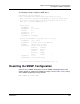
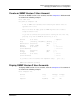
The following example configures SNMP trap 1:
H3C (admin) #> set setup snmp trap 1
A list of attributes with formatting and current values will follow.
Enter a new value or simply press the ENTER key to accept the current value.
If you wish to terminate this process before reaching the end of the list
press 'q' or 'Q' and the ENTER key to do so.
Current Values:
Trap1Enabled True
Trap1Address 10.20.33.181
Trap1Port 5001
Trap1Severity info
Trap1Version 2
Trap1Community northdakota
New Value (press ENTER to not specify value, 'q' to quit):
Trap1Enabled (True / False) :
Trap1Address (hostname, IPv4, or IPv6 Address) :
Trap1Port (decimal value, 1-65535) :
Trap1Severity (select a severity level)
1=unknown 6=warning
2=emergency 7=notify
3=alert 8=info
4=critical 9=debug
5=error 10=mark :
Trap1Version (1 / 2) :
Trap1Community (string, max=32 chars) :
Do you want to save and activate this snmp setup? (y/n): [n]
Resetting the SNMP Configuration
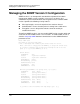
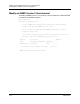
Enter the Reset SNMP command to reset the SNMP configuration back to the
factory defaults as shown in the following example. Refer to Table 14 for a listing
of the SNMP configuration factory defaults.
H3C (admin) #> reset snmp