
H3C LSW1FC4P0 Interface Card for S5820X-28C Ethernet Switches Command Line Interface Guide Firmware Version 9.0.7

Call Home Configuration
Managing the Call Home Database
122 59272-00 C
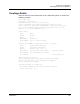
Renaming a Profile
Enter the Profile Rename command to rename profile_1 as shown in the following
example:
H3C #> admin start
H3C (admin) #> callhome edit
H3C (admin-callhome) #> profile rename profile_1 profile_4
The profile will be renamed. Please confirm (y/n): [n] y
H3C (admin-callhome) #> callhome save
The CallHome database profiles will be saved and activated.
Please confirm (y/n): [n] y
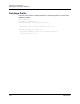
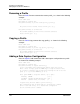
Copying a Profile
Enter the Profile Copy command to copy profile_1 as shown in the following
example:
H3C #> admin start
H3C (admin) #> callhome edit
H3C (admin-callhome) #> profile copy profile_1 profile_a
H3C (admin-callhome) #> callhome save
The CallHome database profiles will be saved and activated.
Please confirm (y/n): [n] y
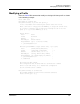
Adding a Data Capture Configuration
Enter the Capture Add command to add a data capture configuration to a profile
as shown in the following example.
H3C #> admin start
H3C (admin) #> callhome edit
H3C (admin-callhome) #> capture add Profile_1
A list of attributes with formatting and default values will follow.
Enter a value or simply press the ENTER key to accept the default value.
If you wish to terminate this process before reaching the end of the list
press 'q' or 'Q' and the ENTER key to do so.
Value (press ENTER to accept the default, 'q' to quit):
TimeOfDay (HH:MM) [02:00]
DayOfWeek (Sun,Mon,Tue,Wed,Thu,Fri,Sat) [Sat ]
Interval (decimal value, 1-26 weeks) [1 ]
A capture entry has been added to profile Profile_1.
This configuration must be saved with the 'callhome save' command
before it can take effect, or to discard this configuration
use the 'callhome cancel' command.