
H3C LSW1FC4P0 Interface Card for S5820X-28C Ethernet Switches Command Line Interface Guide Firmware Version 9.0.7

Event Log Configuration
Managing the Event Log Configuration
106 59272-00 C
Managing the Event Log Configuration
Managing the Event Log Configuration consists of the following tasks:
Configure the Event Log
Display the Event Log Configuration
Restore the Event Log Configuration
Configure the Event Log
You can customize what events are recorded in the Switch Module event log
according to component, severity level, and port. Enter the Set Log Component,
Set Log Level, and Set Log Port commands to filter the events to be recorded.
You can choose from the following component events:
Port events
Switch management events
Simple Network Management Protocol (SNMP) events
Command Line Interface events
The following example configures the event log to record switch management
events with warning and critical severity levels associated with ports 0, 15, 16, and
17. Entering the Set Log Save command ensures that this configuration is
preserved across Switch Module resets.
H3C (admin) #> set log component switch
H3C (admin) #> set log level warn
H3C (admin) #> set log port 0 15-17
H3C (admin) #> set log save
Display the Event Log Configuration
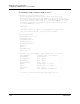
Enter the Show Log Settings command to display all event log configuration
settings as shown in the following example:
H3C #> show log settings
Current settings for log
------------------------
Started True
FilterComponent Switch Blade Port Snmp CLI
FilterLevel Info
DisplayLevel Critical
FilterPort 0 1 2 3 4 5 6 7 8 9 10 11 12 13 14 15 16 17 18 19