
H3C LSW1FC4P0 Interface Card for S5820X-28C Ethernet Switches Command Line Interface Guide Firmware Version 9.0.7



59272-00 C 95
6 Connection Security
Configuration
This section describes the following tasks:
Managing SSL and SSH Services
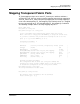
Displaying SSL and SSH Services
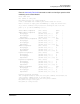
Creating an SSL Security Certificate
The Switch Module supports secure connections with Telnet and Switch Module
management applications. The Secure SHell protocol (SSH) secures Telnet
connections to the Switch Module. The Secure Sockets Layer (SSL) protocol
secures Switch Module connections to the following management applications:
QuickTools
Storage Management Initiative-Specification (SMI-S)
Managing SSL and SSH Services
Consider the following when enabling SSH and SSL services:
To establish a secure Telnet connection, your workstation must use an SSH
client.
To enable secure SSL connections, you must first synchronize the date and
time on the Switch Module and workstation. Refer to “Setting the Date and
Time” on page 4-70.
The SSL service must be enabled to authenticate users through a RADIUS
server. Refer to “Configuring a RADIUS Server on the Switch” on
page 7-101.
To disable SSL when using a user authentication RADIUS server, the
RADIUS server authentication order must be local.
Enabling SSL automatically creates a security certificate on the Switch
Module.