
HP Networking guide to hardening Comware-based devices
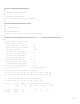
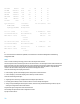


Table Of Contents
- Introduction
- Management plane
- General management plane hardening
- Limiting access to the network with infrastructure ACLs
- Securing interactive management sessions
- Fortifying Simple Network Management Protocol
- Logging best practices
- HP Comware software configuration management
- Control plane
- General control plane hardening
- Limiting the CPU impact of control plane traffic
- Securing BGP
- Securing Interior Gateway Protocols
- Securing Virtual Router Redundancy Protocol
- Data plane
- General data plane hardening
- Filtering transit traffic with Transit ACLs
- Anti-spoofing protections
- Limiting the CPU impact of data plane traffic
- Traffic identification and traceback
- Access control with VLAN QoS policy and port access control lists
- Using private VLANs
- Port isolation
38
Uplink port
The uplink port of an isolation group can communicate with isolated ports in the group so that the isolated ports can
access other networks through the uplink port without needing Layer 3 forwarding. If your device does not support an
uplink port feature, the isolated ports in a Layer 2 VLAN need Layer 3 forwarding to access other networks. The
following configuration example configures G1/0/10 and G1/0/11 in VLAN 20 as isolated ports, and configures
Ten-GigabitEthernet1/0/49 as the uplink port.
#
interface GigabitEthernet1/0/10
description *** Isolated Port ***
port access vlan 20
port-isolate enable
#
interface GigabitEthernet1/0/11
description *** Isolated Port ***
port access vlan 20
port-isolate enable
#
interface Ten-GigabitEthernet1/0/49
description *** Uplink Port ***
port access vlan 20
port-isolate uplink-port
#
Isolation groups
This configuration example configures G1/0/10 and G1/0/11 in VLAN 20 as isolated ports in isolation group 1, and
configures Ten-GigabitEthernet1/0/49 as the uplink port of isolation group 1; configures G1/0/20 and G1/0/21 in
VLAN 20 as isolated ports in isolation group 2; and configures TenGigabitEthernet1/0/50 as the uplink port of isolation
group 2.
#
interface GigabitEthernet1/0/10
description *** Isolated Port of Group1 ***
port access vlan 20
port-isolate enable group 1
#
interface GigabitEthernet1/0/11
description *** Isolated Port of Group1 ***
port access vlan 20
port-isolate enable group 1
#
#
interface GigabitEthernet1/0/20
description *** Isolated Port of Group2 ***
port access vlan 20
port-isolate enable group 2
#
interface GigabitEthernet1/0/21