
HP ProCurve Series 6120 Blade Switches Installation and Getting Started Guide

35
HP Customer Support Services
Before Calling Support
Before calling your contacting Support, to make the support process most efficient, you first
should have retrieved the following information:
HP contact information
For the name of the nearest HP authorized reseller:
■ See the Contact HP worldwide (in English) Web page athttp://welcome.hp.com/country/
us/en/wwcontact.html.
For HP technical support:
■ In the United States, for contact options see the Contact HP United States Web page at
http://welcome.hp.com/country/us/en/contact_us.html. To contact HP by phone:
• Call 1-800-HP-INVENT (1-800-474-6836). This service is available 24 hours a day, 7 days
a week. For continuous quality improvement, calls may be recorded or monitored.
• If you have purchased a Care Pack (service upgrade), call 1-800-633-3600. For more
information about Care Packs, refer to the HP Web site at http://www.hp.com/hps.
■ In other locations, see the Contact HP worldwide (in English) Web page at
http://welcome.hp.com/country/us/en/wwcontact.html.
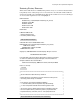
• Product identification, including product serial number, product name
and number, and include any XFPs and mini-GBICs.
• Details about the switch’s status including the software (OS) version,
a copy of the switch configuration, a copy of the switch Event Log, and
a copy of the switch status and counters information.
• Copy of your network topology map, including network addresses
assigned to the relevant devices.
• Add-on boards or hardware.
• Third-party hardware or software.