
HP PCIe IO Accelerator for ProLiant Servers

Appendix B: Manual Installation 32
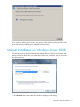
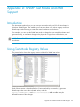
2. Select the folder with the PCIe IO Accelerator driver (the default is C:\Program Files\HP
StorageWorks IO Accelerator\1.2.7.1\Drivers
).
3. Click OK.
4. Click Next.
5. Windows finds the correct driver and installs the device software. When the driver install
completes,
6. Restart the server.
7. Proceed to the Outdated Firmware Check
section to continue.