
HP PCIe IO Accelerator for ProLiant Servers


Contents 3
Contents
HP PCIe IO Accelerator for ProLiant Servers .............................................................................................. 1
User Guide, v1.2.7 for Windows............................................................................................................... 1
Introduction ........................................................................................................................................... 5
Overview................................................................................................................................................ 5
Performance Attributes.............................................................................................................................. 5
System Requirements ................................................................................................................................ 5
Supported Operating Systems............................................................................................................... 5
Hardware Requirements....................................................................................................................... 6
Package List ............................................................................................................................................ 7
In the Box .......................................................................................................................................... 7
Hardware Installation .............................................................................................................................8
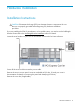
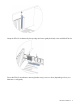
Installation Instructions .............................................................................................................................. 8
Half-Height Bracket Installation (PCIe IO Accelerator only)........................................................................... 11
Software Installation ............................................................................................................................. 14
New Installation..................................................................................................................................... 14
Using the Setup Wizard..................................................................................................................... 14
Existing PCIe IO Accelerator Installation.................................................................................................... 19
Checking for Outdated or Old Firmware................................................................................................... 19
PCIe IO Accelerator Naming................................................................................................................... 20
Adding a File System.............................................................................................................................. 20
Creating a RAID Configuration ................................................................................................................ 21
Maintenance ....................................................................................................................................... 22
PCIe IO Accelerator LED Indicators........................................................................................................... 22
SNMP Support ...................................................................................................................................... 22
PCIe IO Accelerator Management Tool..................................................................................................... 23
Command-Line Utilities............................................................................................................................ 23
Common Maintenance Tasks................................................................................................................... 23
Uninstalling the PCIe IO Accelerator Windows Driver ............................................................................ 24
Upgrading the PCIe IO Accelerator Windows Driver ............................................................................. 24
Upgrading the PCIe IO Accelerator Firmware ....................................................................................... 25
Defragmentation .................................................................................................................................... 26
Unmanaged Shutdown Issues .................................................................................................................. 26
Disabling Auto-Attach ............................................................................................................................. 26
Enabling Auto-Attach.............................................................................................................................. 27
Appendix A: Troubleshooting Event Log Messages...................................................................................28
Appendix B: Manual Installation ............................................................................................................ 30
Manual Installation on Windows Server 2003........................................................................................... 30
Manual Installation on Windows Server 2008........................................................................................... 31
Appendix C: Utilities Reference..............................................................................................................33
fio-attach .............................................................................................................................................. 33
fio-beacon............................................................................................................................................. 34
fio-detach.............................................................................................................................................. 35
fio-format .............................................................................................................................................. 35
fio-pci-check .......................................................................................................................................... 36