
HP PCIe IO Accelerator for ProLiant Servers
Maintenance 27
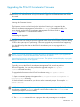
2. Double-click the autoattachdisable.reg file. If necessary, confirm that you want to modify the
registry.
3. This creates a new DWORD parameter registry key called
AutoAttach in:
HKEY_LOCAL_MACHINE\SYSTEM\CurrentControlSet\Services\fiodrive\Parameters
4. Your PCIe IO Accelerator now will not automatically attach the next time you
reboot the server.
When you finish troubleshooting the driver issue, use the PCIe IO Accelerator
Management Tool to attach the PCIe IO Accelerator(s) and make them available to
Windows.
Enabling Auto-Attach
To re-enable auto-attach after disabling it with the autoattachenable.reg file:
1. Open the PCIe IO Accelerator Utilities folder. (The default location is
C:\Program Files\HP
StorageWorks IO Accelerator\Utils
\).
2. Double-click the
autoattachenable.reg file. If necessary, confirm that you want to modify
the registry.
This resets the AutoAttach parameter in the Registry. The next time you reboot your
Windows system, your PCIe IO Accelerator will automatically attach.