
HP PCIe IO Accelerator for ProLiant Servers

Software Installation 15
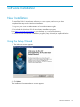
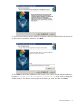
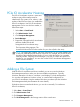
3. If you have a previous version of the IO Accelerator software installed, follow the directions
on the screen to uninstall it; otherwise, click Next.
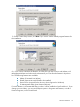
4. Click Next on the Select Installation Folder screen if you want to use the default installation
location (
C:\Program Files\HP StorageWorks IO Accelerator\). If you want to change the
default location, click Browse and navigate to the folder you want, and then click Next.