
HP PCIe IO Accelerator for ProLiant Servers

Software Installation 14
Software Installation
New Installation
To install the PCIe IO Accelerator software on a new system, make sure you have
completed the steps under Hardware Installation.
1. Log in to your server as Administrator or have Administrator rights.
2. Download the Windows PCIe IO Accelerator installation program
from http://www.hp.com/support
to your desktop or a convenient directory.
3. Run the PCIe IO Accelerator installation program (Setup Wizard) as explained below.
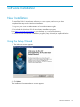
Using the Setup Wizard
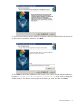
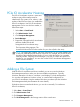
1. The Welcome screen appears:
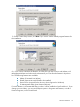
2. Click Next.
The Installation Recommendations screen appears.