
HP PCIe IO Accelerator for ProLiant Servers

Hardware Installation 11
Half-Height Bracket Installation (PCIe IO
Accelerator only)
NOTE: The
PCIe IO Accelerator Duo is not compatible with a half-height bracket.
For half-height installation (such as in low-profile systems), you need to replace the full-
height retaining bracket with the included half-height bracket.
CAUTION: Electrostatic discharge (ESD) can damage electronic components. Be sure you are
properly grounded before starting any hardware installation procedure.
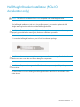
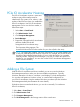
1. Locate the half-height bracket in your PCIe IO Accelerator package:
CAUTION
: Use care in removing the retaining screws. Do not twist or pull on the bracket until
both screws are out as this can cause damage to components.
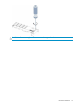
CAUTION: To prevent damage to the PCIe IO Accelerator, use only a Philips #1 tip
screwdriver.
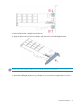
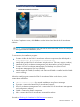
2. Remove the two screws holding the full-height bracket to the PCIe IO Accelerator in the
order shown: