
HP PCIe IO Accelerator for ProLiant Servers User Guide

Utilities 95
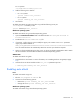
• -p Print: Prints the PCI bus ID at <device> to standard output. Usage and error information can be
written to standard output rather than to standard error.
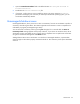
fio-bugreport
Description
Prepares a detailed report of the device for use in troubleshooting problems. The results are saved in the
/tmp directory in a file that indicates the date and time the utility was run.
Example
/tmp/fio-bugreport-20090921.173256-sdv9ko.tar.bz2
Syntax
fio-bugreport [-h, -v]
NOTE: If the utility recommends that you contact Fusion-io support, disregard that message
and contact www.hp.com/support (http://www.hp.com/support) instead.
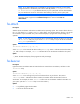
fio-config (Windows only)
Description
Sets and gets configuration parameters for device operation. For a list of parameters, see "fio-config
options."
Syntax
fio-config <iodrive-device> [-e, -g <name>, -p <name>, -s <name>, -v, -h, -
V]
Options
<iodrive-device> Device node for the IO Accelerator card (/dev/fctx), where x indicates the card
number (0, 1, 2, and so on). For example: /dev/fct0.
• -e Enumerate configuration parameter names and values.
• -g <name> Get the configuration parameter.
• -p <name> Set and persist the configuration parameter.
• -s <name> Set the configuration parameter in memory only.
• -v Print verbose information.
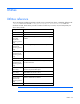
fio-config options
The following table describes the driver parameters you can set with the fio-config utility.
Option Default (min/max) Description
auto_attach True Attach the device on startup
iodrive_tintr_hw_wait 0 (0, 255) Interval (microseconds) to wait between
hardware interrupts
force_minimal_mode False Force minimal mode on the device