
HP PCIe IO Accelerator for ProLiant Servers User Guide

HP IO Accelerator Management Tool 76
3.
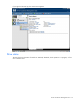
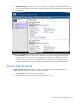
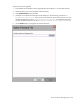
Press Ctrl-Click left mouse button to select two or more separate devices.
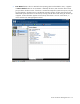
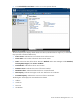
The Device Report panel displays details about each device (individual devices might vary in what fields
they report due to hardware differences):
• Driver Version—Indicates the IO Accelerator driver software version.
• Device Name—The number indicates the device serial number.
• Status—Shows the status of the device. Normal is Attached. Other status messages include Detached,
Scanning Data, Stopped, or In an Error Condition.
• Serial Number—Indicates the device serial number.
• Firmware version—Indicates the version of firmware installed.
• Manufacture date—Indicates the date the device was manufactured.
• Max Capacity—Indicates the largest size for user data for the IO Accelerator.
• Formatted Capacity—Indicates the current size of the IO Accelerator.
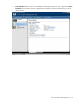
The dialog box also displays the associated PCIe bus details:
• Address
• Vendor ID
• Device ID
• Slot Number