
HP PCIe IO Accelerator for ProLiant Servers User Guide


Hardware installation 18
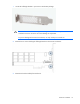
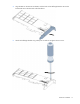
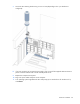
CAUTION: Do not overly tighten screws. Overly tightening the screws might damage the
device.
6. Return to "Installing the HP PCIe IO Accelerator (on page 12)" and begin with step 2.
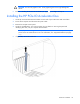
Installing the HP PCIe IO Accelerator Duo
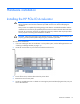
1. Locate the serial and informational numbers on each side of your ioDrive Duo and record them.
2. Power off the computer and disconnect the power cable.
3. Remove the computer access panel.
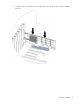
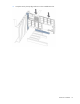
4. Locate an available Gen1 x8 or Gen2 x4 PCIe slot. For details on removing the panel and
identifying PCIe slots, see your computer documentation.
NOTE: If you are not using an external power connection, choose a slot that provides ample
power for the IO Accelerator Duo. For more information, see "Supported hardware (on page
10)."
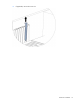
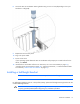
5. If applicable, remove the cover slot.