
HP PCIe IO Accelerator for ProLiant Servers User Guide

Hardware installation 15
8.
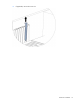
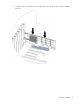
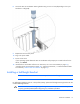
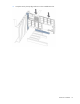
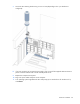
Secure the PCIe IO Accelerator retaining bracket using a screw or lever (depending on how your
hardware is configured).
9. Replace the server access panel.
10. Plug in the power cable.
11. Power on the server.
If your operating system detects the PCIe IO Accelerator and prompts you to install a driver for the
device, click Cancel.
12. Install the driver and utilities software. For instructions, see "Linux environments (on page 21),"
"Windows Server environments (on page 40)," "Solaris environments," or "VMware ESX and ESXi
environments ("VMWare ESX environments" on page 61)."
Installing a half-height bracket
NOTE: The PCIe IO Accelerator Duo is not compatible with the half-height bracket.
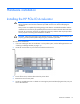
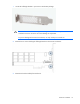
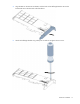
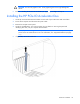
For half-height installation (such as in low-profile systems), replace the full-height retaining bracket with the
included half-height bracket.
CAUTION: Electrostatic discharge might damage electronic components. Be sure that you are
properly grounded (earthed) before beginning any installation procedure.