
HP 3PAR Recovery Manager Diagnostics Tool for Hyper-V User Guide (QL226-97315, February 2014)





Contents
1 Introduction...............................................................................................4
2 System requirements for installation...............................................................5
Hardware requirements.............................................................................................................5
Software requirements...............................................................................................................5
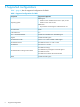
3 Supported configurations.............................................................................6
4 Installing and removing the RMD Tool...........................................................7
Installing the RMD Tool on RMH Server.......................................................................................7
Verifying installation..................................................................................................................7
Removing the RMD Tool.............................................................................................................7
5 Using the RMD Tool....................................................................................9
Launching the RMD Tool............................................................................................................9
Performing diagnostics checks....................................................................................................9
Diagnostics checks.............................................................................................................10
Viewing diagnostics test status..................................................................................................11
Viewing diagnostics reports.....................................................................................................12
Viewing archived reports.........................................................................................................13
6 Troubleshooting........................................................................................14
7 Support and other resources......................................................................18
Contacting HP........................................................................................................................18
HP 3PAR documentation..........................................................................................................18
Typographic conventions.........................................................................................................20
HP 3PAR branding information.................................................................................................20
8 Documentation feedback...........................................................................21
Glossary....................................................................................................22
Contents 3