
Basic Operation Guide 2013/06
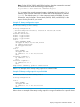
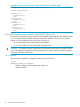



Table Of Contents
- Switch Software
- Contents
- 1 Commands found in the Basic Operation Guide
- 2 Getting started
- 3 Using the Menu Interface
- 4 Using the Command Line Interface (CLI)
- Overview
- Accessing the CLI
- Using the CLI
- Return message types with CLI commands
- CLI interactive commands
- CLI control and editing
- 5 Using the HP WebAgent
- 6 Switch memory and configuration
- Overview
- Configuration file management
- Using the CLI to implement configuration changes
- Creating a custom default configuration
- Using the menu and WebAgent to implement configuration changes configuration file
- Zeroization
- Using Primary and Secondary flash image options
- Multiple configuration files
- Display configuration of selected interface
- Automatic configuration update with DHCP Option 66
- 7 Interface access and system information
- 8 Configuring IP addressing
- Overview
- IP configuration
- Loopback interfaces
- IP Preserve: retaining VLAN-1 IP addressing across configuration file downloads
- Configuring a single source IP address
- 9 Software management
- Downloading switch documentation and software from the web
- Viewing or downloading the software manual set
- Downloading software updates for your switch
- Software signing and verification
- Saving configurations while using the CLI
- Important: Best Practices for software updates
- Updating the switch: overview
- Updating the switch: detailed steps
- Rolling back switch software
- Viewing or transferring alternate configuration files
- Downloading switch documentation and software from the web
- Index

Syntax:
telnet <ipv4-addr | ipv6-addr | hostname | switch-num> [oobm]
Initiates an outbound telnet session to another network device. The destination can
be specified as:
• IPv4 address
• IPv6 address
• Hostname
• Stack number of a member switch (1-16) if the switch is a commander in a
stack and stacking is enabled
For switches that have a separate out-of-band management port, the oobm parameter
specifies that the Telnet traffic will go out from the out-of-band management interface.
If this parameter is not specified, the Telnet traffic goes out from the data interface.
The oobm parameter is not available on switches that do not have a separate
out-of-band management port. Refer to Appendix I, "Network Out-of-Band
Management" in this guide for more information on out-of-band management.
Note: If the console idle-timeout expires, any outbound Telnet or SSH sessions
that are open on the switch are terminated. (For information on console
idle-timeout, refer to “Reconfigure the console/serial link settings” (page 98).)
For example, if the host "Labswitch" is in the domain abc.com, you can enter the following command
and the destination is resolved to "Labswitch.abc.com".
HP Switch(config)# telnet Labswitch
You can also enter the full domain name in the command:
HP Switch(config)# telnet Labswitch.abc.com
You can use the show telnet command to display the resolved IP address.
Example 76 The show telnet command displaying resolved IP addresses
HP Switch(config)# show telnet
Telnet Activity
-------------------------------------------------------
Session : ** 1
Privilege: Manager
From : Console
To :
-------------------------------------------------------
Session : ** 2
Privilege: Manager
From : 12.13.14.10
To : 15.33.66.20
-------------------------------------------------------
Session : ** 3
Privilege: Operator
From : 2001:db7:5:0:203:4ff:fe0a:251
To : 2001:db7:5:0:203:4ff1:fddd:12
Making window size negotiation available for a telnet session
When a telnet connection is established with a switch, the switch always uses the default values
of 80 columns by 24 lines for the window dimensions. The window can be resized by either
dragging the corner of the window, or by executing the terminal length <x> width <y>
Interface access: console/serial link, web, and inbound telnet 97