
Basic Operation Guide 2013/06


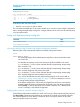
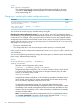
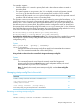
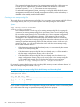
Table Of Contents
- Switch Software
- Contents
- 1 Commands found in the Basic Operation Guide
- 2 Getting started
- 3 Using the Menu Interface
- 4 Using the Command Line Interface (CLI)
- Overview
- Accessing the CLI
- Using the CLI
- Return message types with CLI commands
- CLI interactive commands
- CLI control and editing
- 5 Using the HP WebAgent
- 6 Switch memory and configuration
- Overview
- Configuration file management
- Using the CLI to implement configuration changes
- Creating a custom default configuration
- Using the menu and WebAgent to implement configuration changes configuration file
- Zeroization
- Using Primary and Secondary flash image options
- Multiple configuration files
- Display configuration of selected interface
- Automatic configuration update with DHCP Option 66
- 7 Interface access and system information
- 8 Configuring IP addressing
- Overview
- IP configuration
- Loopback interfaces
- IP Preserve: retaining VLAN-1 IP addressing across configuration file downloads
- Configuring a single source IP address
- 9 Software management
- Downloading switch documentation and software from the web
- Viewing or downloading the software manual set
- Downloading software updates for your switch
- Software signing and verification
- Saving configurations while using the CLI
- Important: Best Practices for software updates
- Updating the switch: overview
- Updating the switch: detailed steps
- Rolling back switch software
- Viewing or transferring alternate configuration files
- Downloading switch documentation and software from the web
- Index

This command changes the name of an existing startupconfig file. A file name can
include up to 63, alphanumeric characters. Blanks are allowed in a file name
enclosed in quotes (" " or ‘ ‘). (File names are not case-sensitive.)
For redundant management systems, renaming a config file affects both the active
management module and the standby management module, unless redundancy is
disabled or the standby module failed selftest.
Creating a new startup-config file
The switch allows up to three startup-config files. You can create a new startup-config file if there
is an empty memory slot or if you want to replace one startup-config file with another.
Syntax:
copy config <source-filename>
config <target-filename>
This command makes a local copy of an existing startupconfig file by copying the
contents of an existing startupconfig file in one memory slot to a new startup-config
file in another, empty memory slot. This enables you to use a separate configuration
file to experiment with configuration changes, while preserving the source file
unchanged. It also simplifies a transition from one software version to another by
enabling you to preserve the startup-config file for the earlier software version while
creating a separate startupconfig file for the later software version. With two such
versions in place, you can easily reboot the switch with the correct startup-config
file for either software version.
• If the destination startup-config file already exists, it is overwritten by the content
of the source startup-config file.
• If the destination startup-config file does not already exist, it will be created in
the first empty configuration memory slot on the switch.
• If the destination startup-config file does not already exist, but there are no
empty configuration memory slots on the switch, then a new startup-config file
is not created and instead, the CLI displays the following error message:
Unable to copy configuration to "target-filename".
For example, suppose both primary and secondary flash memory contain software release "A"
and use a startup-config file named config1:
Example 61 Using one startup-config file for both Primary and Secondary flash
HP Switch(config)# show config files
Configuration files:
id | act pri sec | name
---+-------------+-----------------------------------------------
1 | * * * | Config1
2 | |
3 | |
If you wanted to experiment with configuration changes to the software version in secondary flash,
you could create and assign a separate startupconfig file for this purpose.
80 Switch memory and configuration