
Basic Operation Guide 2013/06

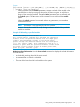
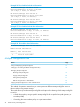

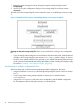
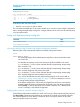
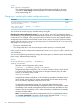
Table Of Contents
- Switch Software
- Contents
- 1 Commands found in the Basic Operation Guide
- 2 Getting started
- 3 Using the Menu Interface
- 4 Using the Command Line Interface (CLI)
- Overview
- Accessing the CLI
- Using the CLI
- Return message types with CLI commands
- CLI interactive commands
- CLI control and editing
- 5 Using the HP WebAgent
- 6 Switch memory and configuration
- Overview
- Configuration file management
- Using the CLI to implement configuration changes
- Creating a custom default configuration
- Using the menu and WebAgent to implement configuration changes configuration file
- Zeroization
- Using Primary and Secondary flash image options
- Multiple configuration files
- Display configuration of selected interface
- Automatic configuration update with DHCP Option 66
- 7 Interface access and system information
- 8 Configuring IP addressing
- Overview
- IP configuration
- Loopback interfaces
- IP Preserve: retaining VLAN-1 IP addressing across configuration file downloads
- Configuring a single source IP address
- 9 Software management
- Downloading switch documentation and software from the web
- Viewing or downloading the software manual set
- Downloading software updates for your switch
- Software signing and verification
- Saving configurations while using the CLI
- Important: Best Practices for software updates
- Updating the switch: overview
- Updating the switch: detailed steps
- Rolling back switch software
- Viewing or transferring alternate configuration files
- Downloading switch documentation and software from the web
- Index
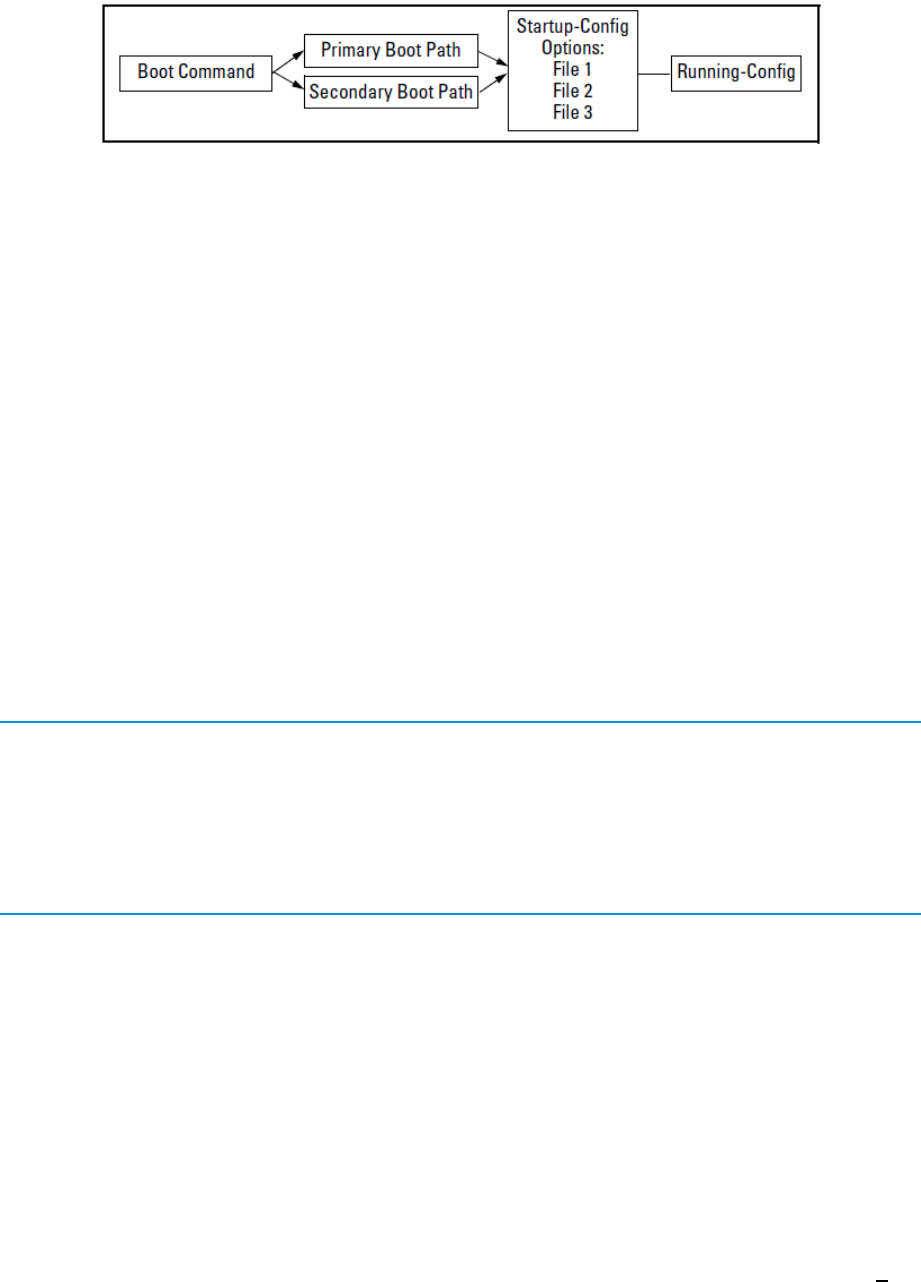
Figure 18 Optional reboot process
While you can still use remote storage for startup-config files, you can now maintain multiple
startup-config files on the switch and choose which version to use for a reboot policy or an individual
reboot.
This choice of which configuration file to use for the startup-config at reboot provides the following
new options:
• The switch can reboot with different configuration options without having to exchange one
configuration file for another from a remote storage location.
• Transitions from one software release to another can be performed while maintaining a
separate configuration for the different software release versions.
• By setting a reboot policy using a known good configuration and then overriding the policy
on a per-instance basis, you can test a new configuration with the provision that if an
unattended reboot occurs, the switch will come up with the known, good configuration instead
of repeating a reboot with a misconfiguration.
General operation
Multiple configuration storage in the switch. The switch uses three memory "slots", with identity (id)
numbers of 1, 2, and 3.
Example 59 Output for show config files command
HP Switch(config)# show config files
Configuration files:
id | act pri sec | name
---+-------------+-----------------------------------------------
1 | | oldConfig
2 | * * * | workingConfig
3 | |
A startup-config file stored in a memory slot has a unique, changeable file name. The switches
covered in this guide can use the startup-config in any of the memory slots (if the software version
supports the configured features).
Boot options. With multiple startup-config files in the switch you can specify a policy for the switch
to use upon reboot. The options include:
• Use the designated startup-config file with either or both reboot paths (primary or secondary
flash)
• Override the current reboot policy for one reboot instance by specifying a boot path (primary
or secondary flash) and the startup-config file to use.
Changing the startup-config file. When the switch reboots, the startupconfig file supplies the
configuration for the running-config file the switch uses to operate. Making changes to the
running-config file and then executing a write-mem command (or, in the Menu interface, the Save
command) are written back to the startup-config file used at the last reboot. For example, suppose
that a system administrator performs the following on a switch that has two startup-config files
(workingconfig and backupconfig):
Multiple configuration files 75