
Basic Operation Guide 2013/06




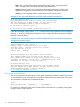
Table Of Contents
- Switch Software
- Contents
- 1 Commands found in the Basic Operation Guide
- 2 Getting started
- 3 Using the Menu Interface
- 4 Using the Command Line Interface (CLI)
- Overview
- Accessing the CLI
- Using the CLI
- Return message types with CLI commands
- CLI interactive commands
- CLI control and editing
- 5 Using the HP WebAgent
- 6 Switch memory and configuration
- Overview
- Configuration file management
- Using the CLI to implement configuration changes
- Creating a custom default configuration
- Using the menu and WebAgent to implement configuration changes configuration file
- Zeroization
- Using Primary and Secondary flash image options
- Multiple configuration files
- Display configuration of selected interface
- Automatic configuration update with DHCP Option 66
- 7 Interface access and system information
- 8 Configuring IP addressing
- Overview
- IP configuration
- Loopback interfaces
- IP Preserve: retaining VLAN-1 IP addressing across configuration file downloads
- Configuring a single source IP address
- 9 Software management
- Downloading switch documentation and software from the web
- Viewing or downloading the software manual set
- Downloading software updates for your switch
- Software signing and verification
- Saving configurations while using the CLI
- Important: Best Practices for software updates
- Updating the switch: overview
- Updating the switch: detailed steps
- Rolling back switch software
- Viewing or transferring alternate configuration files
- Downloading switch documentation and software from the web
- Index

Example 48 Show flash listing after erasing Primary flash
HP Switch# show flash
Compressed Primary Code size = 0
Compressed Secondary code size = 2555802
Boot ROM Version : K.15.19
Default Boot : Secondary
In redundant management systems, this command will erase the selected flash in both the active
and the standby management modules. If redundancy has been disabled or the standby module
has failed selftest, this command only affects the active management module.
Rebooting the switch
Operating notes about booting
Default boot source. The switch reboots from primary flash by default unless you specify the
secondary flash by entering either the boot system flash [primary | secondary] or boot set-default
flash [primary | secondary] command. Both the boot command and the reload command will
reboot based on how these options have been selected.
Boot attempts from an empty flash location. In this case, the switch aborts the attempt and displays:
Image does not exist
Operation aborted.
Interaction of Primary and Secondary flash images with the current configuration. The switch has
one startup-config file (see “Configuration file management” (page 50)), which it always uses for
reboots, regardless of whether the reboot is from primary or secondary flash. Also, for rebooting
purposes, it is not necessary for the software image and the startup-config file to support identical
software features. For example, suppose you have just downloaded a software upgrade that
includes new features that are not supported in the software you used to create the current
startup-config file. In this case, the software simply assigns factory-default values to the parameters
controlling the new features. Similarly, If you create a startup-config file while using a version "Y"
of the switch software, and then reboot the switch with an earlier software version "X" that does
not include all of the features found in "Y", the software simply ignores the parameters for any
features that it does not support.
Scheduled reload. If no parameters are entered after the reload command, an immediate reboot
is executed. The reload at and reload after command information is not saved across reboots. If
the switch is rebooted before a scheduled reload command is executed, the command is effectively
cancelled. When entering a reload at or reload after command, a prompt will appear to confirm
the command before it can be processed by the switch. For the reload at command, if mm/dd/yy
are left blank, the current day is assumed.
The scheduled reload feature removes the requirement to physically reboot the switch at inconvenient
times (for example, at 1:00 in the morning). Instead, a reload at 1:00 mm/dd command can be
executed (where mm/dd is the date the switch is scheduled to reboot).
Boot and reload command comparison
The switch offers reboot options through the boot and reload commands, plus the options inherent
in a dual-flash image system. Generally, using boot provides more comprehensive self-testing;
using reload gives you a faster reboot time.
68 Switch memory and configuration