
Basic Operation Guide 2013/06


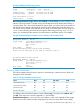

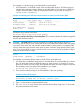

Table Of Contents
- Switch Software
- Contents
- 1 Commands found in the Basic Operation Guide
- 2 Getting started
- 3 Using the Menu Interface
- 4 Using the Command Line Interface (CLI)
- Overview
- Accessing the CLI
- Using the CLI
- Return message types with CLI commands
- CLI interactive commands
- CLI control and editing
- 5 Using the HP WebAgent
- 6 Switch memory and configuration
- Overview
- Configuration file management
- Using the CLI to implement configuration changes
- Creating a custom default configuration
- Using the menu and WebAgent to implement configuration changes configuration file
- Zeroization
- Using Primary and Secondary flash image options
- Multiple configuration files
- Display configuration of selected interface
- Automatic configuration update with DHCP Option 66
- 7 Interface access and system information
- 8 Configuring IP addressing
- Overview
- IP configuration
- Loopback interfaces
- IP Preserve: retaining VLAN-1 IP addressing across configuration file downloads
- Configuring a single source IP address
- 9 Software management
- Downloading switch documentation and software from the web
- Viewing or downloading the software manual set
- Downloading software updates for your switch
- Software signing and verification
- Saving configurations while using the CLI
- Important: Best Practices for software updates
- Updating the switch: overview
- Updating the switch: detailed steps
- Rolling back switch software
- Viewing or transferring alternate configuration files
- Downloading switch documentation and software from the web
- Index

Syntax:
erase all [zeroize]
Erases all management module files, including configuration files, core dumps,
password files, crypto-key files, etc. Software images are not erased.
When executed without the zeroize option, files are removed, but the flash storage
is not zeroized. The data is still physically present in the flash. The flash can be
removed from the switch and the data recovered with file recovery tools.
[zeroize]: Zeroizes the file storage of the management modules.
NOTE: It is recommended that zeroization be performed from the serial console so that the status
information can be viewed during the zeroization process.
Example 41 Zeroizing the management module files
HP Switch(config)# erase all zeroize
The system will be rebooted and all management module files
except software images will be erased and zeroized. This will
take up to 60 minutes and the switch will not be usable during
ing that time. Continue (y/n)? y
Zeroizing from the ROM console
It is also possible to zeroize the file storage from the ROM console of the switch, using the erase-all
zeroize command at the prompt. This most likely occurs during a switch recovery process. The
warning messages are the same as for the CLI command.
Example 42 Zeroizing the management module files from the ROM console
=> erase-all zeroize
The system will be rebooted and all management module files
except software images will be erased and zeroized. This will
take up to 60 minutes and the switch will not be usable during
that time. Continue (y/n)? y
Zeroizing with HA
When zeroization is triggered by a secure mode transition, HA handles zeroization on the AMM
and SMM automatically.
When the CLI command (erase all zeroize) is used to start zeroization, the AMM syncs with the
SMM and ensures that the SMM performs the same level of zeroization before the AMM starts the
zeroization process on itself. The AMM before the zeroization process occurs remains the AMM,
unless it takes over a minute for the AMM to boot up, in which case the prior SMM becomes the
AMM.
When zeroization is started from the ROM console, there is no synchronization performed between
the AMM and SMM, as zeroization from the ROM console is treated as a recovery facility. Each
MM has to be zeroized individually.
For information about Secure Mode and zeroization, see the chapter "Secure Mode (5400zl,
3800, and 8200zl)" in the Access Security Guide for your switch.
Zeroization 63