
Basic Operation Guide 2013/06
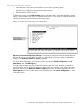




Table Of Contents
- Switch Software
- Contents
- 1 Commands found in the Basic Operation Guide
- 2 Getting started
- 3 Using the Menu Interface
- 4 Using the Command Line Interface (CLI)
- Overview
- Accessing the CLI
- Using the CLI
- Return message types with CLI commands
- CLI interactive commands
- CLI control and editing
- 5 Using the HP WebAgent
- 6 Switch memory and configuration
- Overview
- Configuration file management
- Using the CLI to implement configuration changes
- Creating a custom default configuration
- Using the menu and WebAgent to implement configuration changes configuration file
- Zeroization
- Using Primary and Secondary flash image options
- Multiple configuration files
- Display configuration of selected interface
- Automatic configuration update with DHCP Option 66
- 7 Interface access and system information
- 8 Configuring IP addressing
- Overview
- IP configuration
- Loopback interfaces
- IP Preserve: retaining VLAN-1 IP addressing across configuration file downloads
- Configuring a single source IP address
- 9 Software management
- Downloading switch documentation and software from the web
- Viewing or downloading the software manual set
- Downloading software updates for your switch
- Software signing and verification
- Saving configurations while using the CLI
- Important: Best Practices for software updates
- Updating the switch: overview
- Updating the switch: detailed steps
- Rolling back switch software
- Viewing or transferring alternate configuration files
- Downloading switch documentation and software from the web
- Index
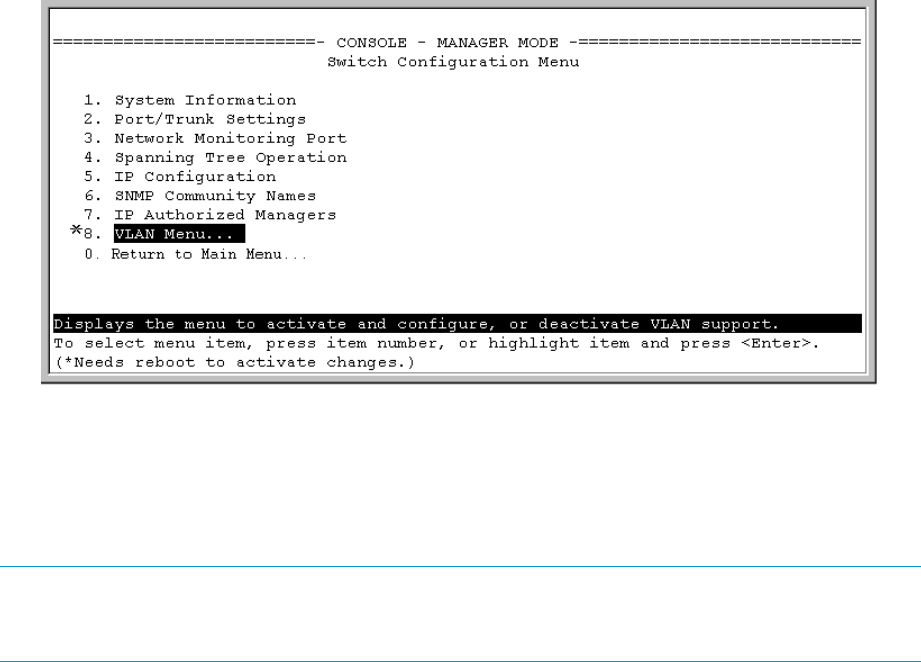
Figure 17 Indication of a configuration change requiring a reboot
WebAgent: implementing configuration changes
You can use the WebAgent to simultaneously save and implement a subset of switch configuration
changes without having to reboot the switch. That is, when you save a configuration change, you
simultaneously change both the running-config file and the startup-config file. For online help with
configuring changes in the WebAgent, click on the "?" in the WebAgent screen.
NOTE: If you reconfigure a parameter in the CLI and then go to the WebAgent without executing
a write memory command, those changes will be saved to the startupconfig file if you click on
Save in the WebAgent.
Zeroization
Zeroizing the file storage of the management module
Sometimes it is desirable to completely remove the information stored in user files from flash storage.
The zeroization feature will remove and "zeroize" all the files from flash storage except software
images. Information removed includes the following:
• switch configurations
• system generated private keys
• user installed private keys
• legacy manager/operator password files
• crypto-key files
• fdr logs
• core dumps
Zeroization can be initiated in these ways:
• CLI command
• During Secure Mode transition, initiated through the secure-mode CLI command executed
in a serial session
• ROM console command
The zeroization process takes some time, so it is performed during the initial process of a switch
reboot. After zeroization, the configuration file is rebuilt from the default config file, which is similar
to the config rebuilding process performed by the erase startup-config command.
62 Switch memory and configuration