
Basic Operation Guide 2013/06

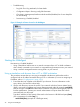


Table Of Contents
- Switch Software
- Contents
- 1 Commands found in the Basic Operation Guide
- 2 Getting started
- 3 Using the Menu Interface
- 4 Using the Command Line Interface (CLI)
- Overview
- Accessing the CLI
- Using the CLI
- Return message types with CLI commands
- CLI interactive commands
- CLI control and editing
- 5 Using the HP WebAgent
- 6 Switch memory and configuration
- Overview
- Configuration file management
- Using the CLI to implement configuration changes
- Creating a custom default configuration
- Using the menu and WebAgent to implement configuration changes configuration file
- Zeroization
- Using Primary and Secondary flash image options
- Multiple configuration files
- Display configuration of selected interface
- Automatic configuration update with DHCP Option 66
- 7 Interface access and system information
- 8 Configuring IP addressing
- Overview
- IP configuration
- Loopback interfaces
- IP Preserve: retaining VLAN-1 IP addressing across configuration file downloads
- Configuring a single source IP address
- 9 Software management
- Downloading switch documentation and software from the web
- Viewing or downloading the software manual set
- Downloading software updates for your switch
- Software signing and verification
- Saving configurations while using the CLI
- Important: Best Practices for software updates
- Updating the switch: overview
- Updating the switch: detailed steps
- Rolling back switch software
- Viewing or transferring alternate configuration files
- Downloading switch documentation and software from the web
- Index
General features
The WebAgent includes this information:
• Home
◦ Quick Setup—Name, contact, IP, and VLAN information
◦ Status—Information about system uptime, switch addresses and serial number, VLANs,
power, redundancy status, alert log, and utilization statistics
• System
◦ Logging—Fault detection, alert log
◦ SNMP—Community name and access, trap receivers, link status change
◦ Updates/Downloads—Configuration files, software images
◦ Redundancy—Management module status, fabric module status, failovers
• Interface
◦ Port Info/Config—Port table, port properties, port statistics
◦ PoE—System power status, port table show power usage and LLDP information, PoE
statistics by port
• VLAN
◦ VLAN Management—Primary and management VLAN, VLAN table, VLAN properties
• Traffic Management
◦ QoS—Type of service, Quality of service, DSCP policies, DSCP priority
• Spanning Tree
◦ Tree Management—Enabled or disabled
• Multicast
◦ IGMP—VLAN information
• Security
◦ Device Passwords—Authorized usernames and passwords
◦ Security Wizard—Set up switch to prevent unauthorized access
◦ IP Authorization—IP authorized manager addresses, methods, and levels, IP authorization
details
◦ Port Security—Port security table, security policy information
◦ Intrusion Log—Details about intrusion events
◦ SSL—Enabled/disabled for web management; SSL certificate status
General features 45