
Basic Operation Guide 2013/06
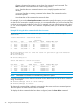
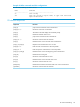



Table Of Contents
- Switch Software
- Contents
- 1 Commands found in the Basic Operation Guide
- 2 Getting started
- 3 Using the Menu Interface
- 4 Using the Command Line Interface (CLI)
- Overview
- Accessing the CLI
- Using the CLI
- Return message types with CLI commands
- CLI interactive commands
- CLI control and editing
- 5 Using the HP WebAgent
- 6 Switch memory and configuration
- Overview
- Configuration file management
- Using the CLI to implement configuration changes
- Creating a custom default configuration
- Using the menu and WebAgent to implement configuration changes configuration file
- Zeroization
- Using Primary and Secondary flash image options
- Multiple configuration files
- Display configuration of selected interface
- Automatic configuration update with DHCP Option 66
- 7 Interface access and system information
- 8 Configuring IP addressing
- Overview
- IP configuration
- Loopback interfaces
- IP Preserve: retaining VLAN-1 IP addressing across configuration file downloads
- Configuring a single source IP address
- 9 Software management
- Downloading switch documentation and software from the web
- Viewing or downloading the software manual set
- Downloading software updates for your switch
- Software signing and verification
- Saving configurations while using the CLI
- Important: Best Practices for software updates
- Updating the switch: overview
- Updating the switch: detailed steps
- Rolling back switch software
- Viewing or transferring alternate configuration files
- Downloading switch documentation and software from the web
- Index
Example 26 Alias commands and their configurations
HP Switch(config)# show alias
Name Command
---------------- ------------------------------
sc show config
sic show int custom 1-4 port name: 4 type vlan intrusion
speed enabled mdi
CLI shortcut keystrokes
FunctionsKeystrokes
Jumps to the first character of the command line.[Ctrl] [A]
Moves the cursor back one character.[Ctrl] [B] or ‘←’
Terminates a task and displays the command prompt.[Ctrl] [C]
Deletes the character at the cursor.[Ctrl] [D]
Jumps to the end of the current command line.[Ctrl] [E]
Moves the cursor forward one character.[Ctrl] [F] or ‘→’
Deletes from the cursor to the end of the command line.[Ctrl] [K]
Repeats current command line on a new line.[Ctrl] [L] or [Ctrl] [R]
Enters the next command line in the history buffer.[Ctrl] [N] or ‘↓’
Enters the previous command line in the history buffer.[Ctrl] [P] or ‘↑’
Deletes from the cursor to the beginning of the command line.[Ctrl] [U] or [Ctrl] [X]
Deletes the last word typed.[Ctrl] [W]
Moves the cursor backward one word.[Esc] [B]
Deletes from the cursor to the end of the word.[Esc] [D]
Moves the cursor forward one word.[Esc] [F]
Deletes the first character to the left of the curser in the command line.[Backspace]
Moves the cursor forward one character.[Spacebar]
CLI control and editing 43