
Basic Operation Guide 2013/06
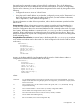
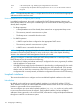
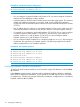
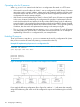
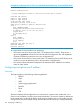
Table Of Contents
- Switch Software
- Contents
- 1 Commands found in the Basic Operation Guide
- 2 Getting started
- 3 Using the Menu Interface
- 4 Using the Command Line Interface (CLI)
- Overview
- Accessing the CLI
- Using the CLI
- Return message types with CLI commands
- CLI interactive commands
- CLI control and editing
- 5 Using the HP WebAgent
- 6 Switch memory and configuration
- Overview
- Configuration file management
- Using the CLI to implement configuration changes
- Creating a custom default configuration
- Using the menu and WebAgent to implement configuration changes configuration file
- Zeroization
- Using Primary and Secondary flash image options
- Multiple configuration files
- Display configuration of selected interface
- Automatic configuration update with DHCP Option 66
- 7 Interface access and system information
- 8 Configuring IP addressing
- Overview
- IP configuration
- Loopback interfaces
- IP Preserve: retaining VLAN-1 IP addressing across configuration file downloads
- Configuring a single source IP address
- 9 Software management
- Downloading switch documentation and software from the web
- Viewing or downloading the software manual set
- Downloading software updates for your switch
- Software signing and verification
- Saving configurations while using the CLI
- Important: Best Practices for software updates
- Updating the switch: overview
- Updating the switch: detailed steps
- Rolling back switch software
- Viewing or transferring alternate configuration files
- Downloading switch documentation and software from the web
- Index
Operating rules for IP preserve
When ip preserve is entered as the last line in a configuration file stored on a TFTP server:
• If the switch’s current IP address for VLAN 1 was not configured by DHCP/ Bootp, IP Preserve
retains the switch’s current IP address, subnet mask, and IP gateway address when the switch
downloads the file and reboots. The switch adopts all other configuration parameters in the
configuration file into the startup-config file.
• If the switch’s current IP addressing for VLAN 1 is from a DHCP server, IP Preserve is suspended.
In this case, whatever IP addressing the configuration file specifies is implemented when the
switch downloads the file and reboots. If the file includes DHCP/Bootp as the IP addressing
source for VLAN 1, the switch will configure itself accordingly and use DHCP/ Bootp. If instead,
the file includes a dedicated IP address and subnet mask for VLAN 1 and a specific gateway
IP address, then the switch will implement these settings in the startup-config file.
• The ip preserve statement does not appear in show config listings. To verify IP Preserve
in a configuration file, open the file in a text editor and view the last line. For an example of
implementing IP Preserve in a configuration file, see example below.
Enabling IP preserve
To set up IP Preserve, enter the ip preserve statement at the end of a configuration file. (Note
that you do not execute IP Preserve by entering a command from the CLI).
Example 87 Implementing IP preserve in a configuration file
; J9091A Configuration Editor; Created on release #K.15.10.0001
hostname "HP Switch"
time daylight-time-rule None
.
.
.
password manager
password operator
ip preserve
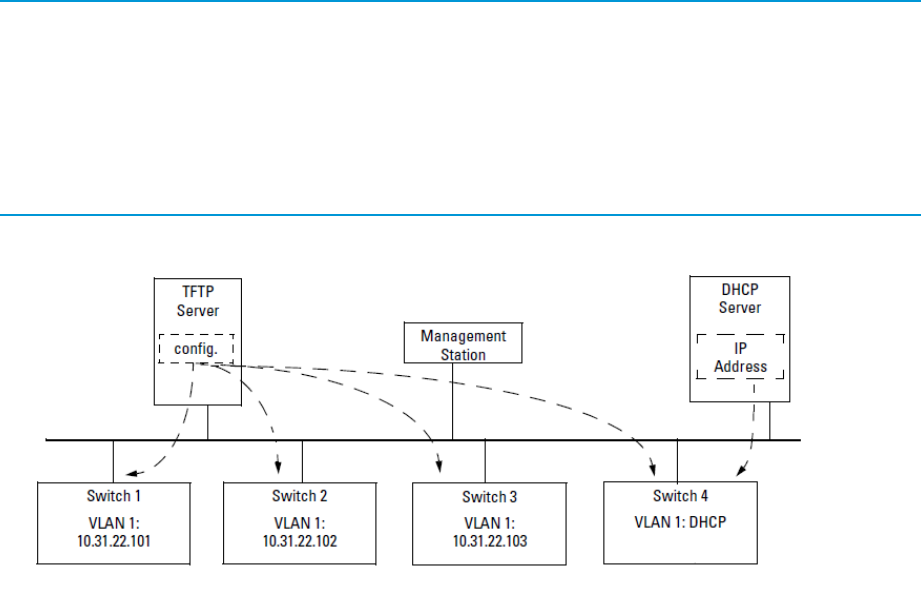
Figure 22 Example of IP Preserve operation with multiple series switches
If you apply the following configuration file to Figure 24, switches 1 - 3 will retain their manually
assigned IP addressing and switch 4 will be configured to acquire its IP addressing from a DHCP
server.
118 Configuring IP addressing