
Basic Operation Guide 2013/06
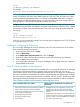
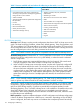
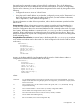
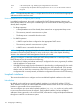
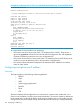
Table Of Contents
- Switch Software
- Contents
- 1 Commands found in the Basic Operation Guide
- 2 Getting started
- 3 Using the Menu Interface
- 4 Using the Command Line Interface (CLI)
- Overview
- Accessing the CLI
- Using the CLI
- Return message types with CLI commands
- CLI interactive commands
- CLI control and editing
- 5 Using the HP WebAgent
- 6 Switch memory and configuration
- Overview
- Configuration file management
- Using the CLI to implement configuration changes
- Creating a custom default configuration
- Using the menu and WebAgent to implement configuration changes configuration file
- Zeroization
- Using Primary and Secondary flash image options
- Multiple configuration files
- Display configuration of selected interface
- Automatic configuration update with DHCP Option 66
- 7 Interface access and system information
- 8 Configuring IP addressing
- Overview
- IP configuration
- Loopback interfaces
- IP Preserve: retaining VLAN-1 IP addressing across configuration file downloads
- Configuring a single source IP address
- 9 Software management
- Downloading switch documentation and software from the web
- Viewing or downloading the software manual set
- Downloading software updates for your switch
- Software signing and verification
- Saving configurations while using the CLI
- Important: Best Practices for software updates
- Updating the switch: overview
- Updating the switch: detailed steps
- Rolling back switch software
- Viewing or transferring alternate configuration files
- Downloading switch documentation and software from the web
- Index

is the vendor-specific "tag" identifying the configuration file to download.T144
is a required entry that specifies the Bootp report format. Use rfc1048 for the switches covered in
this guide.
vm
NOTE: The above Bootp table entry is a sample that will work for the switch when the appropriate
addresses and file names are used.
Network preparations for configuring DHCP/Bootp
In its default configuration, the switch is configured for DHCP/Bootp operation. However, the
DHCP/Bootp feature will not acquire IP addressing for the switch unless the following tasks have
already been completed:
• For Bootp operation
A Bootp database record has already been entered into an appropriate Bootp server◦
◦ The necessary network connections are in place
◦ The Bootp server is accessible from the switch
• For DHCP operation
A DHCP scope has been configured on the appropriate DHCP server◦
◦ The necessary network connections are in place
◦ A DHCP server is accessible from the switch
NOTE: Designating a primary VLAN other than the default VLAN affects the switch’s use of
information received via DHCP/Bootp. For more on this topic, refer to the chapter describing
VLANs in the Advanced Traffic Management Guide for your switch.
After you reconfigure or reboot the switch with DHCP/Bootp enabled in a network providing
DHCP/Bootp service, the switch does the following:
• Receives an IP address and subnet mask and, if configured in the server, a gateway IP address
and the address of a Timep server.
• If the DHCP/Bootp reply provides information for downloading a configuration file, the switch
uses TFTP to download the file from the designated source, then reboots itself. (This assumes
that the switch or VLAN has connectivity to the TFTP file server specified in the reply, that the
configuration file is correctly named, and that the configuration file exists in the TFTP directory.)
Loopback interfaces
This section describes how to configure and use user-defined loopback interfaces on the switch.
Introduction
By default, each switch has an internal loopback interface (lo0) with the IP address 127.0.0.1.
This IP address is used only for internal traffic transmitted within the switch and is not used in packet
headers in egress traffic sent to network devices.
You can configure up to seven other loopback interfaces (lo1, lo2, lo3, and so on) on the switch
to use to transmit network across the network. Each loopback interface can have multiple IP
addresses. Routing protocols, such as RIP and OSPF, advertise the configured loopback addresses
throughout a network or autonomous system.
114 Configuring IP addressing