
Basic Operation Guide 2013/06
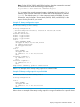
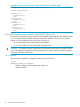
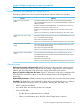



Table Of Contents
- Switch Software
- Contents
- 1 Commands found in the Basic Operation Guide
- 2 Getting started
- 3 Using the Menu Interface
- 4 Using the Command Line Interface (CLI)
- Overview
- Accessing the CLI
- Using the CLI
- Return message types with CLI commands
- CLI interactive commands
- CLI control and editing
- 5 Using the HP WebAgent
- 6 Switch memory and configuration
- Overview
- Configuration file management
- Using the CLI to implement configuration changes
- Creating a custom default configuration
- Using the menu and WebAgent to implement configuration changes configuration file
- Zeroization
- Using Primary and Secondary flash image options
- Multiple configuration files
- Display configuration of selected interface
- Automatic configuration update with DHCP Option 66
- 7 Interface access and system information
- 8 Configuring IP addressing
- Overview
- IP configuration
- Loopback interfaces
- IP Preserve: retaining VLAN-1 IP addressing across configuration file downloads
- Configuring a single source IP address
- 9 Software management
- Downloading switch documentation and software from the web
- Viewing or downloading the software manual set
- Downloading software updates for your switch
- Software signing and verification
- Saving configurations while using the CLI
- Important: Best Practices for software updates
- Updating the switch: overview
- Updating the switch: detailed steps
- Rolling back switch software
- Viewing or transferring alternate configuration files
- Downloading switch documentation and software from the web
- Index

NOTE: In software release versions K.15.12 and greater, the console inactivity-timer <minutes>
command has been deprecated and replaced by the console idle-timeout <seconds> command.
As an example:
HP Switch(config)#console inactivity-timer 2
is now equivalent to:
HP Switch(config)#console idle-timeout 120
In addition, the serial or USB console idle timeout can be controlled separately if needed. The
console idle-timeout serial-usb seconds command allows for this behavior. As an example:
HP Switch(config)#console idle-timeout 120
HP Switch(config)#console idle-timeout serial-usb 15
This sequence of commands will set the Telnet/SSH idle timeout to 120 seconds and the serial-usb
idle timeout to 15 seconds. Another example:
HP Switch(config)#console idle-timeout 120
HP Switch(config)#console idle-timeout serial-usb 0
This sequence of commands will set the Telnet/SSH idle timeout to 120 seconds and the serial-usb
idle timeout to 0, or, in other words, to never timeout.
The console inactivity-timer minutes command will continue to be accepted in version, but it will
be converted to the new command format in the running configuration. This command conversion
will also happen on a software update to version if the console inactivity-timer minutes command
was part of the previous configuration.
These settings can be displayed using show console.
Denying interface access by terminating remote management sessions
The switch supports up to five management sessions. show ip ssh lists the current management
sessions, and kill terminates a currently running remote session. (kill does not terminate a
Console session on the serial port, either through a direct connection or via a modem. It does not
affect the console on the standby module.)
Syntax:
kill [<session-number>]
For example, if you are using the switch’s serial port for a console session and want to terminate
an active Telnet session, you would do the following:
100 Interface access and system information