
HP PCIe IO Accelerator for ProLiant Servers

Software Installation 17
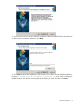
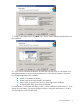
NOTE: Be careful changing the default features; doing so may affect the performance
or functionality of the IO Accelerator software.
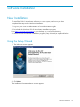
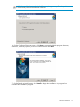
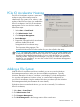
6. On the Configure Shortcuts screen, click Next to accept the default program shortcuts;
otherwise, clear any options you do not want and then click Next.
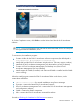
7. On the Ready to Install screen, click Install to begin the installation. A progress bar
indicates the installation progress.