
User guide





Take photos
You can access your camera directly from Photo. The photos you take will be added to your gallery.
To take pictures from Photo:
1. Touch the Start button.
2. On the Start window, touch the Take Photo icon.
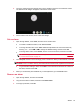
3. Compose the photo in the viewfinder.
4. Choose one of the two Snapshot buttons. Touch 3 seconds to take a quick photo. Touch 10
seconds if you would like some extra time to get in the picture.
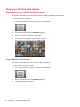
Your picture is added to the gallery.
NOTE: To access the camera directly from the App Drawer, touch Self Portrait.
50 Chapter 10 Take pictures and video