
User guide





Set alarm to sound in silent mode
To make sure that alarms sound when your AirLife is in Silent mode, follow the steps below.
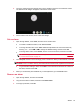
1. Open the App Drawer, and then touch Clock.
2. In the Clock screen, on the keyboard, press MENU, and then touch Settings.
3. Touch Alarm in silent mode to select the check box.
NOTE: When you press the mute button, located at the top of the keyboard, the alarm will not
sound, even if the Alarm in slient mode check box is selected.
4. On the keyboard, press Back on the keyboard to return to the Clock screen.
44 Chapter 8 Manage your schedule