Cisco Gigabit Ethernet Switch Module for HP p-Class BladeSystem Command Reference Guide Cisco IOS Release 12.
© 2005–2007 Hewlett-Packard Development Company, L.P. Microsoft®, Windows®, and Windows NT® are trademarks of Microsoft Corporation in the U.S. and other countries. Cisco® is a registered trademark of Cisco Systems, Inc. and/or its affiliates in the U.S. and certain other countries. SunOS™, Solaris™, and Java™ are trademarks of Sun Microsystems, Inc. in the U.S. and other countries. SecureCRT® is a registered trademark of VanDyke Software, Inc. in the U.S. and/or other countries.
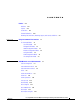
CONTENTS Preface xvii Audience Purpose xvii xvii Conventions xvii Related Publications xviii Obtaining Documentation, Obtaining Support, and Security Guidelines CHAPTER 1 Using the Command-Line Interface xix 1-1 CLI Command Modes 1-1 User EXEC Mode 1-3 Privileged EXEC Mode 1-3 Global Configuration Mode 1-3 Interface Configuration Mode 1-4 config-vlan Mode 1-4 VLAN Configuration Mode 1-5 Line Configuration Mode 1-5 CHAPTER 2 CGESM Switch Cisco IOS Commands aaa accounting dot1x 2-1 aaa aut
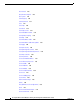
Contents boot manual 2-25 boot private-config-file boot system 2-27 channel-group 2-28 channel-protocol class 2-26 2-31 2-32 class-map 2-34 clear dot1x 2-36 clear eap sessions 2-37 clear errdisable interface clear ip dhcp snooping clear lacp 2-38 2-39 2-41 clear mac address-table 2-42 clear mac address-table move update clear pagp 2-44 clear port-security 2-45 clear spanning-tree counters 2-47 clear spanning-tree detected-protocols clear vmps statistics clear vtp counters 2-50
Contents dot1x control-direction 2-78 dot1x critical (global configuration) dot1x critical (interface configuration) dot1x default 2-85 dot1x guest-vlan 2-86 dot1x host-mode 2-89 dot1x initialize 2-90 dot1x mac-auth-bypass dot1x max-reauth-req dot1x max-req 2-91 2-93 2-94 2-95 dot1x port-control 2-96 dot1x re-authenticate 2-98 dot1x reauthentication dot1x timeout duplex 2-82 2-84 dot1x fallback dot1x pae 2-80 2-99 2-100 2-103 errdisable detect cause 2-105 errdisable recovery 2
Contents ip igmp filter 2-135 ip igmp max-groups ip igmp profile 2-137 2-139 ip igmp snooping 2-141 ip igmp snooping last-member-query-interval ip igmp snooping querier 2-145 ip igmp snooping report-suppression ip igmp snooping tcn 2-147 2-149 ip igmp snooping tcn flood 2-151 ip igmp snooping vlan immediate-leave ip igmp snooping vlan mrouter ip igmp snooping vlan static ip ssh 2-152 2-153 2-155 2-157 lacp port-priority 2-159 lacp system-priority link state group 2-165 logging event l
Contents mls qos aggregate-policer mls qos cos 2-199 2-201 mls qos dscp-mutation mls qos map 2-203 2-205 mls qos queue-set output buffers 2-209 mls qos queue-set output threshold mls qos rewrite ip dscp 2-211 2-213 mls qos srr-queue input bandwidth mls qos srr-queue input buffers 2-215 2-217 mls qos srr-queue input cos-map 2-219 mls qos srr-queue input dscp-map 2-221 mls qos srr-queue input priority-queue 2-223 mls qos srr-queue input threshold 2-225 mls qos srr-queue output cos-map
Contents service-policy set setup 2-276 2-278 2-280 setup express 2-283 show access-lists 2-285 show archive status show auto qos show boot 2-288 2-289 2-293 show cable-diagnostics tdr show class-map show cluster 2-295 2-297 2-298 show cluster candidates show cluster members 2-300 2-302 show controllers cpu-interface 2-304 show controllers ethernet-controller show controllers tcam 2-313 show controllers utilization show dot1x 2-306 2-315 2-317 show dtp 2-321 show eap 2-323 show
Contents show ip igmp snooping groups 2-363 show ip igmp snooping mrouter 2-365 show ip igmp snooping querier show lacp 2-367 2-369 show link state group 2-373 show mac access-group 2-375 show mac address-table 2-377 show mac address-table address 2-379 show mac address-table aging-time show mac address-table count 2-381 2-383 show mac address-table dynamic 2-385 show mac address-table interface 2-387 show mac address-table move update show mac address-table notification show mac addr
Contents show udld 2-439 show version show vlan 2-442 2-444 show vlan access-map show vlan filter show vmps show vtp shutdown 2-448 2-449 2-450 2-453 2-457 shutdown vlan 2-458 snmp-server enable traps snmp-server host 2-459 2-462 snmp trap mac-notification 2-466 spanning-tree backbonefast spanning-tree bpdufilter 2-468 2-469 spanning-tree bpduguard spanning-tree cost 2-471 2-473 spanning-tree etherchannel guard misconfig spanning-tree extend system-id spanning-tree guard 2-477 2-478
Contents spanning-tree transmit hold-count spanning-tree uplinkfast spanning-tree vlan speed 2-507 2-508 2-510 2-513 srr-queue bandwidth limit 2-515 srr-queue bandwidth shape 2-517 srr-queue bandwidth share 2-519 storm-control 2-521 switchport access 2-524 switchport backup interface switchport block 2-526 2-528 switchport host 2-529 switchport mode 2-530 switchport nonegotiate 2-532 switchport port-security 2-534 switchport port-security aging switchport priority extend switchpor
Contents vmps reconfirm (global configuration) vmps retry 2-586 vmps server APPENDIX A 2-587 vtp (global configuration) 2-589 vtp (VLAN configuration) 2-593 CGESM Switch Bootloader Commands boot cat A-4 A-5 delete A-6 A-7 flash_init format A-9 A-10 fsck A-11 help A-12 load_helper memory A-15 more A-16 rename A-17 reset A-18 rmdir A-19 A-20 type unset A-23 A-24 version APPENDIX B A-13 A-14 mkdir set A-1 A-2 copy dir 2-585 A-26 CGESM Switch Debug Commands debug au
Contents debug interface B-11 debug ip igmp filter B-12 debug ip igmp max-groups debug ip igmp snooping debug lacp B-13 B-14 B-15 debug mac-notification debug matm B-16 B-17 debug matm move update debug monitor B-19 debug mvrdbg B-20 debug nvram debug pagp B-18 B-21 B-22 debug platform acl B-23 debug platform backup interface debug platform cpu-queues debug platform dot1x B-24 B-25 B-27 debug platform etherchannel debug platform forw-tcam debug platform ip dhcp B-28 B-29 B-30 debu
Contents debug platform udld B-51 debug platform vlan B-52 debug pm B-53 debug port-security B-55 debug qos-manager B-56 debug spanning-tree B-57 debug spanning-tree backbonefast debug spanning-tree bpdu B-60 debug spanning-tree bpdu-opt debug spanning-tree mstp B-61 B-62 debug spanning-tree switch B-64 debug spanning-tree uplinkfast debug sw-vlan B-69 debug sw-vlan notification debug sw-vlan vtp C B-66 B-67 debug sw-vlan ifs APPENDIX B-59 debug udld B-73 debug vqpc B-75 B-7
Contents show platform snmp counters show platform spanning-tree show platform stp-instance show platform tcam show platform vlan C-25 C-26 C-27 C-28 C-30 INDEX Cisco Gigabit Ethernet Switch Module for the HP p-Class BladeSystem Command Reference Guide 380265-003 xv
Contents Cisco Gigabit Ethernet Switch Module for the HP p-Class BladeSystem Command Reference Guide xvi 380265-003
Preface Audience This guide is for the networking professional using the Cisco IOS command-line interface (CLI) to manage theCisco Gigabit Ethernet Switch Module (CGESM), referred to as the switch. Before using this guide, you should have experience working with the Cisco IOS commands and the switch software features. Before using this guide, you should have experience working with the concepts and terminology of Ethernet and local area networking.
Preface Related Publications Interactive examples use these conventions: • Terminal sessions and system displays are in screen font. • Information you enter is in boldface screen font. • Nonprinting characters, such as passwords or tabs, are in angle brackets (< >). Notes, cautions, and warnings use these conventions and symbols: Note Caution Means reader take note. Notes contain helpful suggestions or references to materials not contained in this manual. Means reader be careful.
Preface Obtaining Documentation, Obtaining Support, and Security Guidelines – Compatibility Matrix for 1000BASE-T Small Form-Factor Pluggable Modules (not orderable but available on Cisco.
Preface Obtaining Documentation, Obtaining Support, and Security Guidelines Cisco Gigabit Ethernet Switch Module for HP BladeSystem p-Class Command Reference Guide xx 380265-003
C H A P T E R 1 Using the Command-Line Interface The switch is supported by Cisco IOS software. This chapter describes how to use the switch command-line interface (CLI) to configure software features. • For a complete description of the commands that support these features, see Chapter 2, “CGESM Switch Cisco IOS Commands.” • For information on the bootloader commands, see Appendix A, “CGESM Switch Bootloader Commands.
Chapter 1 Using the Command-Line Interface CLI Command Modes Table 1-1 lists the main command modes, how to access each mode, the prompt you see in that mode, and how to exit that mode. The prompts listed use the default name Switch. Table 1-1 Command Modes Summary Command Mode Access Method Prompt Exit or Access Next Mode User EXEC This is the first level of access. Switch> Enter the logout command.
Chapter 1 Using the Command-Line Interface CLI Command Modes User EXEC Mode After you access the device, you are automatically in user EXEC command mode. The EXEC commands available at the user level are a subset of those available at the privileged level. In general, use the user EXEC commands to temporarily change terminal settings, perform basic tests, and list system information. The supported commands can vary depending on the version of software in use.
Chapter 1 Using the Command-Line Interface CLI Command Modes The supported commands can vary depending on the version of software in use. To display a comprehensive list of commands, enter a question mark (?) at the prompt. Switch(config)# ? To exit global configuration command mode and to return to privileged EXEC mode, enter the end or exit command, or press Ctrl-Z. Interface Configuration Mode Interface configuration commands modify the operation of the interface.
Chapter 1 Using the Command-Line Interface CLI Command Modes VLAN Configuration Mode You can use the VLAN configuration commands to create or modify VLAN parameters for VLAN IDs 1 to 1005. Enter the vlan database privileged EXEC command to access VLAN configuration mode: Switch# vlan database Switch(vlan)# The supported commands can vary depending on the version of software in use. To display a comprehensive list of commands, enter a question mark (?) at the prompt.
Chapter 1 Using the Command-Line Interface CLI Command Modes Cisco Gigabit Ethernet Switch Module for HP BladeSystem p-Class Command Reference Guide 1-6 380265-003
C H A P T E R 2 CGESM Switch Cisco IOS Commands aaa accounting dot1x Use the aaa accounting dot1x global configuration command to enable authentication, authorization, and accounting (AAA) accounting and to create method lists defining specific accounting methods on a per-line or per-interface basis for IEEE 802.1x sessions. Use the no form of this command to disable IEEE 802.1x accounting.
Chapter 2 CGESM Switch Cisco IOS Commands aaa accounting dot1x Defaults AAA accounting is disabled. Command Modes Global configuration Command History Release Modification 12.2(25)SE1 This command was introduced. Usage Guidelines This command requires access to a RADIUS server. We recommend that you enter the dot1x reauthentication interface configuration command before configuring IEEE 802.1x RADIUS accounting on an interface. Examples This example shows how to configure IEEE 802.
Chapter 2 CGESM Switch Cisco IOS Commands aaa authentication dot1x aaa authentication dot1x Use the aaa authentication dot1x global configuration command to specify the authentication, authorization, and accounting (AAA) method to use on ports complying with the IEEE 802.1x authentication. Use the no form of this command to disable authentication.
Chapter 2 CGESM Switch Cisco IOS Commands aaa authentication dot1x Related Commands Command Description aaa new-model Enables the AAA access control model. For syntax information, see the Cisco IOS Security Command Reference, Release 12.2 > Authentication, Authorization, and Accounting > Authentication Commands. show running-config Displays the current operating configuration. For syntax information, select Cisco IOS Configuration Fundamentals Command Reference, Release 12.
Chapter 2 CGESM Switch Cisco IOS Commands aaa authorization network aaa authorization network Use the aaa authorization network global configuration command to the configure the switch to use user-RADIUS authorization for all network-related service requests, such as IEEE 802.1x per-user access control lists (ACLs) or VLAN assignment. Use the no form of this command to disable RADIUS user authorization.
Chapter 2 CGESM Switch Cisco IOS Commands action action Use the action access-map configuration command to set the action for the VLAN access map entry. Use the no form of this command to return to the default setting. action {drop | forward} no action Syntax Description drop Drop the packet when the specified conditions are matched. forward Forward the packet when the specified conditions are matched. Defaults The default action is to forward packets.
Chapter 2 CGESM Switch Cisco IOS Commands action Related Commands Command Description access-list {deny | permit} Configures a standard numbered ACL. For syntax information, select Cisco IOS IP Command Reference, Volume 1 of 3:Addressing and Services, Release 12.2 > IP Services Commands. ip access-list Creates a named access list. For syntax information, select Cisco IOS IP Command Reference, Volume 1 of 3:Addressing and Services, Release 12.2 > IP Services Commands.
Chapter 2 CGESM Switch Cisco IOS Commands archive download-sw archive download-sw Use the archive download-sw privileged EXEC command to download a new image from a TFTP server to the switch and to overwrite or keep the existing image. archive download-sw {/force-reload | /imageonly | /leave-old-sw | /no-set-boot | /overwrite | /reload | /safe} source-url Syntax Description /force-reload Unconditionally force a system reload after successfully downloading the software image.
Chapter 2 CGESM Switch Cisco IOS Commands archive download-sw Defaults The current software image is not overwritten with the downloaded image. Both the software image and HTML files are downloaded. The new image is downloaded to the flash: file system. The BOOT environment variable is changed to point to the new software image on the flash: file system. Image names are case sensitive; the image file is provided in tar format.
Chapter 2 CGESM Switch Cisco IOS Commands archive download-sw Related Commands Command Description archive tar Creates a tar file, lists the files in a tar file, or extracts the files from a tar file. archive upload-sw Uploads an existing image on the switch to a server. delete Deletes a file or directory on the flash memory device.
Chapter 2 CGESM Switch Cisco IOS Commands archive tar archive tar Use the archive tar privileged EXEC command to create a tar file, list files in a tar file, or extract the files from a tar file. archive tar {/create destination-url flash:/file-url} | {/table source-url} | {/xtract source-url flash:/file-url [dir/file...]} Syntax Description /create destination-url flash:/file-url Create a new tar file on the local or network file system.
Chapter 2 CGESM Switch Cisco IOS Commands archive tar /table source-url Display the contents of an existing tar file to the screen. For source-url, specify the source URL alias for the local or network file system. These options are supported: • The syntax for the local flash file system: flash: • The syntax for the FTP: ftp:[[//username[:password]@location]/directory]/tar-filename.tar • The syntax for an HTTP server: http://[[username:password]@]{hostname | host-ip}[/directory]/image-name.
Chapter 2 CGESM Switch Cisco IOS Commands archive tar Command Modes Privileged EXEC Command History Release Modification 12.2(25)SE1 This command was introduced. Usage Guidelines Filenames and directory names are case sensitive. Image names are case sensitive. Examples This example shows how to create a tar file. The command writes the contents of the new-configs directory on the local flash device to a file named saved.tar on the TFTP server at 172.20.10.
Chapter 2 CGESM Switch Cisco IOS Commands archive upload-sw archive upload-sw Use the archive upload-sw privileged EXEC command to upload an existing switch image to a server. archive upload-sw [/version version_string] destination-url Syntax Description /version version_string (Optional) Specify the specific version string of the image to be uploaded. destination-url The destination URL alias for a local or network file system.
Chapter 2 CGESM Switch Cisco IOS Commands archive upload-sw Examples This example shows how to upload the currently running image to a TFTP server at 172.20.140.2: Switch# archive upload-sw tftp://172.20.140.2/test-image.tar Related Commands Command Description archive download-sw Downloads a new image to the switch. archive tar Creates a tar file, lists the files in a tar file, or extracts the files from a tar file.
Chapter 2 CGESM Switch Cisco IOS Commands auto qos voip auto qos voip Use the auto qos voip interface configuration command to automatically configure quality of service (QoS) for voice over IP (VoIP) within a QoS domain. Use the no form of this command to return to the default setting.
Chapter 2 CGESM Switch Cisco IOS Commands auto qos voip Table 2-2 shows the generated auto-QoS configuration for the ingress queues. Table 2-2 Auto-QoS Configuration for the Ingress Queues Ingress Queue Queue Number CoS-to-Queue Map Queue Weight (Bandwidth) Queue (Buffer) Size SRR1 shared 1 0, 1 81 percent 67 percent Priority 2 2, 3, 4, 5, 6, 7 19 percent 33 percent 1. SRR = shaped round robin. Ingress queues support shared mode only.
Chapter 2 CGESM Switch Cisco IOS Commands auto qos voip If this is the first port on which you have enabled auto-QoS, the auto-QoS-generated global configuration commands are executed followed by the interface configuration commands. If you enable auto-QoS on another port, only the auto-QoS-generated interface configuration commands for that port are executed.
Chapter 2 CGESM Switch Cisco IOS Commands auto qos voip Examples This example shows how to enable auto-QoS and to trust the QoS labels received in incoming packets when the switch or router connected to the port is a trusted device: Switch(config)# interface gigabitethernet0/1 Switch(config-if)# auto qos voip trust You can verify your settings by entering the show auto qos interface interface-id privileged EXEC command.
Chapter 2 CGESM Switch Cisco IOS Commands boot boothlpr boot boothlpr Use the boot boothlpr global configuration command to load a special Cisco IOS image, which when loaded into memory, can load a second Cisco IOS image into memory and launch it. This variable is used only for internal development and testing. Use the no form of this command to return to the default setting. boot boothlpr filesystem:/file-url no boot boothlpr Syntax Description filesystem: Alias for a flash file system.
Chapter 2 CGESM Switch Cisco IOS Commands boot config-file boot config-file Use the boot config-file global configuration command to specify the filename that Cisco IOS uses to read and write a nonvolatile copy of the system configuration. Use the no form of this command to return to the default setting. boot config-file flash:/file-url no boot config-file Syntax Description flash:/file-url Defaults The default configuration file is flash:config.text.
Chapter 2 CGESM Switch Cisco IOS Commands boot enable-break boot enable-break Use the boot enable-break global configuration command to enable interrupting the automatic bootup process. Use the no form of this command to return to the default setting. boot enable-break no boot enable-break Syntax Description This command has no arguments or keywords. Defaults Disabled. The automatic bootup process cannot be interrupted by pressing the Break key on the console.
Chapter 2 CGESM Switch Cisco IOS Commands boot helper boot helper Use the boot helper global configuration command to dynamically load files during bootloader initialization to extend or patch the functionality of the bootloader. Use the no form of this command to return to the default. boot helper filesystem:/file-url ... no boot helper Syntax Description filesystem: Alias for a flash file system. Use flash: for the system board flash device.
Chapter 2 CGESM Switch Cisco IOS Commands boot helper-config-file boot helper-config-file Use the boot helper-config-file global configuration command to specify the name of the configuration file to be used by the Cisco IOS helper image. If this is not set, the file specified by the CONFIG_FILE environment variable is used by all versions of Cisco IOS that are loaded. Use the no form of this command to return to the default setting.
Chapter 2 CGESM Switch Cisco IOS Commands boot manual boot manual Use the boot manual global configuration command to enable manually booting the switch during the next bootup cycle. Use the no form of this command to return to the default setting. boot manual no boot manual Syntax Description This command has no arguments or keywords. Defaults Manual booting up is disabled. Command Modes Global configuration Command History Release Modification 12.2(25)SE1 This command was introduced.
Chapter 2 CGESM Switch Cisco IOS Commands boot private-config-file boot private-config-file Use the boot private-config-file global configuration command to specify the filename that Cisco IOS uses to read and write a nonvolatile copy of the private configuration. Use the no form of this command to return to the default setting. boot private-config-file filename no boot private-config-file Syntax Description filename Defaults The default configuration file is private-config.
Chapter 2 CGESM Switch Cisco IOS Commands boot system boot system Use the boot system global configuration command to specify the Cisco IOS image to load during the next bootup cycle. Use the no form of this command to return to the default setting. boot system filesystem:/file-url ... no boot system Syntax Description filesystem: Alias for a flash file system. Use flash: for the system board flash device. /file-url The path (directory) and name of a bootable image.
Chapter 2 CGESM Switch Cisco IOS Commands channel-group channel-group Use the channel-group interface configuration command to assign an Ethernet port to an EtherChannel group, to enable an EtherChannel mode, or both. Use the no form of this command to remove an Ethernet port from an EtherChannel group.
Chapter 2 CGESM Switch Cisco IOS Commands channel-group Defaults No channel groups are assigned. No mode is configured. Command Modes Interface configuration Command History Release Modification 12.2(25)SE1 This command was introduced. Usage Guidelines For Layer 2 EtherChannels, you do not have to create a port-channel interface first by using the interface port-channel global configuration command before assigning a physical port to a channel group.
Chapter 2 CGESM Switch Cisco IOS Commands channel-group For a complete list of configuration guidelines, see the “Configuring EtherChannels” chapter in the software configuration guide for this release. Examples This example shows how to configure an EtherChannel.
Chapter 2 CGESM Switch Cisco IOS Commands channel-protocol channel-protocol Use the channel-protocol interface configuration command to restrict the protocol used on a port to manage channeling. Use the no form of this command to return to the default setting. channel-protocol {lacp | pagp} no channel-protocol Syntax Description lacp Configure an EtherChannel with the Link Aggregation Control Protocol (LACP). pagp Configure an EtherChannel with the Port Aggregation Protocol (PAgP).
Chapter 2 CGESM Switch Cisco IOS Commands class class Use the class policy-map configuration command to define a traffic classification match criteria (through the police, set, and trust policy-map class configuration commands) for the specified class-map name. Use the no form of this command to delete an existing class map. class class-map-name no class class-map-name Syntax Description class-map-name Defaults No policy map class-maps are defined.
Chapter 2 CGESM Switch Cisco IOS Commands class Examples This example shows how to create a policy map called policy1. When attached to the ingress direction, it matches all the incoming traffic defined in class1, sets the IP Differentiated Services Code Point (DSCP) to 10, and polices the traffic at an average rate of 1 Mb/s and bursts at 20 KB. Traffic exceeding the profile is marked down to a DSCP value gotten from the policed-DSCP map and then sent.
Chapter 2 CGESM Switch Cisco IOS Commands class-map class-map Use the class-map global configuration command to create a class map to be used for matching packets to the class name you specify and to enter class-map configuration mode. Use the no form of this command to delete an existing class map and to return to global configuration mode.
Chapter 2 CGESM Switch Cisco IOS Commands class-map To define packet classification on a physical-port basis, only one match command per class map is supported. In this situation, the match-all and match-any keywords are equivalent. Only one access control list (ACL) can be configured in a class map. The ACL can have multiple access control entries (ACEs).
Chapter 2 CGESM Switch Cisco IOS Commands clear dot1x clear dot1x Use the clear dot1x privileged EXEC command to clear IEEE 802.1x information for the switch or for the specified port. clear dot1x {all | interface interface-id} Syntax Description all Clear all IEEE 802.1x information for the switch. interface interface-id Clear IEEE 802.1x information for the specified interface. Defaults No default is defined. Command Modes Privileged EXEC Command History Release Modification 12.
Chapter 2 CGESM Switch Cisco IOS Commands clear eap sessions clear eap sessions Use the clear eap sessions privileged EXEC command to clear Extensible Authentication Protocol (EAP) session information for the switch or for the specified port. clear eap sessions [credentials name [interface interface-id] | interface interface-id | method name | transport name] [credentials name | interface interface-id | transport name] ...
Chapter 2 CGESM Switch Cisco IOS Commands clear errdisable interface clear errdisable interface Use the clear errdisable interface privileged EXEC command on the switch stack or on a standalone switch to re-enable a VLAN that was error disabled. clear errdisable interface interface-id vlan [vlan-list] Syntax Description vlan list (Optional) Specify a list of VLANs to be re-enabled. If a vlan-list is not specified, then all VLANs are re-enabled.
Chapter 2 CGESM Switch Cisco IOS Commands clear ip dhcp snooping clear ip dhcp snooping Use the clear ip dhcp snooping privileged EXEC command on the switch stack or on a standalone switch to clear the DHCP snooping binding database, the DHCP snooping binding database agent statistics, or the DHCP snooping statistics counters. clear ip dhcp snooping {binding | database statistics | statistics} Syntax Description binding Clear the DHCP snooping binding database.
Chapter 2 CGESM Switch Cisco IOS Commands clear ip dhcp snooping Related Commands Command Description ip dhcp snooping Enables DHCP snooping on a VLAN. show ip dhcp snooping binding Displays the status of DHCP snooping database agent. show ip dhcp snooping statistics Displays the DHCP snooping statistics.
Chapter 2 CGESM Switch Cisco IOS Commands clear lacp clear lacp Use the clear lacp privileged EXEC command to clear Link Aggregation Control Protocol (LACP) channel-group counters. clear lacp {channel-group-number counters | counters} Syntax Description channel-group-number (Optional) Channel group number. The range is 1 to 48. counters Clear traffic counters. Defaults No default is defined. Command Modes Privileged EXEC Command History Release Modification 12.
Chapter 2 CGESM Switch Cisco IOS Commands clear mac address-table clear mac address-table Use the clear mac address-table privileged EXEC command to delete from the MAC address table a specific dynamic address, all dynamic addresses on a particular interface, or all dynamic addresses on a particular VLAN. This command also clears the MAC address notification global counters.
Chapter 2 CGESM Switch Cisco IOS Commands clear mac address-table move update clear mac address-table move update Use the clear mac address-table move update privileged EXEC command to clear the mac address-table-move update-related counters. clear mac address-table move update Syntax Description This command has no arguments or keywords. Defaults No default is defined. Command Modes Privileged EXEC Command History Release Modification 12.2(25)SED This command was introduced.
Chapter 2 CGESM Switch Cisco IOS Commands clear pagp clear pagp Use the clear pagp privileged EXEC command to clear Port Aggregation Protocol (PAgP) channel-group information. clear pagp {channel-group-number counters | counters} Syntax Description channel-group-number (Optional) Channel group number. The range is 1 to 48. counters Clear traffic counters. Defaults No default is defined. Command Modes Privileged EXEC Command History Release Modification 12.
Chapter 2 CGESM Switch Cisco IOS Commands clear port-security clear port-security Use the clear port-security privileged EXEC command to delete from the MAC address table all secure addresses or all secure addresses of a specific type (configured, dynamic, or sticky) on the switch or on an interface. clear port-security {all | configured | dynamic | sticky} [[address mac-addr | interface interface-id] [vlan {vlan-id | {access | voice}}]] Syntax Description all Delete all secure MAC addresses.
Chapter 2 CGESM Switch Cisco IOS Commands clear port-security This example shows how to remove all the dynamic secure addresses from the address table: Switch# clear port-security dynamic You can verify that the information was deleted by entering the show port-security privileged EXEC command. Related Commands Command Description switchport port-security Enables port security on an interface. switchport port-security mac-address mac-address Configures secure MAC addresses.
Chapter 2 CGESM Switch Cisco IOS Commands clear spanning-tree counters clear spanning-tree counters Use the clear spanning-tree counters privileged EXEC command to clear the spanning-tree counters. clear spanning-tree counters [interface interface-id] Syntax Description interface interface-id Defaults No default is defined. Command Modes Privileged EXEC Command History Release Modification 12.2(25)SE1 This command was introduced.
Chapter 2 CGESM Switch Cisco IOS Commands clear spanning-tree detected-protocols clear spanning-tree detected-protocols Use the clear spanning-tree detected-protocols privileged EXEC command to restart the protocol migration process (force the renegotiation with neighboring switches) on all interfaces or on the specified interface. clear spanning-tree detected-protocols [interface interface-id] Syntax Description interface interface-id Defaults No default is defined.
Chapter 2 CGESM Switch Cisco IOS Commands clear vmps statistics clear vmps statistics Use the clear vmps statistics privileged EXEC command to clear the statistics maintained by the VLAN Query Protocol (VQP) client. clear vmps statistics Syntax Description This command has no arguments or keywords. Defaults No default is defined. Command Modes Privileged EXEC Command History Release Modification 12.2(25)SE1 This command was introduced.
Chapter 2 CGESM Switch Cisco IOS Commands clear vtp counters clear vtp counters Use the clear vtp counters privileged EXEC command to clear the VLAN Trunking Protocol (VTP) and pruning counters. clear vtp counters Syntax Description This command has no arguments or keywords. Defaults No default is defined. Command Modes Privileged EXEC Command History Release Modification 12.2(25)SE1 This command was introduced.
Chapter 2 CGESM Switch Cisco IOS Commands cluster commander-address cluster commander-address You do not need to enter this command.The cluster command switch automatically provides its MAC address to cluster member switches when these switches join the cluster. The cluster member switch adds this information and other cluster information to its running configuration file.
Chapter 2 CGESM Switch Cisco IOS Commands cluster commander-address Examples This is partial sample output from the running configuration of a cluster member. Switch(config)# show running-configuration
Chapter 2 CGESM Switch Cisco IOS Commands cluster discovery hop-count cluster discovery hop-count Use the cluster discovery hop-count global configuration command on the cluster command switch to set the hop-count limit for extended discovery of candidate switches. Use the no form of this command to return to the default setting. cluster discovery hop-count number no cluster discovery hop-count Syntax Description number Defaults The hop count is set to 3.
Chapter 2 CGESM Switch Cisco IOS Commands cluster discovery hop-count Related Commands Command Description show cluster Displays the cluster status and a summary of the cluster to which the switch belongs. show cluster candidates Displays a list of candidate switches.
Chapter 2 CGESM Switch Cisco IOS Commands cluster enable cluster enable Use the cluster enable global configuration command on a command-capable switch to enable it as the cluster command switch, assign a cluster name, and to optionally assign a member number to it. Use the no form of the command to remove all members and to make the cluster command switch a candidate switch.
Chapter 2 CGESM Switch Cisco IOS Commands cluster enable Related Commands Command Description show cluster Displays the cluster status and a summary of the cluster to which the switch belongs.
Chapter 2 CGESM Switch Cisco IOS Commands cluster holdtime cluster holdtime Use the cluster holdtime global configuration command to set the duration in seconds before a switch (either the command or cluster member switch) declares the other switch down after not receiving heartbeat messages. Use the no form of this command to set the duration to the default value. cluster holdtime holdtime-in-secs no cluster holdtime Syntax Description holdtime-in-secs Defaults The default holdtime is 80 seconds.
Chapter 2 CGESM Switch Cisco IOS Commands cluster member cluster member Use the cluster member global configuration command on the cluster command switch to add candidates to a cluster. Use the no form of the command to remove members from the cluster. cluster member [n] mac-address H.H.H [password enable-password] [vlan vlan-id] no cluster member n Syntax Description n The number that identifies a cluster member. The range is 0 to 15. mac-address H.H.
Chapter 2 CGESM Switch Cisco IOS Commands cluster member Examples This example shows how to add a switch as member 2 with MAC address 00E0.1E00.2222 and the password key to a cluster. The cluster command switch adds the candidate to the cluster through VLAN 3. Switch(config)# cluster member 2 mac-address 00E0.1E00.2222 password key vlan 3 This example shows how to add a switch with MAC address 00E0.1E00.3333 to the cluster. This switch does not have a password.
Chapter 2 CGESM Switch Cisco IOS Commands cluster outside-interface cluster outside-interface Use the cluster outside-interface global configuration command on the switch stack or on the a cluster command switch to configure the outside interface for cluster Network Address Translation (NAT) so that a member without an IP address can communicate with devices outside the cluster. Use the no form of this command to return to the default setting.
Chapter 2 CGESM Switch Cisco IOS Commands cluster run cluster run Use the cluster run global configuration command to enable clustering on a switch. Use the no form of this command to disable clustering on a switch. cluster run no cluster run Syntax Description This command has no arguments or keywords. Defaults Clustering is enabled on all switches. Command Modes Global configuration Command History Release Modification 12.2(25)SE1 This command was introduced.
Chapter 2 CGESM Switch Cisco IOS Commands cluster standby-group cluster standby-group Use the cluster standby-group global configuration command to enable cluster command-switch redundancy by binding the cluster to an existing Hot Standby Router Protocol (HSRP). Entering the routing-redundancy keyword enables the same HSRP group to be used for cluster command-switch redundancy and routing redundancy. Use the no form of this command to return to the default setting.
Chapter 2 CGESM Switch Cisco IOS Commands cluster standby-group This example shows the error message when this command is executed on a cluster command switch and the specified HSRP standby group does not exist: Switch(config)# cluster standby-group my_hsrp %ERROR: Standby (my_hsrp) group does not exist This example shows the error message when this command is executed on a cluster member switch: Switch(config)# cluster standby-group my_hsrp routing-redundancy %ERROR: This command runs on a cluster comma
Chapter 2 CGESM Switch Cisco IOS Commands cluster timer cluster timer Use the cluster timer global configuration command to set the interval in seconds between heartbeat messages. Use the no form of this command to set the interval to the default value. cluster timer interval-in-secs no cluster timer Syntax Description interval-in-secs Defaults The interval is 8 seconds.
Chapter 2 CGESM Switch Cisco IOS Commands cluster timer Related Commands Command Description show cluster Displays the cluster status and a summary of the cluster to which the switch belongs.
Chapter 2 CGESM Switch Cisco IOS Commands define interface-range define interface-range Use the define interface-range global configuration command to create an interface-range macro. Use the no form of this command to delete the defined macro. define interface-range macro-name interface-range no define interface-range macro-name interface-range Syntax Description macro-name Name of the interface-range macro; up to 32 characters.
Chapter 2 CGESM Switch Cisco IOS Commands define interface-range For physical interfaces: • module is always 0. • the range is type 0/number - number (for example, gigabitethernet 0/1 - 2). When you define a range, you must enter a space before the hyphen (-), for example: gigabitethernet0/1 - 2 You can also enter multiple ranges. When you define multiple ranges, you must enter a space after the first entry before the comma (,).
Chapter 2 CGESM Switch Cisco IOS Commands delete delete Use the delete privileged EXEC command to delete a file or directory on the flash memory device. delete [/force] [/recursive] filesystem:/file-url Syntax Description /force (Optional) Suppress the prompt that confirms the deletion. /recursive (Optional) Delete the named directory and all subdirectories and the files contained in it. filesystem: Alias for a flash file system.
Chapter 2 CGESM Switch Cisco IOS Commands deny (MAC access-list configuration) deny (MAC access-list configuration) Use the deny MAC access-list configuration command to prevent non-IP traffic from being forwarded if the conditions are matched. Use the no form of this command to remove a deny condition from the named MAC access list.
Chapter 2 CGESM Switch Cisco IOS Commands deny (MAC access-list configuration) lsap lsap-number mask (Optional) Use the LSAP number (0 to 65535) of a packet with 802.2 encapsulation to identify the protocol of the packet. mask is a mask of don’t care bits applied to the LSAP number before testing for a match. Note mop-console (Optional) Select EtherType DEC-MOP Remote Console. mop-dump (Optional) Select EtherType DEC-MOP Dump. msdos (Optional) Select EtherType DEC-MSDOS.
Chapter 2 CGESM Switch Cisco IOS Commands deny (MAC access-list configuration) Usage Guidelines You enter MAC-access list configuration mode by using the mac access-list extended global configuration command. If you use the host keyword, you cannot enter an address mask; if you do not use the host keyword, you must enter an address mask. When an access control entry (ACE) is added to an access control list, an implied deny-any-any condition exists at the end of the list.
Chapter 2 CGESM Switch Cisco IOS Commands dot1x dot1x Use the dot1x global configuration command to globally enable IEEE 802.1x authentication. Use the no form of this command to return to the default setting. dot1x {critical {eapol | recovery delay milliseconds} | system-auth-control} no dot1x {credentials | critical {eapol | recovery delay} | system-auth-control} Note Syntax Description Though visible in the command-line help strings, the credentials name keywords are not supported.
Chapter 2 CGESM Switch Cisco IOS Commands dot1x Related Commands Command Description dot1x critical (global configuration) Configures the parameters for the inaccessible authentication bypass feature on the switch. dot1x guest-vlan Enables and specifies an active VLAN as an IEEE 802.1x guest VLAN. dot1x port-control Enables manual control of the authorization state of the port. show dot1x [interface interface-id] Displays IEEE 802.1x status for the specified port.
Chapter 2 CGESM Switch Cisco IOS Commands dot1x auth-fail max-attempts dot1x auth-fail max-attempts Use the dot1x auth-fail max-attempts interface configuration command to configure the maximum allowable authentication attempts before a port is moved to the restricted VLAN. To return to the default setting, use the no form of this command. dot1x auth-fail max-attempts max-attempts no dot1x auth-fail max-attempts Syntax Description max-attempts Defaults The default value is 3 attempts.
Chapter 2 CGESM Switch Cisco IOS Commands dot1x auth-fail max-attempts Related Commands Command Description dot1x auth-fail vlan [vlan id] Enables the optional restricted VLAN feature. dot1x max-reauth-req [count] Sets the maximum number of times that the switch restarts the authentication process before a port changes to the unauthorized state. show dot1x [interface interface-id] Displays IEEE 802.1x status for the specified port.
Chapter 2 CGESM Switch Cisco IOS Commands dot1x auth-fail vlan dot1x auth-fail vlan Use the dot1x auth-fail vlan interface configuration command to enable the restricted VLAN on a port. To return to the default setting, use the no form of this command. dot1x auth-fail vlan vlan-id no dot1x auth-fail vlan Syntax Description vlan-id Defaults No restricted VLAN is configured. Command Modes Interface configuration Command History Release Modification 12.2(25)SED This command was introduced.
Chapter 2 CGESM Switch Cisco IOS Commands dot1x auth-fail vlan When a restricted VLAN port is moved to an unauthorized state, the authentication process restarts. If the supplicant fails the authentication process again, the authenticator waits in the held state. After the supplicant has correctly re-authenticated, all IEEE 802.1x ports are reinitialized and treated as normal IEEE 802.1x ports.
Chapter 2 CGESM Switch Cisco IOS Commands dot1x control-direction dot1x control-direction Use the dot1x control-direction interface configuration command to enable the IEEE 802.1x authentication with the wake-on-LAN (WoL) feature and to configure the port control as unidirectional or bidirectional. Use the no form of this command to return to the default setting. dot1x control-direction {both | in} no dot1x control-direction Syntax Description both Enable bidirectional control on port.
Chapter 2 CGESM Switch Cisco IOS Commands dot1x control-direction If you enter the dot1x control-direction in interface configuration command to enable unidirectional control, this appears in the show dot1x all command output: ControlDirection = In If you enter the dot1x control-direction in interface configuration command and the port cannot support this mode due to a configuration conflict, this appears in the show dot1x all command output: ControlDirection Related Commands = In (Disabled due to por
Chapter 2 CGESM Switch Cisco IOS Commands dot1x critical (global configuration) dot1x critical (global configuration) Use the dot1x critical global configuration command on a standalone switch to configure the parameters for the inaccessible authentication bypass feature, also referred to as critical authentication or the authentication, authorization, and accounting (AAA) fail policy. To return to default settings, use the no form of this command.
Chapter 2 CGESM Switch Cisco IOS Commands dot1x critical (global configuration) Related Commands Command Description dot1x critical (interface configuration) Enables the inaccessible authentication bypass feature, and configures the access VLAN for the feature. show dot1x Displays IEEE 802.1x status for the specified port.
Chapter 2 CGESM Switch Cisco IOS Commands dot1x critical (interface configuration) dot1x critical (interface configuration) Use the dot1x critical interface configuration command on a standalone switch to enable the inaccessible-authentication-bypass feature, also referred to as critical authentication or the authentication, authorization, and accounting (AAA) fail policy.
Chapter 2 CGESM Switch Cisco IOS Commands dot1x critical (interface configuration) You can configure the inaccessible authentication bypass feature and the restricted VLAN on an IEEE 802.1x port. If the switch tries to re-authenticate a critical port in a restricted VLAN and all the RADIUS servers are unavailable, the switch changes the port state to the critical authentication state, and it remains in the restricted VLAN.
Chapter 2 CGESM Switch Cisco IOS Commands dot1x default dot1x default Use the dot1x default interface configuration command to reset the IEEE 802.1x parameters to their default values. dot1x default Syntax Description This command has no arguments or keywords. Defaults These are the default values: • The per-port IEEE 802.1x protocol enable state is disabled (force-authorized). • The number of seconds between re-authentication attempts is 3600 seconds.
Chapter 2 CGESM Switch Cisco IOS Commands dot1x fallback dot1x fallback Use the dot1xfallback interface configuration command on the switch stack or on a standalone switch to configure a port to use web authentication as a fallback method for clients that do not support IEEE 802.1x authentication. To return to the default setting, use the no form of this command. dot1x fallback profile no dot1x fallback Syntax Description profile Defaults No fallback is enabled.
Chapter 2 CGESM Switch Cisco IOS Commands dot1x guest-vlan dot1x guest-vlan Use the dot1x guest-vlan interface configuration command to specify an active VLAN as an IEEE 802.1x guest VLAN. Use the no form of this command to return to the default setting. dot1x guest-vlan vlan-id no dot1x guest-vlan Syntax Description vlan-id Specify an active VLAN as an IEEE 802.1x guest VLAN. The range is 1 to 4094. Defaults No guest VLAN is configured.
Chapter 2 CGESM Switch Cisco IOS Commands dot1x guest-vlan However, in Cisco IOS Release 12.2(25)SEE, the dot1x guest-vlan supplicant global configuration command is no longer supported. You can use a restricted VLAN to allow clients that failed authentication access to the network by entering the dot1x auth-fail vlan vlan-id interface configuration command. Any number of non-IEEE 802.1x-capable clients are allowed access when the switch port is moved to the guest VLAN. If an IEEE 802.
Chapter 2 CGESM Switch Cisco IOS Commands dot1x guest-vlan Related Commands Command Description dot1x Enables the optional guest VLAN supplicant feature. show dot1x [interface interface-id] Displays IEEE 802.1x status for the specified port.
Chapter 2 CGESM Switch Cisco IOS Commands dot1x host-mode dot1x host-mode Use the dot1x host-mode interface configuration command to allow a single host (client) or multiple hosts on an IEEE 802.1x-authorized port that has the dot1x port-control interface configuration command set to auto. Use the no form of this command to return to the default setting.
Chapter 2 CGESM Switch Cisco IOS Commands dot1x initialize dot1x initialize Use the dot1x initialize privileged EXEC command to manually return the specified IEEE 802.1x-enabled port to an unauthorized state before initiating a new authentication session on the port. dot1x initialize [interface interface-id] Syntax Description interface interface-id Defaults There is no default setting. Command Modes Privileged EXEC Command History Release Modification 12.2(25)SE1 This command was introduced.
Chapter 2 CGESM Switch Cisco IOS Commands dot1x mac-auth-bypass dot1x mac-auth-bypass Use the dot1x mac-auth-bypass interface configuration command to enable the MAC authentication bypass feature. Use the no form of this command to disable MAC authentication bypass feature. dot1x mac-auth-bypass [eap] no dot1x mac-auth-bypass Syntax Description eap Defaults MAC authentication bypass is disabled. Command Modes Interface configuration Command History Release Modification 12.
Chapter 2 CGESM Switch Cisco IOS Commands dot1x mac-auth-bypass Examples This example shows how to enable MAC authentication bypass and to configure the switch to use EAP for authentication: Switch(config-if)# dot1x mac-auth-bypass eap You can verify your settings by entering the show dot1x [interface interface-id] privileged EXEC command. Related Commands Command Description show dot1x [interface interface-id] Displays IEEE 802.1x status for the specified port.
Chapter 2 CGESM Switch Cisco IOS Commands dot1x max-reauth-req dot1x max-reauth-req Use the dot1x max-reauth-req interface configuration command to set the maximum number of times that the switch restarts the authentication process before a port changes to the unauthorized state. Use the no form of this command to return to the default setting. dot1x max-reauth-req count no dot1x max-reauth-req Syntax Description count Defaults The default is 2 times.
Chapter 2 CGESM Switch Cisco IOS Commands dot1x max-req dot1x max-req Use the dot1x max-req interface configuration command to set the maximum number of times that the switch sends an Extensible Authentication Protocol (EAP) frame from the authentication server (assuming that no response is received) to the client before restarting the authentication process. Use the no form of this command to return to the default setting.
Chapter 2 CGESM Switch Cisco IOS Commands dot1x pae dot1x pae Use the dot1x pae interface configuration command to configure the port as an IEEE 802.1x port access entity (PAE) authenticator. Use the no form of this command to disable IEEE 802.1x authentication on the port. dot1x pae authenticator no dot1x pae Syntax Description This command has no arguments or keywords. Defaults The port is not an IEEE 802.1x PAE authenticator, and IEEE 802.1x authentication is disabled on the port.
Chapter 2 CGESM Switch Cisco IOS Commands dot1x port-control dot1x port-control Use the dot1x port-control interface configuration command to enable manual control of the authorization state of the port. Use the no form of this command to return to the default setting. dot1x port-control {auto | force-authorized | force-unauthorized} no dot1x port-control Syntax Description auto Enable IEEE 802.
Chapter 2 CGESM Switch Cisco IOS Commands dot1x port-control • EtherChannel port—Do not configure a port that is an active or a not-yet-active member of an EtherChannel as an IEEE 802.1x port. If you try to enable IEEE 802.1x authentication on an EtherChannel port, an error message appears, and IEEE 802.1x authentication is not enabled. • Switched Port Analyzer (SPAN) and Remote SPAN (RSPAN) destination ports—You can enable IEEE 802.1x authentication on a port that is a SPAN or RSPAN destination port.
Chapter 2 CGESM Switch Cisco IOS Commands dot1x re-authenticate dot1x re-authenticate Use the dot1x re-authenticate privileged EXEC command to manually initiate a re-authentication of the specified IEEE 802.1x-enabled port. dot1x re-authenticate [interface interface-id] Syntax Description interface interface-id Defaults There is no default setting. Command Modes Privileged EXEC Command History Release Modification 12.2(25)SE1 This command was introduced.
Chapter 2 CGESM Switch Cisco IOS Commands dot1x reauthentication dot1x reauthentication Use the dot1x reauthentication interface configuration command to enable periodic re-authentication of the client. Use the no form of this command to return to the default setting. dot1x reauthentication no dot1x reauthentication Syntax Description This command has no arguments or keywords. Defaults Periodic re-authentication is disabled.
Chapter 2 CGESM Switch Cisco IOS Commands dot1x timeout dot1x timeout Use the dot1x timeout interface configuration command to set IEEE 802.1x timers. Use the no form of this command to return to the default setting.
Chapter 2 CGESM Switch Cisco IOS Commands dot1x timeout Command History Usage Guidelines Release Modification 12.2(25)SE1 This command was introduced. 12.2(25)SED The range for tx-period keyword was changed, and the reauth-period server keywords were added. 12.2(25)SEE The ratelimit-period keyword was introduced.
Chapter 2 CGESM Switch Cisco IOS Commands dot1x timeout Related Commands Command Description dot1x max-req Sets the maximum number of times that the switch sends an EAP-request/identity frame before restarting the authentication process. dot1x reauthentication Enables periodic re-authentication of the client. show dot1x Displays IEEE 802.1x status for all ports.
Chapter 2 CGESM Switch Cisco IOS Commands duplex duplex Use the duplex interface configuration command to specify the duplex mode of operation for a port. Use the no form of this command to return the port to its default value. duplex {auto | full | half} no duplex Syntax Description Defaults auto Enable automatic duplex configuration; port automatically detects whether it should run in full- or half-duplex mode, depending on the attached device mode. full Enable full-duplex mode.
Chapter 2 CGESM Switch Cisco IOS Commands duplex If the speed is set to auto, the switch negotiates with the device at the other end of the link for the speed setting and then forces the speed setting to the negotiated value. The duplex setting remains as configured on each end of the link, which could result in a duplex setting mismatch. You can configure the duplex setting when the speed is set to auto.
Chapter 2 CGESM Switch Cisco IOS Commands errdisable detect cause errdisable detect cause Use the errdisable detect cause global configuration command to enable error-disabled detection for a specific cause or all causes. Use the no form of this command to disable the error-disabled detection feature.
Chapter 2 CGESM Switch Cisco IOS Commands errdisable detect cause Command History Usage Guidelines Release Modification 12.2(25)SE1 This command was introduced. 12.2(37)SE The Per-VLAN error-detection feature was added. The bpduguard, inline-power and sfp-mismatch keywords were added. A cause (link-flap, dhcp-rate-limit, and so forth) is the reason why the error-disabled state occurred.
Chapter 2 CGESM Switch Cisco IOS Commands errdisable recovery errdisable recovery Use the errdisable recovery global configuration command to configure the recover mechanism variables. Use the no form of this command to return to the default setting.
Chapter 2 CGESM Switch Cisco IOS Commands errdisable recovery Note Defaults Though visible in the command-line help strings, the ilpower, storm-control, and unicast-flood keywords are not supported. Recovery is disabled for all causes. The default recovery interval is 300 seconds. Command Modes Global configuration Command History Release Modification 12.2(25)SE1 This command was introduced. 12.2(37)SE The per-VLAN error-detection feature was added.
Chapter 2 CGESM Switch Cisco IOS Commands errdisable recovery Related Commands Command Description show errdisable recovery Displays error-disabled recovery timer information. show interfaces status err-disabled Displays interface status or a list of interfaces in error-disabled state. clear errdisable interface Clears the error-disabled state from a port or VLAN that was error disabled by the per-VLAN error disable feature.
Chapter 2 CGESM Switch Cisco IOS Commands exception crashinfo exception crashinfo Use the exception crashinfo global configuration command to configure the switch to create the extended crashinfo file when the Cisco IOS image fails. Use the no form of this command to disable this feature. exception crashinfo no exception crashinfo Syntax Description This command has no arguments or keywords. Defaults The switch creates the extended crashinfo file.
Chapter 2 CGESM Switch Cisco IOS Commands fallback profile fallback profile Use the fallback profile global configuration command on the switch stack or on a standalone switch to create a fallback profile for web authentication. To return to the default setting, use the no form of this command. fallback profile profile no fallback profile Syntax Description profile Defaults No fallback profile is configured. Command Modes Global configuration Command History Release Modification 12.
Chapter 2 CGESM Switch Cisco IOS Commands fallback profile Related Commands Command Description dot1x fallback Configure a port to use web authentication as a fallback method for clients that do not support IEEE 802.1x authentication. ip admission Enable web authentication on a switch port ip admission name proxy http Enable web authentication globally on a switch show dot1x [interface interface-id] Displays IEEE 802.1x status for the specified port.
Chapter 2 CGESM Switch Cisco IOS Commands flowcontrol flowcontrol Use the flowcontrol interface configuration command to set the receive flow-control state for an interface. When flow control send is operable and on for a device and it detects any congestion at its end, it notifies the link partner or the remote device of the congestion by sending a pause frame. When flow control receive is on for a device and it receives a pause frame, it stops sending any data packets.
Chapter 2 CGESM Switch Cisco IOS Commands flowcontrol Table 2-5 shows the flow control results on local and remote ports for a combination of settings. The table assumes that receive desired has the same results as using the receive on keywords.
Chapter 2 CGESM Switch Cisco IOS Commands interface port-channel interface port-channel Use the interface port-channel global configuration command to access or create the port-channel logical interface. Use the no form of this command to remove the port-channel. interface port-channel port-channel-number no interface port-channel port-channel-number Syntax Description port-channel-number Defaults No port-channel logical interfaces are defined.
Chapter 2 CGESM Switch Cisco IOS Commands interface port-channel Related Commands Command Description channel-group Assigns an Ethernet port to an EtherChannel group. show etherchannel Displays EtherChannel information for a channel. show running-config Displays the current operating configuration. For syntax information, select Cisco IOS Configuration Fundamentals Command Reference, Release 12.2 > File Management Commands > Configuration File Management Commands.
Chapter 2 CGESM Switch Cisco IOS Commands interface range interface range Use the interface range global configuration command to enter interface range configuration mode and to execute a command on multiple ports at the same time. Use the no form of this command to remove an interface range. interface range {port-range | macro name} no interface range {port-range | macro name} Syntax Description port-range Port range. For a list of valid values for port-range, see the “Usage Guidelines” section.
Chapter 2 CGESM Switch Cisco IOS Commands interface range Valid values for port-range type and interface: • vlan vlan-ID, where VLAN ID is from 1 to 4094 Note • Although the command-line interface (CLI) shows options to set multiple VLANs, these are not supported.
Chapter 2 CGESM Switch Cisco IOS Commands interface range Command Description define interface-range Creates an interface range macro. show running-config Displays the configuration information currently running on the switch. For syntax information, select Cisco IOS Configuration Fundamentals Command Reference, Release 12.2 > File Management Commands > Configuration File Management Commands.
Chapter 2 CGESM Switch Cisco IOS Commands interface vlan interface vlan Use the interface vlan global configuration command to create or access a VLAN and to enter interface configuration mode. Use the no form of this command to delete a VLAN. interface vlan vlan-id no interface vlan vlan-id Syntax Description vlan-id Defaults The default VLAN interface is VLAN 1. Command Modes Global configuration Command History Release Modification 12.2(25)SE1 This command was introduced.
Chapter 2 CGESM Switch Cisco IOS Commands ip access-group ip access-group Use the ip access-group interface configuration command to control access to a Layer 2 interface. Use the no form of this command to remove all access groups or the specified access group from the interface. ip access-group {access-list-number | name} {in} no ip access-group [access-list-number | name] {in} Syntax Description access-list-number The number of the IP access control list (ACL). The range is 1 to 199 or 1300 to 2699.
Chapter 2 CGESM Switch Cisco IOS Commands ip access-group For standard inbound access lists, after the switch receives a packet, it checks the source address of the packet against the access list. IP extended access lists can optionally check other fields in the packet, such as the destination IP address, protocol type, or port numbers. If the access list permits the packet, the switch continues to process the packet. If the access list denies the packet, the switch discards the packet.
Chapter 2 CGESM Switch Cisco IOS Commands ip address ip address Use the ip address interface configuration command to set an IP address for the Layer 2 switch. Use the no form of this command to remove an IP address or to disable IP processing. ip address ip-address subnet-mask [secondary] no ip address [ip-address subnet-mask] [secondary] Syntax Description ip-address IP address. subnet-mask Mask for the associated IP subnet.
Chapter 2 CGESM Switch Cisco IOS Commands ip address Examples This example shows how to configure the IP address for the Layer 2 switch on a subnetted network: Switch(config)# interface vlan 1 Switch(config-if)# ip address 172.20.128.2 255.255.255.0 You can verify your settings by entering the show running-config privileged EXEC command. Related Commands Command Description show running-config Displays the running configuration on the switch.
Chapter 2 CGESM Switch Cisco IOS Commands ip admission ip admission Use the ip admission interface configuration command to enable web authentication. You can also use this command in fallback-profile mode. Use the no form of this command to disable web authentication. ip admission rule no ip admission Syntax Description rule Command Modes Global configuration Command History Release Modification 12.2(35)SE This command was introduced. Apply an IP admission rule to the interface.
Chapter 2 CGESM Switch Cisco IOS Commands ip admission name proxy http ip admission name proxy http Use the ip admission name proxy http global configuration command to enable web authentication. Use the no form of this command to disable web authentication. ip admission name proxy http no ip admission name proxy http Syntax Description This command has no arguments or keywords. Defaults Web authentication is disabled. Command Modes Global configuration Command History Release Modification 12.
Chapter 2 CGESM Switch Cisco IOS Commands ip admission name proxy http Related Commands Command Description dot1x fallback Configure a port to use web authentication as a fallback method for clients that do not support IEEE 802.1x authentication. fallback profile Create a web authentication fallback profile. ip admission Enable web authentication on a port show ip admission Displays information about NAC cached entries or the NAC configuration.
Chapter 2 CGESM Switch Cisco IOS Commands ip dhcp snooping ip dhcp snooping Use the ip dhcp snooping global configuration command to globally enable DHCP snooping. Use the no form of this command to return to the default setting. ip dhcp snooping no ip dhcp snooping Syntax Description This command has no arguments or keywords. Defaults DHCP snooping is disabled. Command Modes Global configuration Command History Release Modification 12.2(25)SE1 This command was introduced.
Chapter 2 CGESM Switch Cisco IOS Commands ip dhcp snooping information option ip dhcp snooping information option Use the ip dhcp snooping information option global configuration command to enable DHCP option-82 data insertion. Use the no form of this command to disable DHCP option-82 data insertion. ip dhcp snooping information option no ip dhcp snooping information option Syntax Description This command has no arguments or keywords. Defaults DHCP option-82 data is inserted.
Chapter 2 CGESM Switch Cisco IOS Commands ip dhcp snooping information option Related Commands Command Description show ip dhcp snooping Displays the DHCP snooping configuration. show ip dhcp snooping binding Displays the DHCP snooping binding information.
Chapter 2 CGESM Switch Cisco IOS Commands ip dhcp snooping limit rate ip dhcp snooping limit rate Use the ip dhcp snooping limit rate interface configuration command to configure the number of DHCP messages an interface can receive per second. Use the no form of this command to return to the default setting. ip dhcp snooping limit rate rate no ip dhcp snooping limit rate Syntax Description rate Defaults DHCP snooping rate limiting is disabled.
Chapter 2 CGESM Switch Cisco IOS Commands ip dhcp snooping trust ip dhcp snooping trust Use the ip dhcp snooping trust interface configuration command to configure a port as trusted for DHCP snooping purposes. Use the no form of this command to return to the default setting. ip dhcp snooping trust no ip dhcp snooping trust Syntax Description This command has no arguments or keywords. Defaults DHCP snooping trust is disabled.
Chapter 2 CGESM Switch Cisco IOS Commands ip dhcp snooping verify ip dhcp snooping verify Use the ip dhcp snooping verify global configuration command to configure the switch to verify on an untrusted port that the source MAC address in a DHCP packet matches the client hardware address. Use the no form of this command to configure the switch to not verify the MAC addresses.
Chapter 2 CGESM Switch Cisco IOS Commands ip dhcp snooping vlan ip dhcp snooping vlan Use the ip dhcp snooping vlan global configuration command to enable DHCP snooping on a VLAN. Use the no form of this command to return to the default setting. ip dhcp snooping vlan vlan-range no ip dhcp snooping vlan vlan-range Syntax Description vlan vlan-range Specify a VLAN ID or a range of VLANs on which to enable DHCP snooping. The range is 1 to 4094.
Chapter 2 CGESM Switch Cisco IOS Commands ip igmp filter ip igmp filter Use the ip igmp filter interface configuration command to control whether or not all hosts on a Layer 2 interface can join one or more IP multicast groups by applying an Internet Group Management Protocol (IGMP) profile to the interface. Use the no form of this command to remove the specified profile from the interface.
Chapter 2 CGESM Switch Cisco IOS Commands ip igmp filter Related Commands Command Description ip igmp profile Configures the specified IGMP profile number. show ip dhcp snooping statistics Displays the characteristics of the specified IGMP profile. show running-config interface Displays the running configuration on the switch interface, including interface-id the IGMP profile (if any) that is applied to an interface.
Chapter 2 CGESM Switch Cisco IOS Commands ip igmp max-groups ip igmp max-groups Use the ip igmp max-groups interface configuration command to set the maximum number of Internet Group Management Protocol (IGMP) groups that a Layer 2 interface can join or to configure the IGMP throttling action when the maximum number of entries is in the forwarding table.
Chapter 2 CGESM Switch Cisco IOS Commands ip igmp max-groups Examples This example shows how to limit to 25 the number of IGMP groups that a port can join: Switch(config)# interface gigabitethernet0/2 Switch(config-if)# ip igmp max-groups 25 This example shows how to configure the switch to replace the existing group with the new group for which the IGMP report was received when the maximum number of entries is in the forwarding table: Switch(config)# interface gigabitethernet0/1 Switch(config-if)# ip
Chapter 2 CGESM Switch Cisco IOS Commands ip igmp profile ip igmp profile Use the ip igmp profile global configuration command to create an Internet Group Management Protocol (IGMP) profile and enter IGMP profile configuration mode. From this mode, you can specify the configuration of the IGMP profile to be used for filtering IGMP membership reports from a switchport. Use the no form of this command to delete the IGMP profile.
Chapter 2 CGESM Switch Cisco IOS Commands ip igmp profile Related Commands Command Description ip igmp filter Applies the IGMP profile to the specified interface. show ip dhcp snooping statistics Displays the characteristics of all IGMP profiles or the specified IGMP profile number.
Chapter 2 CGESM Switch Cisco IOS Commands ip igmp snooping ip igmp snooping Use the ip igmp snooping global configuration command to globally enable Internet Group Management Protocol (IGMP) snooping on the switch or to enable it on a per-VLAN basis. Use the no form of this command to return to the default setting. ip igmp snooping [vlan vlan-id] no ip igmp snooping [vlan vlan-id] Syntax Description vlan vlan-id Defaults IGMP snooping is globally enabled on the switch.
Chapter 2 CGESM Switch Cisco IOS Commands ip igmp snooping Related Commands Command Description ip igmp snooping report-suppression Enables IGMP report suppression. show ip igmp snooping Displays the snooping configuration. show ip igmp snooping groups Displays IGMP snooping multicast information. show ip igmp snooping mrouter Displays the IGMP snooping router ports. show ip igmp snooping querier Displays the configuration and operation information for the IGMP querier configured on a switch.
Chapter 2 CGESM Switch Cisco IOS Commands ip igmp snooping last-member-query-interval ip igmp snooping last-member-query-interval Use the ip igmp snooping last-member-query-interval global configuration command to enable the Internet Group Management Protocol (IGMP) configurable-leave timer globally or on a per-VLAN basis. Use the no form of this command to return to the default setting.
Chapter 2 CGESM Switch Cisco IOS Commands ip igmp snooping last-member-query-interval Related Commands Command Description ip igmp snooping Enables IGMP snooping on the switch or on a VLAN. ip igmp snooping vlan immediate-leave Enables IGMP Immediate-Leave processing. ip igmp snooping vlan mrouter Configures a Layer 2 port as a multicast router port. ip igmp snooping vlan static Configures a Layer 2 port as a member of a group. show ip igmp snooping Displays the IGMP snooping configuration.
Chapter 2 CGESM Switch Cisco IOS Commands ip igmp snooping querier ip igmp snooping querier Use the ip igmp snooping querier global configuration command to globally enable the Internet Group Management Protocol (IGMP) querier function in Layer 2 networks. Use the command with keywords to enable and configure the IGMP querier feature on a VLAN interface. Use the no form of this command to return to the default settings.
Chapter 2 CGESM Switch Cisco IOS Commands ip igmp snooping querier Usage Guidelines Use this command to enable IGMP snooping to detect the IGMP version and IP address of a device that sends IGMP query messages, which is also called a querier. By default, the IGMP snooping querier is configured to detect devices that use IGMP Version 2 (IGMPv2) but does not detect clients that are using IGMP Version 1 (IGMPv1). You can manually configure the max-response-time value when devices use IGMPv2.
Chapter 2 CGESM Switch Cisco IOS Commands ip igmp snooping report-suppression ip igmp snooping report-suppression Use the ip igmp snooping report-suppression global configuration command to enable Internet Group Management Protocol (IGMP) report suppression. Use the no form of this command to disable IGMP report suppression and to forward all IGMP reports to multicast routers.
Chapter 2 CGESM Switch Cisco IOS Commands ip igmp snooping report-suppression Related Commands Command Description ip igmp snooping Enables IGMP snooping on the switch or on a VLAN. show ip igmp snooping Displays the IGMP snooping configuration of the switch or the VLAN.
Chapter 2 CGESM Switch Cisco IOS Commands ip igmp snooping tcn ip igmp snooping tcn Use the ip igmp snooping tcn global configuration command to configure the Internet Group Management Protocol (IGMP) Topology Change Notification (TCN) behavior. Use the no form of this command to return to the default settings.
Chapter 2 CGESM Switch Cisco IOS Commands ip igmp snooping tcn Related Commands Command Description ip igmp snooping Enables IGMP snooping on the switch or on a VLAN. ip igmp snooping tcn flood Specifies flooding on an interface as the IGMP snooping spanning-tree TCN behavior. show ip igmp snooping Displays the IGMP snooping configuration of the switch or the VLAN.
Chapter 2 CGESM Switch Cisco IOS Commands ip igmp snooping tcn flood ip igmp snooping tcn flood Use the ip igmp snooping tcn flood interface configuration command to specify multicast flooding as the Internet Group Management Protocol (IGMP) snooping spanning-tree Topology Change Notification (TCN) behavior. Use the no form of this command to disable the multicast flooding. ip igmp snooping tcn flood no ip igmp snooping tcn flood Syntax Description This command has no arguments or keywords.
Chapter 2 CGESM Switch Cisco IOS Commands ip igmp snooping vlan immediate-leave ip igmp snooping vlan immediate-leave Use the ip igmp snooping immediate-leave global configuration command to enable Internet Group Management Protocol (IGMP) snooping immediate-leave processing on a per-VLAN basis. Use the no form of this command to return to the default setting.
Chapter 2 CGESM Switch Cisco IOS Commands ip igmp snooping vlan mrouter ip igmp snooping vlan mrouter Use the ip igmp snooping mrouter global configuration command to add a multicast router port or to configure the multicast learning method. Use the no form of this command to return to the default settings.
Chapter 2 CGESM Switch Cisco IOS Commands ip igmp snooping vlan mrouter Examples This example shows how to configure a port as a multicast router port: Switch(config)# ip igmp snooping vlan 1 mrouter interface gigabitethernet0/2 This example shows how to specify the multicast router learning method as CGMP: Switch(config)# ip igmp snooping vlan 1 mrouter learn cgmp You can verify your settings by entering the show ip igmp snooping privileged EXEC command.
Chapter 2 CGESM Switch Cisco IOS Commands ip igmp snooping vlan static ip igmp snooping vlan static Use the ip igmp snooping static global configuration command to enable Internet Group Management Protocol (IGMP) snooping and to statically add a Layer 2 port as a member of a multicast group. Use the no form of this command to remove ports specified as members of a static multicast group.
Chapter 2 CGESM Switch Cisco IOS Commands ip igmp snooping vlan static Related Commands Command Description ip igmp snooping report-suppression Enables IGMP report suppression. show ip igmp snooping Displays the snooping configuration. show ip igmp snooping groups Displays IGMP snooping multicast information. show ip igmp snooping mrouter Displays the IGMP snooping router ports.
Chapter 2 CGESM Switch Cisco IOS Commands ip ssh ip ssh Use the ip ssh global configuration command to configure the switch to run Secure Shell (SSH) Version 1 or SSH Version 2. This command is available only when your switch is running the cryptographic (encrypted) software image. Use the no form of this command to return to the default setting. ip ssh version [1 | 2] no ip ssh version [1 | 2] Syntax Description 1 (Optional) Configure the switch to run SSH Version 1 (SSHv1).
Chapter 2 CGESM Switch Cisco IOS Commands ip ssh Related Commands Command Description show ip ssh Displays if the SSH server is enabled and displays the version and configuration information for the SSH server. For syntax information, select Cisco IOS Release 12.2 Configuration Guides and Command References > Cisco IOS Security Command Reference, Release 12.2 > Other Security Features > Secure Shell Commands. show ssh Displays the status of the SSH server.
Chapter 2 CGESM Switch Cisco IOS Commands lacp port-priority lacp port-priority Use the lacp port-priority interface configuration command to configure the port priority for the Link Aggregation Control Protocol (LACP). Use the no form of this command to return to the default setting. lacp port-priority priority no lacp port-priority Syntax Description priority Defaults The default is 32768. Command Modes Interface configuration Command History Release Modification 12.
Chapter 2 CGESM Switch Cisco IOS Commands lacp port-priority Examples This example shows how to configure the LACP port priority on a port: Switch(config)# interface gigabitethernet0/1 Switch(config-if)# lacp port-priority 1000 You can verify your settings by entering the show lacp [channel-group-number] internal privileged EXEC command. Related Commands Command Description channel-group Assigns an Ethernet port to an EtherChannel group. lacp system-priority Configures the LACP system priority.
Chapter 2 CGESM Switch Cisco IOS Commands lacp system-priority lacp system-priority Use the lacp system-priority global configuration command to configure the system priority for the Link Aggregation Control Protocol (LACP). Use the no form of this command to return to the default setting. lacp system-priority priority no lacp system-priority Syntax Description priority Defaults The default is 32768. Command Modes Global configuration Command History Release Modification 12.
Chapter 2 CGESM Switch Cisco IOS Commands lacp system-priority Related Commands Command Description channel-group Assigns an Ethernet port to an EtherChannel group. lacp port-priority Configures the LACP port priority. show lacp sys-id Displays the system identifier that is being used by LACP.
Chapter 2 CGESM Switch Cisco IOS Commands link state group link state group Use the link state group interface configuration command to configure a port as a member of a link-state group. Use the no form of this command to remove the port from the link-state group. link state group [number] {upstream | downstream} no link state group [number] {upstream | downstream} Syntax Description number (Optional) Specify the link-state group number. The default is 1.
Chapter 2 CGESM Switch Cisco IOS Commands link state group Examples This example shows how to configure the interfaces as upstream in group 2: Switch# configure terminal Switch(config)# interface range gigabitethernet0/19 - 2015 Switch(config-if)# link state group 2 upstream Switch(config-if)# end Note If the interfaces are part of an EtherChannel, you must specify the port channel name as part of the link state group, not the individual port members.
Chapter 2 CGESM Switch Cisco IOS Commands link state track link state track Use the link state track global configuration command to enable a link-state group. Use the no form of this command to disable a link-state group. link state track [number] no link state track [number] Syntax Description number Defaults Link-state tracking is disabled for all groups. Command Modes Global configuration Command History Release Modification 12.2(25)SED This command was introduced.
Chapter 2 CGESM Switch Cisco IOS Commands logging event logging event Use the logging event interface configuration command to enable notification of interface link status changes. Use the no form of this command to disable notification. logging event {bundle-status | link-status | spanning-tree | status | trunk status} no logging event {bundle-status | link-status | spanning-tree | status | trunk status} Syntax Description bundle-status Enable notification of BUNDLE and UNBUNDLE messages.
Chapter 2 CGESM Switch Cisco IOS Commands logging file logging file Use the logging file global configuration command to set logging file parameters. Use the no form of this command to return to the default setting. logging file filesystem:filename [max-file-size | nomax [min-file-size]] [severity-level-number | type] no logging file filesystem:filename [severity-level-number | type] Syntax Description filesystem:filename Alias for a flash file system.
Chapter 2 CGESM Switch Cisco IOS Commands logging file Usage Guidelines The log file is stored in ASCII text format in an internal buffer on the switch. You can access logged system messages by using the switch command-line interface (CLI) or by saving them to a properly configured syslog server. If the switch fails, the log is lost unless you had previously saved it to flash memory by using the logging file flash:filename global configuration command.
Chapter 2 CGESM Switch Cisco IOS Commands mac access-group mac access-group Use the mac access-group interface configuration command to apply a MAC access control list (ACL) to a Layer 2 interface. Use the no form of this command to remove all MAC ACLs or the specified MAC ACL from the interface. You create the MAC ACL by using the mac access-list extended global configuration command. mac access-group {name} in no mac access-group {name} Syntax Description name Specify a named MAC access list.
Chapter 2 CGESM Switch Cisco IOS Commands mac access-group Examples This example shows how to apply a MAC extended ACL named macacl2 to an interface: Switch(config)# interface gigabitethernet0/1 Switch(config-if)# mac access-group macacl2 in You can verify your settings by entering the show mac access-group privileged EXEC command. You can see configured ACLs on the switch by entering the show access-lists privileged EXEC command.
Chapter 2 CGESM Switch Cisco IOS Commands mac access-list extended mac access-list extended Use the mac access-list extended global configuration command to create an access list based on MAC addresses for non-IP traffic. Using this command puts you in the extended MAC access-list configuration mode. Use the no form of this command to return to the default setting.
Chapter 2 CGESM Switch Cisco IOS Commands mac access-list extended Examples This example shows how to create a MAC named extended access list named mac1 and to enter extended MAC access-list configuration mode: Switch(config)# mac access-list extended mac1 Switch(config-ext-macl)# This example shows how to delete MAC named extended access list mac1: Switch(config)# no mac access-list extended mac1 You can verify your settings by entering the show access-lists privileged EXEC command.
Chapter 2 CGESM Switch Cisco IOS Commands mac address-table aging-time mac address-table aging-time Use the mac address-table aging-time global configuration command to set the length of time that a dynamic entry remains in the MAC address table after the entry is used or updated. Use the no form of this command to return to the default setting. The aging time applies to all VLANs or a specified VLAN.
Chapter 2 CGESM Switch Cisco IOS Commands mac address-table move update mac address-table move update Use the mac address-table move update global configuration command to enable the MAC address-table move update feature. Use the no form of this command to return to the default setting. mac address-table move update {receive | transmit} no mac address-table move update {receive | transmit} Syntax Description receive Specify that the switch processes MAC address-table move update messages.
Chapter 2 CGESM Switch Cisco IOS Commands mac address-table move update Related Commands Command Description clear mac address-table move update Clears the MAC address-table move update global counters. debug matm move update Debugs the MAC address-table move update message processing. show mac address-table move update Displays the MAC address-table move update information on the switch.
Chapter 2 CGESM Switch Cisco IOS Commands mac address-table notification mac address-table notification Use the mac address-table notification global configuration command to enable the MAC address notification feature on the switch. Use the no form of this command to return to the default setting.
Chapter 2 CGESM Switch Cisco IOS Commands mac address-table notification Examples This example shows how to enable the MAC address-table notification feature, set the interval time to 60 seconds, and set the history-size to 100 entries: Switch(config)# mac address-table notification Switch(config)# mac address-table notification interval 60 Switch(config)# mac address-table notification history-size 100 You can verify your settings by entering the show mac address-table notification privileged EXEC comm
Chapter 2 CGESM Switch Cisco IOS Commands mac address-table static mac address-table static Use the mac address-table static global configuration command to add static addresses to the MAC address table. Use the no form of this command to remove static entries from the table.
Chapter 2 CGESM Switch Cisco IOS Commands mac address-table static drop mac address-table static drop Use the mac address-table static drop global configuration command to enable unicast MAC address filtering and to configure the switch to drop traffic with a specific source or destination MAC address. Use the no form of this command to return to the default setting.
Chapter 2 CGESM Switch Cisco IOS Commands mac address-table static drop Examples This example shows how to enable unicast MAC address filtering and to configure the switch to drop packets that have a source or destination address of c2f3.220a.12f4. When a packet is received in VLAN 4 with this MAC address as its source or destination, the packet is dropped: Switch(config)# mac address-table static c2f3.220a.
Chapter 2 CGESM Switch Cisco IOS Commands macro apply macro apply Use the macro apply interface configuration command to apply a macro to an interface or to apply and trace a macro configuration on an interface. macro {apply | trace} macro-name [parameter {value}] [parameter {value}] [parameter {value}] Syntax Description apply Apply a macro to the specified interface. trace Use the trace keyword to apply a macro to an interface and to debug the macro. macro-name Specify the name of the macro.
Chapter 2 CGESM Switch Cisco IOS Commands macro apply Follow these guidelines when you apply a Cisco-default Smartports macro on an interface: • Display all macros on the switch by using the show parser macro user EXEC command. Display the contents of a specific macro by using the show parser macro name macro-name user EXEC command. • Keywords that begin with $ mean that a unique parameter value is required. Append the Cisco-default macro with the required values by using the parameter value keywords.
Chapter 2 CGESM Switch Cisco IOS Commands macro apply # Configure port as an edge network port spanning-tree portfast spanning-tree bpduguard enable -------------------------------------------------------------Switch# Switch# configure terminal Switch(config)# interface gigabitethernet0/4 Switch(config-if)# macro apply cisco-desktop $AVID 25 Related Commands Command Description macro description Adds a description about the macros that are applied to an interface.
Chapter 2 CGESM Switch Cisco IOS Commands macro description macro description Use the macro description interface configuration command to enter a description about which macros are applied to an interface. Use the no form of this command to remove the description. macro description text no macro description text Syntax Description description text Defaults This command has no default setting. Command Modes Interface configuration Command History Release Modification 12.
Chapter 2 CGESM Switch Cisco IOS Commands macro global macro global Use the macro global global configuration command to apply a macro to a switch or to apply and trace a macro configuration on a switch. macro global {apply | trace} macro-name [parameter {value}] [parameter {value}] [parameter {value}] Syntax Description apply Apply a macro to the switch. trace Apply a macro to a switch and to debug the macro. macro-name Specify the name of the macro.
Chapter 2 CGESM Switch Cisco IOS Commands macro global Follow these guidelines when you apply a Cisco-default Smartports macro on a switch: • Display all macros on the switch by using the show parser macro user EXEC command. Display the contents of a specific macro by using the show parser macro name macro-name user EXEC command. • Keywords that begin with $ mean that a unique parameter value is required. Append the Cisco-default macro with the required values by using the parameter value keywords.
Chapter 2 CGESM Switch Cisco IOS Commands macro global Related Commands Command Description macro apply Applies a macro on an interface or applies and traces a macro on an interface. macro description Adds a description about the macros that are applied to an interface. macro global description Adds a description about the macros that are applied to the switch. macro name Creates a macro. show parser macro Displays the macro definition for all macros or for the specified macro.
Chapter 2 CGESM Switch Cisco IOS Commands macro global description macro global description Use the macro global description global configuration command to enter a description about the macros that are applied to the switch. Use the no form of this command to remove the description. macro global description text no macro global description text Syntax Description description text Defaults This command has no default setting.
Chapter 2 CGESM Switch Cisco IOS Commands macro name macro name Use the macro name global configuration command to create a configuration macro. Use the no form of this command to delete the macro definition. macro name macro-name no macro name macro-name Syntax Description macro-name Defaults This command has no default setting. Command Modes Global configuration Command History Release Modification 12.2(25)SE1 This command was introduced. Usage Guidelines Name of the macro.
Chapter 2 CGESM Switch Cisco IOS Commands macro name Examples This example shows how to create a macro that defines the duplex mode and speed: Switch(config)# macro name duplex Enter macro commands one per line. End with the character ‘@’.
Chapter 2 CGESM Switch Cisco IOS Commands match (access-map configuration) match (access-map configuration) Use the match access-map configuration command to set the VLAN map to match packets against one or more access lists. Use the no form of this command to remove the match parameters. match {ip address {name | number} [name | number] [name | number]...} | {mac address {name} [name] [name]...} no match {ip address {name | number} [name | number] [name | number]...} | {mac address {name} [name] [name]..
Chapter 2 CGESM Switch Cisco IOS Commands match (access-map configuration) Examples This example shows how to define and apply a VLAN access map vmap4 to VLANs 5 and 6 that will cause the interface to drop an IP packet if the packet matches the conditions defined in access list al2.
Chapter 2 CGESM Switch Cisco IOS Commands match (class-map configuration) match (class-map configuration) Use the match class-map configuration command to define the match criteria to classify traffic. Use the no form of this command to remove the match criteria.
Chapter 2 CGESM Switch Cisco IOS Commands match (class-map configuration) For the match ip dscp dscp-list or the match ip precedence ip-precedence-list command, you can enter a mnemonic name for a commonly used value. For example, you can enter the match ip dscp af11 command, which is the same as entering the match ip dscp 10 command. You can enter the match ip precedence critical command, which is the same as entering the match ip precedence 5 command.
Chapter 2 CGESM Switch Cisco IOS Commands mdix auto mdix auto Use the mdix auto interface configuration command to enable the automatic medium-dependent interface crossover (auto-MDIX) feature on the interface. When auto-MDIX is enabled, the interface automatically detects the required cable connection type (straight-through or crossover) and configures the connection appropriately. Use the no form of this command to disable auto-MDIX.
Chapter 2 CGESM Switch Cisco IOS Commands mdix auto Related Commands Command Description show controllers ethernet-controller interface-id phy Displays general information about internal registers of an interface, including the operational state of auto-MDIX.
Chapter 2 CGESM Switch Cisco IOS Commands mls qos mls qos Use the mls qos global configuration command to enable quality of service (QoS) for the entire switch. When the mls qos command is entered, QoS is enabled with the default parameters on all ports in the system. Use the no form of this command to reset all the QoS-related statistics and to disable the QoS features for the entire switch. mls qos no mls qos Syntax Description This command has no arguments or keywords. Defaults QoS is disabled.
Chapter 2 CGESM Switch Cisco IOS Commands mls qos Related Commands Command Description show mls qos Displays QoS information.
Chapter 2 CGESM Switch Cisco IOS Commands mls qos aggregate-policer mls qos aggregate-policer Use the mls qos aggregate-policer global configuration command to define policer parameters, which can be shared by multiple classes within the same policy map. A policer defines a maximum permissible rate of transmission, a maximum burst size for transmissions, and an action to take if either maximum is exceeded. Use the no form of this command to delete an aggregate policer.
Chapter 2 CGESM Switch Cisco IOS Commands mls qos aggregate-policer You cannot delete an aggregate policer if it is being used in a policy map. You must first use the no police aggregate aggregate-policer-name policy-map class configuration command to delete the aggregate policer from all policy maps before using the no mls qos aggregate-policer aggregate-policer-name command. Policing uses a token-bucket algorithm.
Chapter 2 CGESM Switch Cisco IOS Commands mls qos cos mls qos cos Use the mls qos cos interface configuration command to define the default class of service (CoS) value of a port or to assign the default CoS to all incoming packets on the port. Use the no form of this command to return to the default setting. mls qos cos {default-cos | override} no mls qos cos {default-cos | override} Syntax Description Defaults default-cos Assign a default CoS value to a port.
Chapter 2 CGESM Switch Cisco IOS Commands mls qos cos Examples This example shows how to configure the default port CoS to 4 on a port: Switch(config)# interface gigabitethernet0/1 Switch(config-if)# mls qos trust cos Switch(config-if)# mls qos cos 4 This example shows how to assign all the packets entering a port to the default port CoS value of 4 on a port: Switch(config)# interface gigabitethernet0/1 Switch(config-if)# mls qos cos 4 Switch(config-if)# mls qos cos override You can verify your settin
Chapter 2 CGESM Switch Cisco IOS Commands mls qos dscp-mutation mls qos dscp-mutation Use the mls qos dscp-mutation interface configuration command to apply a Differentiated Services Code Point (DSCP)-to-DSCP-mutation map to a DSCP-trusted port. Use the no form of this command to return the map to the default settings (no DSCP mutation).
Chapter 2 CGESM Switch Cisco IOS Commands mls qos dscp-mutation This example show how to remove the DSCP-to-DSCP-mutation map name dscpmutation1 from the port and to reset the map to the default: Switch(config-if)# no mls qos dscp-mutation dscpmutation1 You can verify your settings by entering the show mls qos maps privileged EXEC command. Related Commands Command Description mls qos map dscp-mutation Defines the DSCP-to-DSCP-mutation map. mls qos trust Configures the port trust state.
Chapter 2 CGESM Switch Cisco IOS Commands mls qos map mls qos map Use the mls qos map global configuration command to define the class of service (CoS)-to-Differentiated Services Code Point (DSCP) map, DSCP-to-CoS map, the DSCP-to-DSCP-mutation map, the IP-precedence-to-DSCP map, and the policed-DSCP map. Use the no form of this command to return to the default map. mls qos map {cos-dscp dscp1...dscp8 | dscp-cos dscp-list to cos | dscp-mutation dscp-mutation-name in-dscp to out-dscp | ip-prec-dscp dscp1..
Chapter 2 CGESM Switch Cisco IOS Commands mls qos map Defaults Table 2-6 shows the default CoS-to-DSCP map: Table 2-6 Default CoS-to-DSCP Map CoS Value DSCP Value 0 0 1 8 2 16 3 24 4 32 5 40 6 48 7 56 Table 2-7 shows the default DSCP-to-CoS map: Table 2-7 Default DSCP-to-CoS Map DSCP Value CoS Value 0–7 0 8–15 1 16–23 2 24–31 3 32–39 4 40–47 5 48–55 6 56–63 7 Table 2-8 shows the default IP-precedence-to-DSCP map: Table 2-8 Default IP-Precedence-to-DSCP Map IP Pr
Chapter 2 CGESM Switch Cisco IOS Commands mls qos map The default DSCP-to-DSCP-mutation map is a null map, which maps an incoming DSCP value to the same DSCP value. The default policed-DSCP map is a null map, which maps an incoming DSCP value to the same DSCP value. Command Modes Global configuration Command History Release Modification 12.2(25)SE1 This command was introduced. Usage Guidelines All the maps are globally defined.
Chapter 2 CGESM Switch Cisco IOS Commands mls qos map Related Commands Command Description mls qos dscp-mutation Applies a DSCP-to-DSCP-mutation map to a DSCP-trusted port. show mls qos maps Displays quality of service (QoS) mapping information.
Chapter 2 CGESM Switch Cisco IOS Commands mls qos queue-set output buffers mls qos queue-set output buffers Use the mls qos queue-set output buffers global configuration command to allocate buffers to a queue-set (four egress queues per port). Use the no form of this command to return to the default setting. mls qos queue-set output qset-id buffers allocation1 ... allocation4 no mls qos queue-set output qset-id buffers Syntax Description qset-id ID of the queue-set.
Chapter 2 CGESM Switch Cisco IOS Commands mls qos queue-set output buffers Related Commands Command Description mls qos queue-set output threshold Configures the weighted tail-drop (WTD) thresholds, guarantees the availability of buffers, and configures the maximum memory allocation to a queue-set. queue-set Maps a port to a queue-set. show mls qos interface buffers Displays quality of service (QoS) information. show mls qos queue-set Displays egress queue settings for the queue-set.
Chapter 2 CGESM Switch Cisco IOS Commands mls qos queue-set output threshold mls qos queue-set output threshold Use the mls qos queue-set output threshold global configuration command to configure the weighted tail-drop (WTD) thresholds, to guarantee the availability of buffers, and to configure the maximum memory allocation to a queue-set (four egress queues per port). Use the no form of this command to return to the default setting.
Chapter 2 CGESM Switch Cisco IOS Commands mls qos queue-set output threshold Usage Guidelines Use the mls qos queue-set output qset-id buffers global configuration command to allocate a fixed number of buffers to the four queues in a queue-set. The drop-threshold percentages can exceed 100 percent and can be up to the maximum (if the maximum threshold exceeds 100 percent). Note The egress queue default settings are suitable for most situations.
Chapter 2 CGESM Switch Cisco IOS Commands mls qos rewrite ip dscp mls qos rewrite ip dscp Use the mls qos rewrite ip dscp global configuration command to configure the switch to change (rewrite) the Differentiated Services Code Point (DSCP) field of an incoming IP packet. Use the no form of this command to configure the switch to not modify (rewrite) the DSCP field of the packet and to enable DSCP transparency.
Chapter 2 CGESM Switch Cisco IOS Commands mls qos rewrite ip dscp Examples This example shows how to enable DSCP transparency and configure the switch to not change the DSCP value of the incoming IP packet: Switch(config)# mls qos Switch(config)# no mls qos rewrite ip dscp This example shows how to disable DSCP transparency and configure the switch to change the DSCP value of the incoming IP packet: Switch(config)# mls qos Switch(config)# mls qos rewrite ip dscp You can verify your settings by enterin
Chapter 2 CGESM Switch Cisco IOS Commands mls qos srr-queue input bandwidth mls qos srr-queue input bandwidth Use the mls qos srr-queue input bandwidth global configuration command to assign shaped round robin (SRR) weights to an ingress queue. The ratio of the weights is the ratio of the frequency in which the SRR scheduler dequeues packets from each queue. Use the no form of this command to return to the default setting.
Chapter 2 CGESM Switch Cisco IOS Commands mls qos srr-queue input bandwidth This example shows how to assign the ingress bandwidths for the queues. Queue 1 is the priority queue with 10 percent of the bandwidth allocated to it. The bandwidth ratio allocated to queues 1 and 2 is 4/(4+4). SRR services queue 1 (the priority queue) first for its configured 10 percent bandwidth.
Chapter 2 CGESM Switch Cisco IOS Commands mls qos srr-queue input buffers mls qos srr-queue input buffers Use the mls qos srr-queue input buffers global configuration command to allocate the buffers between the ingress queues. Use the no form of this command to return to the default setting.
Chapter 2 CGESM Switch Cisco IOS Commands mls qos srr-queue input buffers Command Description show mls qos input-queue Displays ingress queue settings. show mls qos interface buffers Displays quality of service (QoS) information.
Chapter 2 CGESM Switch Cisco IOS Commands mls qos srr-queue input cos-map mls qos srr-queue input cos-map Use the mls qos srr-queue input cos-map global configuration command to map class of service (CoS) values to an ingress queue or to map CoS values to a queue and to a threshold ID. Use the no form of this command to return to the default setting. mls qos srr-queue input cos-map queue queue-id {cos1...cos8 | threshold threshold-id cos1...
Chapter 2 CGESM Switch Cisco IOS Commands mls qos srr-queue input cos-map Usage Guidelines The CoS assigned at the ingress port selects an ingress or egress queue and threshold. The drop-threshold percentage for threshold 3 is predefined. It is set to the queue-full state. You can assign two weighted tail-drop (WTD) threshold percentages to an ingress queue by using the mls qos srr-queue input threshold global configuration command.
Chapter 2 CGESM Switch Cisco IOS Commands mls qos srr-queue input dscp-map mls qos srr-queue input dscp-map Use the mls qos srr-queue input dscp-map global configuration command to map Differentiated Services Code Point (DSCP) values to an ingress queue or to map DSCP values to a queue and to a threshold ID. Use the no form of this command to return to the default setting. mls qos srr-queue input dscp-map queue queue-id {dscp1...dscp8 | threshold threshold-id dscp1...
Chapter 2 CGESM Switch Cisco IOS Commands mls qos srr-queue input dscp-map Usage Guidelines The DSCP assigned at the ingress port selects an ingress or egress queue and threshold. The drop-threshold percentage for threshold 3 is predefined. It is set to the queue-full state. You can assign two weighted tail-drop (WTD) threshold percentages to an ingress queue by using the mls qos srr-queue input threshold global configuration command.
Chapter 2 CGESM Switch Cisco IOS Commands mls qos srr-queue input priority-queue mls qos srr-queue input priority-queue Use the mls qos srr-queue input priority-queue global configuration command to configure the ingress priority queue and to guarantee bandwidth on the internal ring if the ring is congested. Use the no form of this command to return to the default setting.
Chapter 2 CGESM Switch Cisco IOS Commands mls qos srr-queue input priority-queue Examples This example shows how to assign the ingress bandwidths for the queues. Queue 1 is the priority queue with 10 percent of the bandwidth allocated to it. The bandwidth ratio allocated to queues 1 and 2 is 4/(4+4). SRR services queue 1 (the priority queue) first for its configured 10 percent bandwidth.
Chapter 2 CGESM Switch Cisco IOS Commands mls qos srr-queue input threshold mls qos srr-queue input threshold Use the mls qos srr-queue input threshold global configuration command to assign weighted tail-drop (WTD) threshold percentages to an ingress queue. Use the no form of this command to return to the default setting.
Chapter 2 CGESM Switch Cisco IOS Commands mls qos srr-queue input threshold Related Commands Command Description mls qos srr-queue input bandwidth Assigns shaped round robin (SRR) weights to an ingress queue. mls qos srr-queue input buffers Allocates the buffers between the ingress queues. mls qos srr-queue input cos-map Maps class of service (CoS) values to an ingress queue or maps CoS values to a queue and to a threshold ID.
Chapter 2 CGESM Switch Cisco IOS Commands mls qos srr-queue output cos-map mls qos srr-queue output cos-map Use the mls qos srr-queue output cos-map global configuration command to map class of service (CoS) values to an egress queue or to map CoS values to a queue and to a threshold ID. Use the no form of this command to return to the default setting. mls qos srr-queue output cos-map queue queue-id {cos1...cos8 | threshold threshold-id cos1...
Chapter 2 CGESM Switch Cisco IOS Commands mls qos srr-queue output cos-map Usage Guidelines Note The drop-threshold percentage for threshold 3 is predefined. It is set to the queue-full state. The egress queue default settings are suitable for most situations. You should change them only when you have a thorough understanding of the egress queues and if these settings do not meet your quality of service (QoS) solution.
Chapter 2 CGESM Switch Cisco IOS Commands mls qos srr-queue output dscp-map mls qos srr-queue output dscp-map Use the mls qos srr-queue output dscp-map global configuration command to map Differentiated Services Code Point (DSCP) values to an egress or to map DSCP values to a queue and to a threshold ID. Use the no form of this command to return to the default setting. mls qos srr-queue output dscp-map queue queue-id {dscp1...dscp8 | threshold threshold-id dscp1...
Chapter 2 CGESM Switch Cisco IOS Commands mls qos srr-queue output dscp-map Usage Guidelines Note The drop-threshold percentage for threshold 3 is predefined. It is set to the queue-full state. The egress queue default settings are suitable for most situations. You should change them only when you have a thorough understanding of the egress queues and if these settings do not meet your QoS solution.
Chapter 2 CGESM Switch Cisco IOS Commands mls qos trust mls qos trust Use the mls qos trust interface configuration command to configure the port trust state. Ingress traffic can be trusted, and classification is performed by examining the packet Differentiated Services Code Point (DSCP), class of service (CoS), or IP-precedence field. Use the no form of this command to return a port to its untrusted state.
Chapter 2 CGESM Switch Cisco IOS Commands mls qos trust The trusted boundary feature prevents security problems if users disconnect their PCs from networked Cisco IP Phones and connect them to the switch port to take advantage of trusted CoS or DSCP settings. You must globally enable the Cisco Discovery Protocol (CDP) on the switch and on the port connected to the IP phone.
Chapter 2 CGESM Switch Cisco IOS Commands mls qos vlan-based mls qos vlan-based Use the mls qos vlan-based interface configuration command to enable VLAN-based quality of service (QoS) on the physical port. Use the no form of this command to disable this feature. mls qos vlan-based no mls qos vlan-based Syntax Description There are no arguments or keywords. Defaults VLAN-based QoS is disabled. Command Modes Interface configuration Command History Release Modification 12.
Chapter 2 CGESM Switch Cisco IOS Commands monitor session monitor session Use the monitor session global configuration command to start a new Switched Port Analyzer (SPAN) session or Remote SPAN (RSPAN) source or destination session, to enable ingress traffic on the destination port for a network security device (such as a Cisco IDS Sensor Appliance), to add or delete interfaces or VLANs to or from an existing SPAN or RSPAN session, and to limit (filter) SPAN source traffic to specific VLANs.
Chapter 2 CGESM Switch Cisco IOS Commands monitor session untagged vlan vlan-id Accept incoming packets with untagged encapsulation with the specified VLAN as the default VLAN. vlan vlan-id When used with only the ingress keyword, set default VLAN for ingress traffic. remote vlan vlan-id Specify the remote VLAN for an RSPAN source or destination session. The range is 2 to 1001 and 1006 to 4094.
Chapter 2 CGESM Switch Cisco IOS Commands monitor session Each session can include multiple ingress or egress source ports or VLANs, but you cannot combine source ports and source VLANs in a single session. Each session can include multiple destination ports. When you use VLAN-based SPAN (VSPAN) to analyze network traffic in a VLAN or set of VLANs, all active ports in the source VLANs become source ports for the SPAN or RSPAN session.
Chapter 2 CGESM Switch Cisco IOS Commands monitor session Examples This example shows how to create a local SPAN session 1 to monitor both sent and received traffic on source port 1 to destination port 2: Switch(config)# monitor session 1 source interface gigabitethernet0/1 both Switch(config)# monitor session 1 destination interface gigabitethernet0/2 This example shows how to delete a destination port from an existing local SPAN session: Switch(config)# no monitor session 2 destination gigabitethernet
Chapter 2 CGESM Switch Cisco IOS Commands monitor session Related Commands Command Description remote-span Configures an RSPAN VLAN in vlan configuration mode. show monitor Displays SPAN and RSPAN session information. show running-config Displays the current operating configuration. For syntax information, select Cisco IOS Configuration Fundamentals Command Reference, Release 12.2 > File Management Commands > Configuration File Management Commands.
Chapter 2 CGESM Switch Cisco IOS Commands mvr (global configuration) mvr (global configuration) Use the mvr global configuration command without keywords to enable the multicast VLAN registration (MVR) feature on the switch. Use the command with keywords to set the MVR mode for a switch, configure the MVR IP multicast address, set the maximum time to wait for a query reply before removing a port from group membership, and to specify the MVR multicast VLAN.
Chapter 2 CGESM Switch Cisco IOS Commands mvr (global configuration) Command Modes Global configuration Command History Release Modification 12.2(25)SE1 This command was introduced. Usage Guidelines A maximum of 256 MVR multicast groups can be configured on a switch. Use the mvr group command to statically set up all the IP multicast addresses that will take part in MVR.
Chapter 2 CGESM Switch Cisco IOS Commands mvr (global configuration) Related Commands Command Description mvr (interface configuration) Configures MVR ports. show mvr Displays MVR global parameters or port parameters. show mvr interface Displays the configured MVR interfaces with their type, status, and Immediate Leave configuration. Also displays all MVR groups of which the interface is a member.
Chapter 2 CGESM Switch Cisco IOS Commands mvr (interface configuration) mvr (interface configuration) Use the mvr interface configuration command to configure a Layer 2 port as a multicast VLAN registration (MVR) receiver or source port, to set the Immediate Leave feature, and to statically assign a port to an IP multicast VLAN and IP address. Use the no form of this command to return to the default settings.
Chapter 2 CGESM Switch Cisco IOS Commands mvr (interface configuration) Usage Guidelines Configure a port as a source port if that port should be able to both send and receive multicast data bound for the configured multicast groups. Multicast data is received on all ports configured as source ports. Receiver ports cannot be trunk ports. Receiver ports on a switch can be in different VLANs, but should not belong to the multicast VLAN.
Chapter 2 CGESM Switch Cisco IOS Commands mvr (interface configuration) Related Commands Command Description mvr (global configuration) Enables and configures multicast VLAN registration on the switch. show mvr Displays MVR global parameters or port parameters. show mvr interface Displays the configured MVR interfaces or displays the multicast groups to which a receiver port belongs. Also displays all MVR groups of which the interface is a member.
Chapter 2 CGESM Switch Cisco IOS Commands pagp learn-method pagp learn-method Use the pagp learn-method interface configuration command to learn the source address of incoming packets received from an EtherChannel port. Use the no form of this command to return to the default setting. pagp learn-method {aggregation-port | physical-port} no pagp learn-method Syntax Description aggregation-port Specify address learning on the logical port-channel.
Chapter 2 CGESM Switch Cisco IOS Commands pagp learn-method Examples This example shows how to set the learning method to learn the address on the physical port within the EtherChannel: Switch(config-if)# pagp learn-method physical-port This example shows how to set the learning method to learn the address on the port-channel within the EtherChannel: Switch(config-if)# pagp learn-method aggregation-port You can verify your settings by entering the show running-config privileged EXEC command or the sho
Chapter 2 CGESM Switch Cisco IOS Commands pagp port-priority pagp port-priority Use the pagp port-priority interface configuration command to select a port over which all Port Aggregation Protocol (PAgP) traffic through the EtherChannel is sent. If all unused ports in the EtherChannel are in hot-standby mode, they can be placed into operation if the currently selected port and link fails. Use the no form of this command to return to the default setting.
Chapter 2 CGESM Switch Cisco IOS Commands pagp port-priority Related Commands Command Description pagp learn-method Provides the ability to learn the source address of incoming packets. show pagp Displays PAgP channel-group information. show running-config Displays the current operating configuration. For syntax information, select Cisco IOS Configuration Fundamentals Command Reference, Release 12.2 > File Management Commands > Configuration File Management Commands.
Chapter 2 CGESM Switch Cisco IOS Commands permit (MAC access-list configuration) permit (MAC access-list configuration) Use the permit MAC access-list configuration command to allow non-IP traffic to be forwarded if the conditions are matched. Use the no form of this command to remove a permit condition from the extended MAC access list.
Chapter 2 CGESM Switch Cisco IOS Commands permit (MAC access-list configuration) lsap lsap-number mask (Optional) Use the LSAP number (0 to 65535) of a packet with 802.2 encapsulation to identify the protocol of the packet. The mask is a mask of don’t care bits applied to the LSAP number before testing for a match. mop-console (Optional) Select EtherType DEC-MOP Remote Console. mop-dump (Optional) Select EtherType DEC-MOP Dump. msdos (Optional) Select EtherType DEC-MSDOS.
Chapter 2 CGESM Switch Cisco IOS Commands permit (MAC access-list configuration) After an access control entry (ACE) is added to an access control list, an implied deny-any-any condition exists at the end of the list. That is, if there are no matches, the packets are denied. However, before the first ACE is added, the list permits all packets. For more information about MAC-named extended access lists, see the software configuration guide for this release.
Chapter 2 CGESM Switch Cisco IOS Commands police police Use the police policy-map class configuration command to define a policer for classified traffic. A policer defines a maximum permissible rate of transmission, a maximum burst size for transmissions, and an action to take if either maximum is exceeded. Use the no form of this command to remove an existing policer.
Chapter 2 CGESM Switch Cisco IOS Commands police Policing uses a token-bucket algorithm. You configure the bucket depth (the maximum burst that is tolerated before the bucket overflows) by using the burst-byte option of the police policy-map class configuration command or the mls qos aggregate-policer global configuration command.
Chapter 2 CGESM Switch Cisco IOS Commands police aggregate police aggregate Use the police aggregate policy-map class configuration command to apply an aggregate policer to multiple classes in the same policy map. A policer defines a maximum permissible rate of transmission, a maximum burst size for transmissions, and an action to take if either maximum is exceeded. Use the no form of this command to remove the specified policer.
Chapter 2 CGESM Switch Cisco IOS Commands police aggregate Examples This example shows how to define the aggregate policer parameters and to apply the policer to multiple classes in a policy map: Switch(config)# mls qos aggregate-policer agg_policer1 10000 1000000 exceed-action drop Switch(config)# policy-map policy2 Switch(config-pmap)# class class1 Switch(config-pmap-c)# police aggregate agg_policer1 Switch(config-pmap-c)# exit Switch(config-pmap)# class class2 Switch(config-pmap-c)# set dscp 10 Switch
Chapter 2 CGESM Switch Cisco IOS Commands policy-map policy-map Use the policy-map global configuration command to create or modify a policy map that can be attached to multiple physical ports or switch virtual interfaces (SVIs) and to enter policy-map configuration mode. Use the no form of this command to delete an existing policy map and to return to global configuration mode.
Chapter 2 CGESM Switch Cisco IOS Commands policy-map Only one policy map per ingress port or SVI is supported. You can apply the same policy map to multiple physical ports or SVIs. You can apply a nonhierarchical policy maps to physical ports or to SVIs. A nonhierarchical policy map is the same as a port-based policy maps. However, you can only apply a hierarchical policy map to SVIs. A hierarchical policy map has two levels.
Chapter 2 CGESM Switch Cisco IOS Commands policy-map This example shows how to create a hierarchical policy map and attach it to an SVI: Switch(config)# class-map cm-non-int Switch(config-cmap)# match access-group 101 Switch(config-cmap)# exit Switch(config)# class-map cm-non-int-2 Switch(config-cmap)# match access-group 102 Switch(config-cmap)# exit Switch(config)# class-map cm-test-int Switch(config-cmap)# match input-interface gigabitethernet0/2 - gigabitethernet0/3 Switch(config-cmap)# exit Switch(co
Chapter 2 CGESM Switch Cisco IOS Commands port-channel load-balance port-channel load-balance Use the port-channel load-balance global configuration command to set the load-distribution method among the ports in the EtherChannel. Use the no form of this command to return to the default setting. port-channel load-balance {dst-ip | dst-mac | src-dst-ip | src-dst-mac | src-ip | src-mac} no port-channel load-balance Syntax Description dst-ip Load distribution is based on the destination host IP address.
Chapter 2 CGESM Switch Cisco IOS Commands port-channel load-balance Related Commands Command Description interface port-channel Accesses or creates the port channel. show etherchannel Displays EtherChannel information for a channel. show running-config Displays the current operating configuration. For syntax information, select Cisco IOS Configuration Fundamentals Command Reference, Release 12.2 > File Management Commands > Configuration File Management Commands.
Chapter 2 CGESM Switch Cisco IOS Commands priority-queue priority-queue Use the priority-queue interface configuration command to enable the egress expedite queue on a port. Use the no form of this command to return to the default setting. priority-queue out no priority-queue out Syntax Description out Defaults The egress expedite queue is disabled. Command Modes Interface configuration Command History Release Modification 12.2(25)SE1 This command was introduced.
Chapter 2 CGESM Switch Cisco IOS Commands priority-queue Switch(config-if)# srr-queue bandwidth share 30 20 25 25 Switch(config-if)# no priority-queue out You can verify your settings by entering the show mls qos interface interface-id queueing or the show running-config privileged EXEC command. Related Commands Command Description show mls qos interface queueing Displays the queueing strategy (SRR, priority queueing), the weights corresponding to the queues, and the CoS-to-egress-queue map.
Chapter 2 CGESM Switch Cisco IOS Commands queue-set queue-set Use the queue-set interface configuration command to map a port to a queue-set. Use the no form of this command to return to the default setting. queue-set qset-id no queue-set qset-id Syntax Description qset-id Defaults The queue-set ID is 1. Command Modes Interface configuration Command History Release Modification 12.2(25)SE1 This command was introduced. Examples ID of the queue-set.
Chapter 2 CGESM Switch Cisco IOS Commands radius-server dead-criteria radius-server dead-criteria Use the radius-server dead-criteria global configuration command to configure the conditions that determine when a RADIUS server is considered unavailable or dead. Use the no form of this command to return to the default settings.
Chapter 2 CGESM Switch Cisco IOS Commands radius-server dead-criteria Related Commands Command Description dot1x critical (global configuration) Configures the parameters for the inaccessible authentication bypass feature. dot1x critical (interface configuration) Enables the inaccessible authentication bypass feature on an interface and configures the access VLAN to which the switch assigns the critical port when the port is in the critical-authentication state.
Chapter 2 CGESM Switch Cisco IOS Commands radius-server host radius-server host Use the radius-server host global configuration command to configure the RADIUS server parameters, including the RADIUS accounting and authentication. Use the no form of this command to return to the default settings.
Chapter 2 CGESM Switch Cisco IOS Commands radius-server host Usage Guidelines We recommend that you configure the UDP port for the RADIUS accounting server and the UDP port for the RADIUS authentication server to nondefault values. Use the test username name keywords to enable automatic server testing of the RADIUS server status and to specify the username to be used.
Chapter 2 CGESM Switch Cisco IOS Commands rcommand rcommand Use the rcommand user EXEC command to start a Telnet session and to execute commands on a cluster member switch from the cluster command switch. To end the session, enter the exit command. rcommand {n | commander | mac-address hw-addr} Syntax Description n Provide the number that identifies a cluster member. The range is 0 to 15. commander Provide access to the cluster command switch from a cluster member switch.
Chapter 2 CGESM Switch Cisco IOS Commands rcommand This command will not work if the vty lines of the cluster command switch have access-class configurations. You are not prompted for a password because the cluster member switches inherited the password of the cluster command switch when they joined the cluster. Examples This example shows how to start a session with member 3. All subsequent commands are directed to member 3 until you enter the exit command or close the session.
Chapter 2 CGESM Switch Cisco IOS Commands remote-span remote-span Use the remote-span VLAN configuration command to configure a VLAN as a Remote Switched Port Analyzer (RSPAN) VLAN. Use the no form of this command to remove the RSPAN designation from the VLAN. remote-span no remote-span Syntax Description This command has no arguments or keywords. Defaults No RSPAN VLANs are defined. Command Modes VLAN configuration (config-VLAN) Command History Release Modification 12.
Chapter 2 CGESM Switch Cisco IOS Commands remote-span Examples This example shows how to configure a VLAN as an RSPAN VLAN. Switch(config)# vlan 901 Switch(config-vlan)# remote-span This example shows how to remove the RSPAN feature from a VLAN. Switch(config)# vlan 901 Switch(config-vlan)# no remote-span You can verify your settings by entering the show vlan remote-span user EXEC command.
Chapter 2 CGESM Switch Cisco IOS Commands remote-span Cisco Gigabit Ethernet Switch Module for HP BladeSystem p-Class Command Reference Guide 2-272 380265-003
2] Chapter 2 CGESM Switch Cisco IOS Commands rmon collection stats rmon collection stats Use the rmon collection stats interface configuration command to collect Ethernet group statistics, which include usage statistics about broadcast and multicast packets, and error statistics about cyclic redundancy check (CRC) alignment errors and collisions. Use the no form of this command to return to the default setting.
Chapter 2 CGESM Switch Cisco IOS Commands service password-recovery service password-recovery Use the service password-recovery global configuration command to enable the password-recovery mechanism (the default). This mechanism allows an end user with physical access to the switch to hold down the Mode button and interrupt the bootup process while the switch is powering up and to assign a new password. Use the no form of this command to disable part of the password-recovery functionality.
Chapter 2 CGESM Switch Cisco IOS Commands service password-recovery If the password-recovery mechanism is disabled, this message appears: The password-recovery mechanism has been triggered, but is currently disabled. Access to the boot loader prompt through the password-recovery mechanism is disallowed at this point. However, if you agree to let the system be reset back to the default system configuration, access to the boot loader prompt can still be allowed.
Chapter 2 CGESM Switch Cisco IOS Commands service-policy service-policy Use the service-policy interface configuration command on the switch to apply a policy map defined by the policy-map command to the input of a physical port or a switch virtual interface (SVI). Use the no form of this command to remove the policy map and port association.
Chapter 2 CGESM Switch Cisco IOS Commands service-policy Examples This example shows how to apply plcmap1 to an physical ingress port: Switch(config)# interface gigabitethernet0/1 Switch(config-if)# service-policy input plcmap1 This example shows how to remove plcmap2 from a physical port: Switch(config)# interface gigabitethernet0/2 Switch(config-if)# no service-policy input plcmap2 This example shows how to apply plcmap1 to an ingress SVI when VLAN-based QoS is enabled: Switch(config)# interface vlan
Chapter 2 CGESM Switch Cisco IOS Commands set set Use the set policy-map class configuration command to classify IP traffic by setting a Differentiated Services Code Point (DSCP) or an IP-precedence value in the packet. Use the no form of this command to remove traffic classification. set {dscp new-dscp | [ip] precedence new-precedence} no set {dscp new-dscp | [ip] precedence new-precedence} Syntax Description dscp new-dscp New DSCP value assigned to the classified traffic. The range is 0 to 63.
Chapter 2 CGESM Switch Cisco IOS Commands set Examples This example shows how to assign DSCP 10 to all FTP traffic without any policers: Switch(config)# policy-map policy_ftp Switch(config-pmap)# class ftp_class Switch(config-pmap-c)# set dscp 10 Switch(config-pmap)# exit You can verify your settings by entering the show policy-map privileged EXEC command.
Chapter 2 CGESM Switch Cisco IOS Commands setup setup Use the setup privileged EXEC command to configure the switch with its initial configuration. setup Syntax Description This command has no arguments or keywords. Command Modes Privileged EXEC Command History Release Modification 12.2(25)SE1 This command was introduced.
Chapter 2 CGESM Switch Cisco IOS Commands setup Would you like to enter basic management setup? [yes/no]: yes Configuring global parameters: Enter host name [Switch]:host-name The enable secret is a password used to protect access to privileged EXEC and configuration modes. This password, after entered, becomes encrypted in the configuration.
Chapter 2 CGESM Switch Cisco IOS Commands setup ! cluster enable cluster-name ! end Use this configuration? [yes/no]: yes ! [0] Go to the IOS command prompt without saving this config. [1] Return back to the setup without saving this config. [2] Save this configuration to nvram and exit. Enter your selection [2]: Related Commands Command Description show running-config Displays the running configuration on the switch.
Chapter 2 CGESM Switch Cisco IOS Commands setup express setup express Use the setup express global configuration command to enable Express Setup mode. Use the no form of this command to disable Express Setup mode. setup express no setup express Syntax Description This command has no arguments or keywords. Defaults Express Setup is enabled. Command Modes Global configuration Command History Release Modification 12.2(25)SE1 This command was introduced.
Chapter 2 CGESM Switch Cisco IOS Commands setup express Examples This example shows how to enable Express Setup mode: Switch(config)# setup express You can verify that Express Setup mode is enabled by pressing the Mode button: Caution • On an unconfigured switch, the LEDs above the Mode button turn solid green after 3 seconds. • On a configured switch, the mode LEDs begin blinking after 2 seconds and turn solid green after 10 seconds.
Chapter 2 CGESM Switch Cisco IOS Commands show access-lists show access-lists Use the show access-lists privileged EXEC command to display access control lists (ACLs) configured on the switch. show access-lists [name | number | hardware counters | ipc] [ | {begin | exclude | include} expression] Syntax Description Note name (Optional) Name of the ACL. number (Optional) ACL number. The range is 1 to 2699.
Chapter 2 CGESM Switch Cisco IOS Commands show access-lists Standard IP access list videowizard_1-1-1-1 10 permit 1.1.1.1 Standard IP access list videowizard_10-10-10-10 10 permit 10.10.10.10 Extended IP access list 121 10 permit ahp host 10.10.10.10 host 20.20.10.10 precedence routine Extended IP access list CMP-NAT-ACL Dynamic Cluster-HSRP deny ip any any 10 deny ip any host 19.19.11.11 20 deny ip any host 10.11.12.13 Dynamic Cluster-NAT permit ip any any 10 permit ip host 10.99.100.
Chapter 2 CGESM Switch Cisco IOS Commands show access-lists Forwarding To Forwarding To Forwarded: Forwarded: Forwarded And Forwarded And CPU: CPU: Log: Log: L3 ACL OUTPUT Statistics Drop: Drop: Drop And Log: Drop And Log: Bridge Only: Bridge Only: Bridge Only And Log: Bridge Only And Log: Forwarding To CPU: Forwarding To CPU: Forwarded: Forwarded: Forwarded And Log: Forwarded And Log: Related Commands All All All All All All frame bytes frame bytes frame bytes count: count: count: count: count: cou
Chapter 2 CGESM Switch Cisco IOS Commands show archive status show archive status Use the show archive status privileged EXEC command to display the status of a new image being downloaded to a switch with the HTTP or the TFTP protocol. show archive status [ | {begin | exclude | include} expression] Syntax Description | begin (Optional) Display begins with the line that matches the expression. | exclude (Optional) Display excludes lines that match the expression.
Chapter 2 CGESM Switch Cisco IOS Commands show auto qos show auto qos Use the show auto qos user EXEC command to display the quality of service (QoS) commands entered on the interfaces on which automatic QoS (auto-QoS) is enabled. show auto qos [interface [interface-id]] Syntax Description interface [interface-id] Command Modes User EXEC Command History Release Modification 12.2(25)SE1 This command was introduced.
Chapter 2 CGESM Switch Cisco IOS Commands show auto qos This is an example of output from the show auto qos interface interface-id command when the auto qos voip cisco-phone interface configuration command is entered: Switch> show auto qos interface gigabitethernet 0/5 GigabitEthernet0/5 auto qos voip cisco-phone This is an example of output from the show running-config privileged EXEC command when the auto qos voip cisco-phone and the auto qos voip cisco-softphone interface configuration commands are ent
Chapter 2 CGESM Switch Cisco IOS Commands show auto qos match ip dscp cs3 af31 ! policy-map AutoQoS-Police-SoftPhone class AutoQoS-VoIP-RTP-Trust set dscp ef police 320000 8000 exceed-action policed-dscp-transmit class AutoQoS-VoIP-Control-Trust set dscp cs3 police 32000 8000 exceed-action policed-dscp-transmit ! ...
Chapter 2 CGESM Switch Cisco IOS Commands show auto qos Related Commands Command Description auto qos voip Automatically configures QoS for VoIP within a QoS domain. debug auto qos Enables debugging of the auto-QoS feature.
Chapter 2 CGESM Switch Cisco IOS Commands show boot show boot Use the show boot privileged EXEC command to display the settings of the boot environment variables. show boot [ | {begin | exclude | include} expression] Syntax Description | begin (Optional) Display begins with the line that matches the expression. | exclude (Optional) Display excludes lines that match the expression. | include (Optional) Display includes lines that match the specified expression.
Chapter 2 CGESM Switch Cisco IOS Commands show boot Table 2-15 show boot Field Descriptions Field Description Private Config file Displays the filename that Cisco IOS uses to read and write a nonvolatile copy of the system configuration. Enable Break Displays whether a break during booting up is enabled or disabled. If it is set to yes, on, or 1, you can interrupt the automatic bootup process by pressing the Break key on the console after the flash file system is initialized.
Chapter 2 CGESM Switch Cisco IOS Commands show cable-diagnostics tdr show cable-diagnostics tdr Use the show cable-diagnostics tdr privileged EXEC command to display the Time Domain Reflector (TDR) results. show cable-diagnostics tdr interface interface-id [ | {begin | exclude | include} expression] Syntax Description interface-id Specify the interface on which TDR was run. | begin (Optional) Display begins with the line that matches the expression.
Chapter 2 CGESM Switch Cisco IOS Commands show cable-diagnostics tdr Table 2-16 Fields Descriptions for the show cable-diagnostics tdr Command Output (continued) Field Description Pair length Location on the cable where the problem is, with respect to your switch. TDR can only find the location in one of these cases: • The cable is properly connected, the link is up, and the interface speed is 1000 Mb/s. • The cable is open. • The cable has a short.
Chapter 2 CGESM Switch Cisco IOS Commands show class-map show class-map Use the show class-map user EXEC command to display quality of service (QoS) class maps, which define the match criteria to classify traffic. show class-map [class-map-name] [ | {begin | exclude | include} expression] Syntax Description class-map-name (Optional) Display the contents of the specified class map. | begin (Optional) Display begins with the line that matches the expression.
Chapter 2 CGESM Switch Cisco IOS Commands show cluster show cluster Use the show cluster user EXEC command to display the cluster status and a summary of the cluster to which the switch belongs. This command can be entered on the cluster command switch and cluster member switches. show cluster [ | {begin | exclude | include} expression] Syntax Description | begin (Optional) Display begins with the line that matches the expression. | exclude (Optional) Display excludes lines that match the expression.
Chapter 2 CGESM Switch Cisco IOS Commands show cluster This is an example of output when the show cluster command is entered on a cluster member switch: Switch1> show cluster Member switch for cluster “hapuna” Member number: Management IP address: Command switch mac address: Heartbeat interval: Heartbeat hold-time: 3 192.192.192.192 0000.0c07.
Chapter 2 CGESM Switch Cisco IOS Commands show cluster candidates show cluster candidates Use the show cluster candidates privileged EXEC command to display a list of candidate switches. show cluster candidates [detail | mac-address H.H.H.] [ | {begin | exclude | include} expression] Syntax Description detail (Optional) Display detailed information for all candidates. mac-address H.H.H. (Optional) MAC address of the cluster candidate.
Chapter 2 CGESM Switch Cisco IOS Commands show cluster candidates Upstream MAC address: 00d0.796d.2f00 (Cluster Member 0) Local port: Gi6/0/1 FEC number: Upstream port: GI6/0/11 FEC Number: Hops from cluster edge: 1 Hops from command device: 1 This is an example of output from the show cluster candidates command that uses the MAC address of a cluster member switch three hops from the cluster edge: Switch> show cluster candidates mac-address 0010.7bb6.1cc0 Device 'Ventura' with mac address number 0010.
Chapter 2 CGESM Switch Cisco IOS Commands show cluster members show cluster members Use the show cluster members privileged EXEC command to display information about the cluster members. show cluster members [n | detail] [ | {begin | exclude | include} expression] Syntax Description n (Optional) Number that identifies a cluster member. The range is 0 to 15. detail (Optional) Display detailed information for all cluster members.
Chapter 2 CGESM Switch Cisco IOS Commands show cluster members This is an example of output from the show cluster members detail command: Switch# show cluster members detail Device 'StLouis1' with member number 0 (Command Switch) Device type: cisco WS-cgesm MAC address: 0002.4b29.2e00 Upstream MAC address: Local port: FEC number: Upstream port: FEC Number: Hops from command device: 0 Device 'tal-switch-14' with member number 1 Device type: cisco WS-C3548-XL MAC address: 0030.946c.
Chapter 2 CGESM Switch Cisco IOS Commands show controllers cpu-interface show controllers cpu-interface Use the show controllers cpu-interface privileged EXEC command to display the state of the CPU network interface ASIC and the send and receive statistics for packets reaching the CPU. show controllers cpu-interface [ | {begin | exclude | include} expression] Syntax Description | begin (Optional) Display begins with the line that matches the expression.
Chapter 2 CGESM Switch Cisco IOS Commands show controllers cpu-interface queue 2 maxrecevsize 5EE pakhead 1470D40 paktail 1470FE4 queue 3 maxrecevsize 5EE pakhead 19CDDD0 paktail 19D02C8
Chapter 2 CGESM Switch Cisco IOS Commands show controllers ethernet-controller show controllers ethernet-controller Use the show controllers ethernet-controller privileged EXEC command without keywords to display per-interface send and receive statistics read from the hardware. Use with the phy keyword to display the interface internal registers or the port-asic keyword to display information about the port ASIC.
Chapter 2 CGESM Switch Cisco IOS Commands show controllers ethernet-controller Examples This is an example of output from the show controllers ethernet-controller command for an interface. Table 2-17 describes the Transmit fields, and Table 2-18 describes the Receive fields.
Chapter 2 CGESM Switch Cisco IOS Commands show controllers ethernet-controller Table 2-17 Transmit Field Descriptions (continued) Field Description 5 collision frames The number of frames that are successfully sent on an interface after five collisions occur. 6 collision frames The number of frames that are successfully sent on an interface after six collisions occur. 7 collision frames The number of frames that are successfully sent on an interface after seven collisions occur.
Chapter 2 CGESM Switch Cisco IOS Commands show controllers ethernet-controller Table 2-18 Receive Field Descriptions (continued) Field Description Unicast bytes The total amount of memory (in bytes) used by unicast frames received on an interface, including the FCS value and the incorrectly formed frames. This value excludes the frame header bits.
Chapter 2 CGESM Switch Cisco IOS Commands show controllers ethernet-controller Table 2-18 Receive Field Descriptions (continued) Field Description System FCS error frames The total number of frames received on an interface that have a valid length (in bytes) but that do not have the correct FCS values. RxPortFifoFull drop frames The total number of frames received on an interface that are dropped because the ingress queue is full. 1. FCS = frame check sequence 2.
Chapter 2 CGESM Switch Cisco IOS Commands show controllers ethernet-controller SupervisorDiag SupervisorFrameSizeLimit SupervisorBroadcast GeneralIO StackPcsInfo : : : : : StackRacInfo : StackControlStatus stackControlStatusMask TransmitBufferFreeListInfo : : : TransmitRingFifoInfo : TransmitBufferInfo TransmitBufferCommonCount TransmitBufferCommonCountPeak TransmitBufferCommonCommonEmpty NetworkActivity DroppedStatistics FrameLengthDeltaSelect SneakPortFifoInfo MacInfo : : : : : : : : : 00000000
Chapter 2 CGESM Switch Cisco IOS Commands show controllers ethernet-controller 0 Sup Queue 3 Drop Frames 0 Sup Queue 11 Drop Frames 0 Sup Queue 4 Drop Frames 0 Sup Queue 12 Drop Frames 0 Sup Queue 5 Drop Frames 0 Sup Queue 13 Drop Frames 0 Sup Queue 6 Drop Frames 0 Sup Queue 14 Drop Frames 0 Sup Queue 7 Drop Frames 0 Sup Queue 15 Drop Frames =========================================================================== Switch 1, PortASIC 1 Statistics -----------------------------------------------------------
Chapter 2 CGESM Switch Cisco IOS Commands show controllers tcam show controllers tcam Use the show controllers tcam privileged EXEC command to display the state of the registers for all ternary content addressable memory (TCAM) in the system and for all TCAM interface ASICs that are CAM controllers. show controllers tcam [asic [number]] [detail] [ | {begin | exclude | include} expression] Syntax Description asic (Optional) Display port ASIC TCAM information.
Chapter 2 CGESM Switch Cisco IOS Commands show controllers tcam HRR3: 00000000_00000000 HRR4: 00000000_00000000 HRR5: 00000000_00000000 HRR6: 00000000_00000000 HRR7: 00000000_00000000
Chapter 2 CGESM Switch Cisco IOS Commands show controllers utilization show controllers utilization Use the show controllers utilization user EXEC command to display bandwidth utilization on the switch or specific ports. show controllers [interface-id] utilization [ | {begin | exclude | include} expression] Syntax Description interface-id (Optional) ID of the switch interface. | begin (Optional) Display begins with the line that matches the specified expression.
Chapter 2 CGESM Switch Cisco IOS Commands show controllers utilization Table 2-19 show controllers utilization Field Descriptions Field Description Receive Bandwidth Percentage Displays the received bandwidth usage of the switch, which is the Utilization sum of the received traffic on all the ports divided by the switch receive capacity.
Chapter 2 CGESM Switch Cisco IOS Commands show dot1x show dot1x Use the show dot1x user EXEC command to display IEEE 802.1x statistics, administrative status, and operational status for the switch or for the specified port. show dot1x [{all [summary] | interface interface-id} [details | statistics]] [ | {begin | exclude | include} expression] Syntax Description all [summary] (Optional) Display the IEEE 802.1x status for all ports. interface interface-id (Optional) Display the IEEE 802.
Chapter 2 CGESM Switch Cisco IOS Commands show dot1x This is an example of output from the show dot1x all user EXEC command: Switch> show dot1x all Sysauthcontrol Dot1x Protocol Version Critical Recovery Delay Critical EAPOL Enabled 2 100 Disabled Dot1x Info for GigabitEthernet0/1 ----------------------------------PAE = AUTHENTICATOR PortControl = AUTO ControlDirection = Both HostMode = SINGLE_HOST ReAuthentication = Disabled QuietPeriod = 60 ServerTimeout = 30 SuppTimeout = 30 ReAuthPeriod = 3600 (Local
Chapter 2 CGESM Switch Cisco IOS Commands show dot1x ServerTimeout SuppTimeout ReAuthPeriod ReAuthMax MaxReq TxPeriod RateLimitPeriod = = = = = = = 30 30 3600 (Locally configured) 2 2 30 0 Dot1x Authenticator Client List Empty This is an example of output from the show dot1x interface interface-id details commmand when a port is assigned to a guest VLAN and the host mode changes to multiple-hosts mode: Switch# show dot1x interface gigabitethernet0/1 details Dot1x Info for GigabitEthernet0/1 -----------
Chapter 2 CGESM Switch Cisco IOS Commands show dot1x Table 2-20 Related Commands show dot1x statistics Field Descriptions (continued) Field Description RxInvalid Number of EAPOL frames that have been received and have an unrecognized frame type. RxLenError Number of EAPOL frames that have been received in which the packet body length field is invalid. RxTotal Number of valid EAPOL frames of any type that have been received.
Chapter 2 CGESM Switch Cisco IOS Commands show dtp show dtp Use the show dtp privileged EXEC command to display Dynamic Trunking Protocol (DTP) information for the switch or for a specified interface. show dtp [interface interface-id] [ | {begin | exclude | include} expression] Syntax Description interface interface-id (Optional) Display port security settings for the specified interface. Valid interfaces include physical ports (including type, module, and port number).
Chapter 2 CGESM Switch Cisco IOS Commands show dtp Statistics ---------3160 packets received (3160 good) 0 packets dropped 0 nonegotiate, 0 bad version, 0 domain mismatches, 0 bad TLVs, 0 other 6320 packets output (6320 good) 3160 native, 3160 software encap isl, 0 isl hardware native 0 output errors 0 trunk timeouts 1 link ups, last link up on Mon Mar 01 1993, 01:02:29 0 link downs Related Commands Command Description show interfaces trunk Displays interface trunking information.
Chapter 2 CGESM Switch Cisco IOS Commands show eap show eap Use the show eap privileged EXEC command to display Extensible Authentication Protocol (EAP) registration and session information for the switch or for the specified port.
Chapter 2 CGESM Switch Cisco IOS Commands show eap Expressions are case sensitive. For example, if you enter | exclude output, the lines that contain output are not displayed, but the lines that contain Output appear.
Chapter 2 CGESM Switch Cisco IOS Commands show eap Method context ID: Start timeout (s): Current ID: Related Commands 0x00000000 1 2 Peer Identity: None Retransmit timeout (s): 30 (30) Available local methods: None Command Description clear eap sessions Clears EAP session information for the switch or for the specified port.
Chapter 2 CGESM Switch Cisco IOS Commands show env show env Use the show env user EXEC command to display fan and temperature information for the switch. show env {all | fan | temperature} [ | {begin | exclude | include} expression] Syntax Description Note all Display both fan and temperature environmental status. fan Display the switch fan (1) and fan (2) status. temperature Display the switch temperature status. | begin (Optional) Display begins with the line that matches the expression.
Chapter 2 CGESM Switch Cisco IOS Commands show env This is an example of output from the show env fan command: Switch> show env fan Fan 1: OK Fan 2: OK This is an example of output from the show env temperature status command: Switch#sh env temp Temperature Value: Temperature State: Yellow Threshold : Red Threshold : status 31 Degree Celsius GREEN 68 Degree Celsius 75 Degree Celsius Cisco Gigabit Ethernet Switch Module for the HP p-Class BladeSystem Command Reference Guide 380265-003 2-327
Chapter 2 CGESM Switch Cisco IOS Commands show errdisable detect show errdisable detect Use the show errdisable detect user EXEC command to display error-disabled detection status. show errdisable detect [ | {begin | exclude | include} expression] Syntax Description | begin (Optional) Display begins with the line that matches the expression. | exclude (Optional) Display excludes lines that match the expression. | include (Optional) Display includes lines that match the specified expression.
Chapter 2 CGESM Switch Cisco IOS Commands show errdisable detect loopback lsgroup pagp-flap psecure-violation security-violatio sfp-config-mismat storm-control udld vmps Related Commands Enabled Enabled Enabled Enabled Enabled Enabled Enabled Enabled Enabled port port port port/vlan port port port port port Command Description errdisable detect cause Enables error-disabled detection for a specific cause or all causes. show errdisable flap-values Displays error condition recognition information.
Chapter 2 CGESM Switch Cisco IOS Commands show errdisable flap-values show errdisable flap-values Use the show errdisable flap-values user EXEC command to display conditions that cause an error to be recognized for a cause. show errdisable flap-values [ | {begin | exclude | include} expression] Syntax Description | begin (Optional) Display begins with the line that matches the expression. | exclude (Optional) Display excludes lines that match the expression.
Chapter 2 CGESM Switch Cisco IOS Commands show errdisable flap-values Related Commands Command Description errdisable detect cause Enables error-disabled detection for a specific cause or all causes. show errdisable detect Displays error-disabled detection status. show errdisable recovery Displays error-disabled recovery timer information. show interfaces status Displays interface status or a list of interfaces in error-disabled state.
Chapter 2 CGESM Switch Cisco IOS Commands show errdisable recovery show errdisable recovery Use the show errdisable recovery user EXEC command to display the error-disabled recovery timer information. show errdisable recovery [ | {begin | exclude | include} expression] Syntax Description | begin (Optional) Display begins with the line that matches the expression. | exclude (Optional) Display excludes lines that match the expression.
Chapter 2 CGESM Switch Cisco IOS Commands show errdisable recovery Interfaces that will be enabled at the next timeout: Interface --------Gi0/2 Note Related Commands Errdisable reason ----------------link-flap Time left(sec) -------------279 Though visible in the output, the unicast-flood field is not valid. Command Description errdisable recovery Configures the recover mechanism variables. show errdisable detect Displays error-disabled detection status.
Chapter 2 CGESM Switch Cisco IOS Commands show etherchannel show etherchannel Use the show etherchannel user EXEC command to display EtherChannel information for a channel. show etherchannel [channel-group-number {detail | port | port-channel | protocol | summary}] {detail | load-balance | port | port-channel | protocol | summary} [ | {begin | exclude | include} expression] Syntax Description channel-group-number (Optional) Number of the channel group. The range is 1 to 48.
Chapter 2 CGESM Switch Cisco IOS Commands show etherchannel Examples This is an example of output from the show etherchannel 1 detail command: Switch> show etherchannel 1 detail Group state = L2 Ports: 2 Maxports = 16 Port-channels: 1 Max Port-channels = 16 Protocol: LACP Ports in the group: ------------------Port: Gi0/1 -----------Port state Channel group Port-channel Port index Flags: = = = = Up Mstr In-Bndl 1 Mode = Active Po1 GC = 0 Load = 0x00 Gcchange = Pseudo port-channel = Po1 Protocol = LACP
Chapter 2 CGESM Switch Cisco IOS Commands show etherchannel Group Port-channel Protocol Ports ------+-------------+-----------+---------------------------------------1 Po1(SU) LACP Gi0/1(P) Gi0/2(P) This is an example of output from the show etherchannel 1 port-channel command: Switch> show etherchannel 1 port-channel Port-channels in the group: ---------------------Port-channel: Po1 (Primary Aggregator) -----------Age of the Port-channel = 01d:20h:24m:50s Logical slot/port = 10/1 Number of ports = 2 HotS
Chapter 2 CGESM Switch Cisco IOS Commands show fallback profile show fallback profile Use the show fallback profile privileged EXEC command to display the fallback profiles that are configured on a switch. show fallback profile [ append | begin | exclude | include | { [redirect | tee ] url } expression ] Syntax Description | append (Optional) Append redirected output to a specified URL | begin (Optional) Display begins with the line that matches the expression.
Chapter 2 CGESM Switch Cisco IOS Commands show fallback profile Related Commands Command Description dot1x fallback Configure a port to use web authentication as a fallback method for clients that do not support IEEE 802.1x authentication. fallback profile Specify the fallback profile for clients that do not support IEEE 802.1x authentication.
Chapter 2 CGESM Switch Cisco IOS Commands show flowcontrol show flowcontrol Use the show flowcontrol user EXEC command to display the flow control status and statistics. show flowcontrol [interface interface-id | module number] [ | {begin | exclude | include} expression] Syntax Description interface interface-id (Optional) Display the flow control status and statistics for a specific interface. module number (Optional) Display the flow control status and statistics for all interfaces on the switch.
Chapter 2 CGESM Switch Cisco IOS Commands show flowcontrol This is an example of output from the show flowcontrol interface interface-id command: Switch> show flowcontrol gigabitethernet0/2 Port Send FlowControl Receive FlowControl admin oper admin oper --------- -------- -------- -------- -------Gi0/2 desired off off off Related Commands RxPause TxPause ------- ------0 0 Command Description flowcontrol Sets the receive flow-control state for an interface.
Chapter 2 CGESM Switch Cisco IOS Commands show interfaces show interfaces Use the show interfaces privileged EXEC command to display the administrative and operational status of all interfaces or a specified interface.
Chapter 2 CGESM Switch Cisco IOS Commands show interfaces trunk Display interface trunk information. If you do not specify an interface, only information for active trunking ports appears. | begin (Optional) Display begins with the line that matches the expression. | exclude (Optional) Display excludes lines that match the expression. | include (Optional) Display includes lines that match the specified expression. expression Expression in the output to use as a reference point. 1.
Chapter 2 CGESM Switch Cisco IOS Commands show interfaces Queueing strategy: fifo Output queue :0/40 (size/max) 5 minute input rate 0 bits/sec, 0 packets/sec 5 minute output rate 0 bits/sec, 0 packets/sec 2 packets input, 1040 bytes, 0 no buffer Received 0 broadcasts, 0 runts, 0 giants, 0 throttles 0 input errors, 0 CRC, 0 frame, 0 overrun, 0 ignored 0 watchdog, 0 multicast, 0 pause input 0 input packets with dribble condition detected 4 packets output, 1040 bytes, 0 underruns 0 output errors, 0 collisions
Chapter 2 CGESM Switch Cisco IOS Commands show interfaces This is an example of output from the show interfaces interface description command when the interface has been described as Connects to Marketing by using the description interface configuration command.
Chapter 2 CGESM Switch Cisco IOS Commands show interfaces This is an example of output from the show interfaces status err-disabled command. It displays the status of interfaces in the error-disabled state. Switch# show interfaces status err-disabled Port Name Status Reason Gi0/2 err-disabled dtp-flap This is an example of output from the show interfaces switchport command for a port. Table 2-21 describes the fields in the display.
Chapter 2 CGESM Switch Cisco IOS Commands show interfaces Switch(config-if)#switchport backup interface gigabitEthernet 0/8 prefer vlan 60,100-120 When both interfaces are up, Gi0/8 forwards traffic for VLANs 60, 100 to 120, and Gi0/6 will forward traffic for VLANs 1 to 50.
Chapter 2 CGESM Switch Cisco IOS Commands show interfaces Table 2-21 show interfaces switchport Field Descriptions (continued) Field Description Access Mode VLAN Displays the VLAN ID to which the port is configured. Trunking Native Mode VLAN Lists the VLAN ID of the trunk that is in native mode. Lists the allowed VLANs on the trunk. Lists the active VLANs on the trunk. Trunking VLANs Enabled Trunking VLANs Active Pruning VLANs Enabled Lists the VLANs that are pruning-eligible.
Chapter 2 CGESM Switch Cisco IOS Commands show interfaces Operational Auto-MDIX: off This is an example of output from the show interfaces interface-id transceiver detail command: Switch# show interfaces gigabitethernet0/3 transceiver detail ITU Channel not available (Wavelength not available), Transceiver is externally calibrated. mA:milliamperes, dBm:decibels (milliwatts), N/A:not applicable. ++:high alarm, +:high warning, -:low warning, -- :low alarm.
Chapter 2 CGESM Switch Cisco IOS Commands show interfaces counters show interfaces counters Use the show interfaces counters privileged EXEC command to display various counters for the switch or for a specific interface. show interfaces [interface-id | vlan vlan-id] counters [errors | etherchannel | protocol status | trunk] [ | {begin | exclude | include} expression] Syntax Description Note interface-id (Optional) ID of the physical interface, including type, module, and port number.
Chapter 2 CGESM Switch Cisco IOS Commands show interfaces counters This is an example of output from the show interfaces counters trunk command. It displays trunk counters for all interfaces. Switch# show interfaces counters trunk Port TrunkFramesTx TrunkFramesRx Gi0/1 0 0 Gi0/2 0 0 Gi0/3 80678 4155 Gi0/4 82320 126 Gi0/5 0 0 WrongEncap 0 0 0 0 0
Chapter 2 CGESM Switch Cisco IOS Commands show inventory show inventory Use the show inventory user EXEC command to display product identification (PID) information for the hardware. show inventory [entity-name | raw] [ | {begin | exclude | include} expression] Syntax Description entity-name (Optional) Display the specified entity. For example, enter the interface (such as gigabitethernet0/1) into which a small form-factor pluggable (SFP) module is installed.
Chapter 2 CGESM Switch Cisco IOS Commands show inventory Examples This is example output from the show inventory command: switch# show inventory Cisco Gigabit Ethernet Switch Module for the HP p-Class BladeSystem Command Reference Guide 2-352 380265-003
Chapter 2 CGESM Switch Cisco IOS Commands show ip dhcp snooping show ip dhcp snooping Use the show ip dhcp snooping user EXEC command to display the DHCP snooping configuration. show ip dhcp snooping [ | {begin | exclude | include} expression] Syntax Description | begin (Optional) Display begins with the line that matches the expression. | exclude (Optional) Display excludes lines that match the expression. | include (Optional) Display includes lines that match the specified expression.
Chapter 2 CGESM Switch Cisco IOS Commands show ip dhcp snooping binding show ip dhcp snooping binding Use the show ip dhcp snooping binding user EXEC command to display the DHCP snooping binding database and configuration information for all interfaces on a switch. show ip dhcp snooping binding [ip-address] [mac-address] [interface interface-id] [vlan vlan-id] [ | {begin | exclude | include} expression] Syntax Description ip-address (Optional) Specify the binding entry IP address.
Chapter 2 CGESM Switch Cisco IOS Commands show ip dhcp snooping binding This example shows how to display the DHCP snooping binding entries for a specific MAC address: Switch> show ip dhcp snooping binding 0102.0304.0506 MacAddress IpAddress Lease(sec) Type ------------------ --------------- ---------- ------------01:02:03:04:05:06 10.1.2.
Chapter 2 CGESM Switch Cisco IOS Commands show ip dhcp snooping statistics show ip dhcp snooping statistics Use the show ip dhcp snooping statistics user EXEC command to display DHCP snooping statistics in summary or detail form. show ip dhcp snooping statistics [detail] [ | {begin | exclude | include} expression] Syntax Description detail (Optional) Display detailed statistics information. | begin (Optional) Display begins with the line that matches the expression.
Chapter 2 CGESM Switch Cisco IOS Commands show ip dhcp snooping statistics Table 2-23 shows the DHCP snooping statistics and their descriptions: Table 2-23 DHCP Snooping Statistics DHCP Snooping Statistic Description Packets Processed by DHCP Snooping Total number of packets handled by DHCP snooping, including forwarded and dropped packets. Packets Dropped Because IDB not known Number of errors when the input interface of the packet cannot be determined.
Chapter 2 CGESM Switch Cisco IOS Commands show ip dhcp snooping statistics Table 2-23 Related Commands DHCP Snooping Statistics DHCP Snooping Statistic Description Insertion of opt82 fail Number of times the option-82 insertion into a packet failed. The insertion might fail if the packet with the option-82 data exceeds the size of a single physical packet on the internet. Interface Down Number of times the packet is a reply to the DHCP relay agent, but the SVI interface for the relay agent is down.
Chapter 2 CGESM Switch Cisco IOS Commands show ip igmp profile show ip igmp profile Use the show ip igmp profile privileged EXEC command to display all configured Internet Group Management Protocol (IGMP) profiles or a specified IGMP profile. show ip igmp profile [profile number] [ | {begin | exclude | include} expression] Syntax Description profile number (Optional) The IGMP profile number to be displayed. The range is 1 to 4294967295. If no profile number is entered, all IGMP profiles are displayed.
Chapter 2 CGESM Switch Cisco IOS Commands show ip igmp snooping show ip igmp snooping Use the show ip igmp snooping user EXEC command to display the Internet Group Management Protocol (IGMP) snooping configuration of the switch or the VLAN. show ip igmp snooping [groups | mrouter | querier] [vlan vlan-id] [ | {begin | exclude | include} expression] Syntax Description groups (Optional) See the show ip igmp snooping groups command. mrouter (Optional) See the show ip igmp snooping mrouter command.
Chapter 2 CGESM Switch Cisco IOS Commands show ip igmp snooping IGMPv2 immediate leave : Explicit host tracking : Multicast router learning mode : CGMP interoperability mode : Global IGMP Snooping configuration: ----------------------------------IGMP snooping : Enabled IGMPv3 snooping (minimal) : Enabled Report suppression : Enabled TCN solicit query : Disabled TCN flood query count : 2 Last Member Query Interval : 1000 Vlan 1: -------IGMP snooping IGMPv2 immediate leave Explicit host tracking Multicast ro
Chapter 2 CGESM Switch Cisco IOS Commands show ip igmp snooping Command Description ip igmp snooping tcn Configures the IGMP topology change notification behavior. ip igmp snooping tcn flood Specifies multicast flooding as the IGMP spanning-tree topology change notification behavior. ip igmp snooping vlan immediate-leave Enables IGMP snooping immediate-leave processing on a VLAN. ip igmp snooping vlan mrouter Adds a multicast router port or configures the multicast learning method.
Chapter 2 CGESM Switch Cisco IOS Commands show ip igmp snooping groups show ip igmp snooping groups Use the show ip igmp snooping groups privileged EXEC command to display the Internet Group Management Protocol (IGMP) snooping multicast table for the switch or the multicast information. Use with the vlan keyword to display the multicast table for a specified multicast VLAN or specific multicast information.
Chapter 2 CGESM Switch Cisco IOS Commands show ip igmp snooping groups Examples This is an example of output from the show ip igmp snooping groups command without any keywords. It displays the multicast table for the switch. Switch# show ip igmp snooping groups Vlan Group Type Version Port List ------------------------------------------------------------120 232.3.4.7 igmp v3 Gi0/1921, Gi0/202 120 232.5.9.
Chapter 2 CGESM Switch Cisco IOS Commands show ip igmp snooping mrouter show ip igmp snooping mrouter Use the show ip igmp snooping mrouter privileged EXEC command to display the Internet Group Management Protocol (IGMP) snooping dynamically learned and manually configured multicast router ports for the switch or for the specified multicast VLAN.
Chapter 2 CGESM Switch Cisco IOS Commands show ip igmp snooping mrouter Related Commands Command Description ip igmp snooping Enables IGMP snooping on the switch or on a VLAN. ip igmp snooping vlan mrouter Adds a multicast router port. ip igmp snooping vlan static Statically adds a Layer 2 port as a member of a multicast group.
Chapter 2 CGESM Switch Cisco IOS Commands show ip igmp snooping querier show ip igmp snooping querier Use the show ip igmp snooping querier detail user EXEC command to display the configuration and operation information for the IGMP querier configured on a switch. show ip igmp snooping querier [detail | vlan vlan-id [detail]] [ | {begin | exclude | include} expression] Syntax Description detail Optional) Display detailed IGMP querier information.
Chapter 2 CGESM Switch Cisco IOS Commands show ip igmp snooping querier Examples This is an example of output from the show ip igmp snooping querier command: Switch> show ip igmp snooping querier Vlan IP Address IGMP Version Port --------------------------------------------------120 130.1.1.1 v3 Gi0/10 129 172.20.129.
Chapter 2 CGESM Switch Cisco IOS Commands show lacp show lacp Use the show lacp user EXEC command to display Link Aggregation Control Protocol (LACP) channel-group information. show lacp [channel-group-number] {counters | internal | neighbor | sys-id} [ | {begin | exclude | include} expression] Syntax Description channel-group-number (Optional) Number of the channel group. The range is 1 to 48. counters Display traffic information. internal Display internal information.
Chapter 2 CGESM Switch Cisco IOS Commands show lacp Examples This is an example of output from the show lacp counters user EXEC command. Table 2-24 describes the fields in the display.
Chapter 2 CGESM Switch Cisco IOS Commands show lacp Table 2-25 describes the fields in the display: Table 2-25 show lacp internal Field Descriptions Field Description State State of the specific port. These are the allowed values: • – —Port is in an unknown state. • bndl—Port is attached to an aggregator and bundled with other ports. • susp—Port is in a suspended state; it is not attached to any aggregator. • hot-sby—Port is in a hot-standby state.
Chapter 2 CGESM Switch Cisco IOS Commands show lacp This is an example of output from the show lacp neighbor command: Switch> show lacp neighbor Flags: S - Device is sending Slow LACPDUs F - Device is sending Fast LACPDUs A - Device is in Active mode P - Device is in Passive mode Channel group 3 neighbors Partner’s information: Port Gi0/11 Partner System ID 32768,0007.eb49.
Chapter 2 CGESM Switch Cisco IOS Commands show link state group show link state group Use the show link state group global configuration command to display the link-state group information. show link state group [number] [detail] Syntax Description number (Optional) Number of the link-state group. detail (Optional) Specify that detailed information appears. Defaults There is no default. Command Modes Privileged EXEC Command History Release Modification 12.2(25)SED This command was introduced.
Chapter 2 CGESM Switch Cisco IOS Commands show link state group Related Commands Command Description link state group Configures an interface as a member of a link-state group. link state track Enables a link-state group. show running-config Displays the current operating configuration. For syntax information, select Cisco IOS Configuration Fundamentals Command Reference for Release 12.2 > Cisco IOS File Management Commands > Configuration File Commands.
Chapter 2 CGESM Switch Cisco IOS Commands show mac access-group show mac access-group Use the show mac access-group user EXEC command to display the MAC access control lists (ACLs) configured for an interface or a switch. show mac access-group [interface interface-id] [ | {begin | exclude | include} expression] Syntax Description interface interface-id (Optional) Display the MAC ACLs configured on a specific interface.
Chapter 2 CGESM Switch Cisco IOS Commands show mac access-group Related Commands Command Description mac access-group Applies a MAC access group to an interface.
Chapter 2 CGESM Switch Cisco IOS Commands show mac address-table show mac address-table Use the show mac address-table user EXEC command to display a specific MAC address table static and dynamic entry or the MAC address table static and dynamic entries on a specific interface or VLAN. show mac address-table [ | {begin | exclude | include} expression] Syntax Description | begin (Optional) Display begins with the line that matches the expression.
Chapter 2 CGESM Switch Cisco IOS Commands show mac address-table Related Commands Command Description clear mac address-table dynamic Deletes from the MAC address table a specific dynamic address, all dynamic addresses on a particular interface, or all dynamic addresses on a particular VLAN. show mac address-table aging-time Displays the aging time in all VLANs or the specified VLAN. show mac address-table count Displays the number of addresses present in all VLANs or the specified VLAN.
Chapter 2 CGESM Switch Cisco IOS Commands show mac address-table address show mac address-table address Use the show mac address-table address user EXEC command to display MAC address table information for the specified MAC address. show mac address-table address mac-address [interface interface-id] [vlan vlan-id] [ | {begin | exclude | include} expression] Syntax Description mac-address Specify the 48-bit MAC address; the valid format is H.H.H.
Chapter 2 CGESM Switch Cisco IOS Commands show mac address-table address Command Description show mac address-table interface Displays the MAC address table information for the specified interface. show mac address-table notification Displays the MAC address notification settings for all interfaces or the specified interface. show mac address-table static Displays static MAC address table entries only. show mac address-table vlan Displays the MAC address table information for the specified VLAN.
Chapter 2 CGESM Switch Cisco IOS Commands show mac address-table aging-time show mac address-table aging-time Use the show mac address-table aging-time user EXEC command to display the aging time of a specific address table instance, all address table instances on a specified VLAN or, if a specific VLAN is not specified, on all VLANs.
Chapter 2 CGESM Switch Cisco IOS Commands show mac address-table aging-time Command Description show mac address-table count Displays the number of addresses present in all VLANs or the specified VLAN. show mac address-table dynamic Displays dynamic MAC address table entries only. show mac address-table interface Displays the MAC address table information for the specified interface.
Chapter 2 CGESM Switch Cisco IOS Commands show mac address-table count show mac address-table count Use the show mac address-table count user EXEC command to display the number of addresses present in all VLANs or the specified VLAN. show mac address-table count [vlan vlan-id] [ | {begin | exclude | include} expression] Syntax Description vlan vlan-id (Optional) Display the number of addresses for a specific VLAN. The range is 1 to 4094.
Chapter 2 CGESM Switch Cisco IOS Commands show mac address-table count Related Commands Command Description show mac address-table address Displays MAC address table information for the specified MAC address. show mac address-table aging-time Displays the aging time in all VLANs or the specified VLAN. show mac address-table dynamic Displays dynamic MAC address table entries only. show mac address-table interface Displays the MAC address table information for the specified interface.
Chapter 2 CGESM Switch Cisco IOS Commands show mac address-table dynamic show mac address-table dynamic Use the show mac address-table dynamic user EXEC command to display only dynamic MAC address table entries. show mac address-table dynamic [address mac-address] [interface interface-id] [vlan vlan-id] [ | {begin | exclude | include} expression] Syntax Description address mac-address (Optional) Specify a 48-bit MAC address; the valid format is H.H.H (available in privileged EXEC mode only).
Chapter 2 CGESM Switch Cisco IOS Commands show mac address-table dynamic Related Commands Command Description clear mac address-table dynamic Deletes from the MAC address table a specific dynamic address, all dynamic addresses on a particular interface, or all dynamic addresses on a particular VLAN. show mac address-table address Displays MAC address table information for the specified MAC address. show mac address-table aging-time Displays the aging time in all VLANs or the specified VLAN.
Chapter 2 CGESM Switch Cisco IOS Commands show mac address-table interface show mac address-table interface Use the show mac address-table interface user command to display the MAC address table information for the specified interface in the specified VLAN. show mac address-table interface interface-id [vlan vlan-id] [ | {begin | exclude | include} expression] Syntax Description interface-id Specify an interface type; valid interfaces include physical ports and port channels.
Chapter 2 CGESM Switch Cisco IOS Commands show mac address-table interface Related Commands Command Description show mac address-table address Displays MAC address table information for the specified MAC address. show mac address-table aging-time Displays the aging time in all VLANs or the specified VLAN. show mac address-table count Displays the number of addresses present in all VLANs or the specified VLAN. show mac address-table dynamic Displays dynamic MAC address table entries only.
Chapter 2 CGESM Switch Cisco IOS Commands show mac address-table move update show mac address-table move update Use the show mac address-table move update user EXEC command to display the MAC address-table move update information on the switch. show mac address-table move update [ | {begin | exclude | include} expression] Syntax Description | begin (Optional) Display begins with the line that matches the expression. | exclude (Optional) Display excludes lines that match the expression.
Chapter 2 CGESM Switch Cisco IOS Commands show mac address-table move update Related Commands Command Description clear mac address-table move update Clears the MAC address-table move update counters. mac address-table move update {receive | transmit} Configures MAC address-table move update on the switch.
Chapter 2 CGESM Switch Cisco IOS Commands show mac address-table notification show mac address-table notification Use the show mac address-table notification user EXEC command to display the MAC address notification settings for all interfaces or the specified interface. show mac address-table notification [interface [interface-id]] [ | {begin | exclude | include} expression] Syntax Description interface (Optional) Display information for all interfaces.
Chapter 2 CGESM Switch Cisco IOS Commands show mac address-table notification History Index 0, Entry Timestamp 1032254, Despatch Timestamp 1032254 MAC Changed Message : Operation: Added Vlan: 2 MAC Addr: 0000.0000.0001 Module: 0 Port: 1 History Index 1, Entry Timestamp 1038254, Despatch Timestamp 1038254 MAC Changed Message : Operation: Added Vlan: 2 MAC Addr: 0000.0000.0000 Module: 0 Port: 1 Operation: Added Vlan: 2 MAC Addr: 0000.0000.0002 Module: 0 Port: 1 Operation: Added Vlan: 2 MAC Addr: 0000.0000.
Chapter 2 CGESM Switch Cisco IOS Commands show mac address-table static show mac address-table static Use the show mac address-table static user EXEC command to display only static MAC address table entries. show mac address-table static [address mac-address] [interface interface-id] [vlan vlan-id] [ | {begin | exclude | include} expression] Syntax Description address mac-address (Optional) Specify a 48-bit MAC address; the valid format is H.H.H (available in privileged EXEC mode only).
Chapter 2 CGESM Switch Cisco IOS Commands show mac address-table static Related Commands Command Description mac address-table static Adds static addresses to the MAC address table. mac address-table static drop Enables unicast MAC address filtering and configures the switch to drop traffic with a specific source or destination MAC address. show mac address-table address Displays MAC address table information for the specified MAC address.
Chapter 2 CGESM Switch Cisco IOS Commands show mac address-table vlan show mac address-table vlan Use the show mac address-table vlan user EXEC command to display the MAC address table information for the specified VLAN. show mac address-table vlan vlan-id [ | {begin | exclude | include} expression] Syntax Description vlan-id (Optional) Display addresses for a specific VLAN. The range is 1 to 4094. | begin (Optional) Display begins with the line that matches the expression.
Chapter 2 CGESM Switch Cisco IOS Commands show mac address-table vlan Related Commands Command Description show mac address-table address Displays MAC address table information for the specified MAC address. show mac address-table aging-time Displays the aging time in all VLANs or the specified VLAN. show mac address-table count Displays the number of addresses present in all VLANs or the specified VLAN. show mac address-table dynamic Displays dynamic MAC address table entries only.
Chapter 2 CGESM Switch Cisco IOS Commands show mls qos show mls qos Use the show mls qos user EXEC command to display global quality of service (QoS) configuration information. show mls qos [ | {begin | exclude | include} expression] Syntax Description | begin (Optional) Display begins with the line that matches the expression. | exclude (Optional) Display excludes lines that match the expression. | include (Optional) Display includes lines that match the specified expression.
Chapter 2 CGESM Switch Cisco IOS Commands show mls qos aggregate-policer show mls qos aggregate-policer Use the show mls qos aggregate-policer user EXEC command to display the quality of service (QoS) aggregate policer configuration. A policer defines a maximum permissible rate of transmission, a maximum burst size for transmissions, and an action to take if either maximum is exceeded.
Chapter 2 CGESM Switch Cisco IOS Commands show mls qos input-queue show mls qos input-queue Use the show mls qos input-queue user EXEC command to display quality of service (QoS) settings for the ingress queues. show mls qos input-queue [ | {begin | exclude | include} expression] Syntax Description | begin (Optional) Display begins with the line that matches the expression. | exclude (Optional) Display excludes lines that match the expression.
Chapter 2 CGESM Switch Cisco IOS Commands show mls qos input-queue Related Commands Command Description mls qos srr-queue input bandwidth Assigns shaped round robin (SRR) weights to an ingress queue. mls qos srr-queue input buffers Allocates the buffers between the ingress queues. mls qos srr-queue input cos-map Maps assigned class of service (CoS) values to an ingress queue and assigns CoS values to a queue and to a threshold ID.
Chapter 2 CGESM Switch Cisco IOS Commands show mls qos interface show mls qos interface Use the show mls qos interface user EXEC command to display quality of service (QoS) information at the port level. show mls qos interface [interface-id] [buffers | queueing | statistics] [ | {begin | exclude | include} expression] Syntax Description Note interface-id (Optional) Display QoS information for the specified port. Valid interfaces include physical ports.
Chapter 2 CGESM Switch Cisco IOS Commands show mls qos interface DSCP Mutation Map:Default DSCP Mutation Map Trust device:none qos mode:vlan-based This is an example of output from the show mls qos interface interface-id command when VLAN-based QoS is disabled: Switch> show mls qos interface gigabitethernet0/2 GigabitEthernet0/2 trust state:not trusted trust mode:not trusted trust enabled flag:ena COS override:dis default COS:0 DSCP Mutation Map:Default DSCP Mutation Map Trust device:none qos mode:port-ba
Chapter 2 CGESM Switch Cisco IOS Commands show mls qos interface 15 - 19 : 0 0 20 - 24 : 0 0 25 - 29 : 0 0 30 - 34 : 0 0 35 - 39 : 0 0 40 - 44 : 0 0 45 - 49 : 0 0 50 - 54 : 0 0 55 - 59 : 0 0 60 - 64 : 0 0 cos: incoming ------------------------------- 0 0 0 0 0 0 0 0 0 0 0 0 0 0 0 0 0 0 0 0 0 0 0 0 0 0 0 0 0 0 - 4 : 132067 0 5 - 9 : 0 0 cos: outgoing ------------------------------- 0 0 0 0 0 0 0 0 0 5 - 4 : 9 : 739155 90 Policer: Inprofile: Table 2-26 0 0 0 OutofProfile: 0 show mls qos in
Chapter 2 CGESM Switch Cisco IOS Commands show mls qos interface Command Description mls qos srr-queue output dscp-map Maps DSCP values to an egress queue or maps DSCP values to a queue and to a threshold ID. policy-map Creates or modifies a policy map. priority-queue Enables the egress expedite queue on a port. queue-set Maps a port to a queue-set. srr-queue bandwidth limit Limits the maximum output on a port.
Chapter 2 CGESM Switch Cisco IOS Commands show mls qos maps show mls qos maps Use the show mls qos maps user EXEC command to display quality of service (QoS) mapping information. During classification, QoS uses the mapping tables to represent the priority of the traffic and to derive a corresponding class of service (CoS) or Differentiated Services Code Point (DSCP) value from the received CoS, DSCP, or IP precedence value.
Chapter 2 CGESM Switch Cisco IOS Commands show mls qos maps The DSCP input queue threshold and the DSCP output queue threshold maps appear as a matrix. The d1 column specifies the most-significant digit of the DSCP number. The d2 row specifies the least-significant digit in the DSCP number. The intersection of the d1 and the d2 values provides the queue ID and threshold ID. For example, in the DSCP input queue threshold map, a DSCP value of 43 corresponds to queue 2 and threshold 1 (02-01).
Chapter 2 CGESM Switch Cisco IOS Commands show mls qos maps 2 3 4 5 6 : : : : : 01-01 01-01 02-01 01-01 01-01 01-01 01-01 02-01 01-01 01-01 01-01 01-01 02-01 01-01 01-01 01-01 01-01 02-01 01-01 01-01 01-01 01-01 02-01 01-01 01-01 01-01 02-01 01-01 01-01 01-01 02-01 01-01 01-01 01-01 02-01 01-01 01-01 01-01 01-01 01-01 01-01 01-01 01-01 01-01 Cos-outputq-threshold map: cos: 0 1 2 3 4 5 6 7 -----------------------------------queue-threshold: 2-1 2-1 3-1 3-1 4-1 1-1 4-1 4-1 Cos-inputq-threshold ma
Chapter 2 CGESM Switch Cisco IOS Commands show mls qos queue-set show mls qos queue-set Use the show mls qos queue-set user EXEC command to display quality of service (QoS) settings for the egress queues. show mls qos queue-set [qset-id] [ | {begin | exclude | include} expression] Syntax Description qset-id (Optional) ID of the queue-set. Each port belongs to a queue-set, which defines all the characteristics of the four egress queues per port. The range is 1 to 2.
Chapter 2 CGESM Switch Cisco IOS Commands show mls qos queue-set Related Commands Command Description mls qos queue-set output buffers Allocates buffers to the queue-set. mls qos queue-set output threshold Configures the weighted tail-drop (WTD) thresholds, guarantees the availability of buffers, and configures the maximum memory allocation of the queue-set.
Chapter 2 CGESM Switch Cisco IOS Commands show mls qos vlan show mls qos vlan Use the show mls qos vlan user EXEC command to display the policy maps attached to a switch virtual interface (SVI). show mls qos vlan vlan-id [ | {begin | exclude | include} expression] Syntax Description vlan-id Specify the VLAN ID of the SVI to display the policy maps. The range is 1 to 4094. | begin (Optional) Display begins with the line that matches the expression.
Chapter 2 CGESM Switch Cisco IOS Commands show monitor show monitor Use the show monitor user EXEC command to display information about all Switched Port Analyzer (SPAN) and Remote SPAN (RSPAN) sessions on the switch. Use the command with keywords to show a specific session, all sessions, all local sessions, or all remote sessions.
Chapter 2 CGESM Switch Cisco IOS Commands show monitor Examples This is an example of output for the show monitor user EXEC command: Switch# show monitor Session 1 --------Type : Local Session Source Ports : RX Only : Gi0/11 Both : Gi0/12-13,Gi0/5-614-15 Destination Ports : Gi0/10 Encapsulation : Replicate Ingress : Disabled Session 2 --------Type : Remote Source Session Source VLANs : TX Only : 10 Both : 1-9 Dest RSPAN VLAN : 105 This is an example of output for the show monitor user EXEC command for lo
Chapter 2 CGESM Switch Cisco IOS Commands show mvr show mvr Use the show mvr privileged EXEC command without keywords to display the current Multicast VLAN Registration (MVR) global parameter values, including whether or not MVR is enabled, the MVR multicast VLAN, the maximum query response time, the number of multicast groups, and the MVR mode (dynamic or compatible).
Chapter 2 CGESM Switch Cisco IOS Commands show mvr Related Commands Command Description mvr (global configuration) Enables and configures multicast VLAN registration on the switch. mvr (interface configuration) Configures MVR ports. show mvr interface Displays the configured MVR interfaces, status of the specified interface, or all multicast groups to which the interface belongs when the interface and members keywords are appended to the command.
Chapter 2 CGESM Switch Cisco IOS Commands show mvr interface show mvr interface Use the show mvr interface privileged EXEC command without keywords to display the Multicast VLAN Registration (MVR) receiver and source ports. Use the command with keywords to display MVR parameters for a specific receiver port.
Chapter 2 CGESM Switch Cisco IOS Commands show mvr interface In the preceding display, Status is defined as follows: • Active means the port is part of a VLAN. • Up/Down means that the port is forwarding/nonforwarding. • Inactive means that the port is not yet part of any VLAN.
Chapter 2 CGESM Switch Cisco IOS Commands show mvr members show mvr members Use the show mvr members privileged EXEC command to display all receiver and source ports that are currently members of an IP multicast group. show mvr members [ip-address] [ | {begin | exclude | include} expression] Syntax Description ip-address (Optional) The IP multicast address. If the address is entered, all receiver and source ports that are members of the multicast group appear.
Chapter 2 CGESM Switch Cisco IOS Commands show mvr members This is an example of output from the show mvr members ip-address command. It displays the members of the IP multicast group with that address: Switch# show mvr members 239.255.0.2 239.255.003.--22 ACTIVE Gi0/1(d), Gi0/2(d), Gi0/3(d), Gi0/4(d), Gi0/5(s) Related Commands Command Description mvr (global configuration) Enables and configures multicast VLAN registration on the switch. mvr (interface configuration) Configures MVR ports.
Chapter 2 CGESM Switch Cisco IOS Commands show pagp show pagp Use the show pagp user EXEC command to display Port Aggregation Protocol (PAgP) channel-group information. show pagp [channel-group-number] {counters | internal | neighbor} [ | {begin | exclude | include} expression]] Syntax Description channel-group-number (Optional) Number of the channel group. The range is 1 to 48. counters Display traffic information. internal Display internal information. neighbor Display neighbor information.
Chapter 2 CGESM Switch Cisco IOS Commands show pagp Port Gi0/11 Gi0/12 Flags State SC U6/S7 SC U6/S7 Timers H H Hello Partner PAgP Interval Count Priority 30s 1 128 30s 1 128 Learning Group Method Ifindex Any 16 Any 16 This is an example of output from the show pagp 1 neighbor command: Switch> show pagp 1 neighbor Flags: S - Device is sending Slow hello. A - Device is in Auto mode.
Chapter 2 CGESM Switch Cisco IOS Commands show parser macro show parser macro Use the show parser macro user EXEC command to display the parameters for all configured macros or for one macro on the switch. show parser macro [{brief | description [interface interface-id] | name macro-name}] [ | {begin | exclude | include} expression] Syntax Description brief (Optional) Display the name of each macro.
Chapter 2 CGESM Switch Cisco IOS Commands show parser macro # Recommended value for access vlan (AVID) should not be 1 switchport access vlan $AVID switchport mode access
Chapter 2 CGESM Switch Cisco IOS Commands show parser macro macro description standard-switch10 # Trust QoS settings on VOIP packets auto qos voip trust # Allow port channels to be automatically formed channel-protocol pagp This is an example of output from the show parser macro brief command: Switch# show parser macro brief default global : cisco-global default interface: cisco-desktop default interface: cisco-phone default interface: cisco-switch default interface: cisco-router customizable : snmp This
Chapter 2 CGESM Switch Cisco IOS Commands show policy-map show policy-map Use the show policy-map user EXEC command to display quality of service (QoS) policy maps, which define classification criteria for incoming traffic. Policy maps can include policers that specify the bandwidth limitations and the action to take if the limits are exceeded.
Chapter 2 CGESM Switch Cisco IOS Commands show policy-map Related Commands Command Description policy-map Creates or modifies a policy map that can be attached to multiple ports to specify a service policy.
Chapter 2 CGESM Switch Cisco IOS Commands show port-security show port-security Use the show port-security privileged EXEC command to display port-security settings for an interface or for the switch. show port-security [interface interface-id] [address | vlan] [ | {begin | exclude | include} expression] Syntax Description interface interface-id (Optional) Display port security settings for the specified interface. Valid interfaces include physical ports (including type, module, and port number).
Chapter 2 CGESM Switch Cisco IOS Commands show port-security Examples This is an example of the output from the show port-security command: Switch# show port-security Secure Port MaxSecureAddr CurrentAddr SecurityViolation Security Action (Count) (Count) (Count) ------------------------------------------------------------------------------Gi0/1 1 0 0 Shutdown ------------------------------------------------------------------------------Total Addresses in System (excluding one mac per port) : 1 Max Address
Chapter 2 CGESM Switch Cisco IOS Commands show port-security Related Commands Command Description clear port-security Deletes from the MAC address table a specific type of secure address or all the secure addresses on the switch or an interface. switchport port-security Enables port security on a port, restricts the use of the port to a user-defined group of stations, and configures secure MAC addresses.
Chapter 2 CGESM Switch Cisco IOS Commands show setup express show setup express Use the show setup express privileged EXEC command to display if Express Setup mode is active on the switch. show setup express [ | {begin | exclude | include} expression] Syntax Description | begin (Optional) Display begins with the line that matches the expression. | exclude (Optional) Display excludes lines that match the expression. | include (Optional) Display includes lines that match the specified expression.
Chapter 2 CGESM Switch Cisco IOS Commands show spanning-tree show spanning-tree Use the show spanning-tree user EXEC command to display spanning-tree state information.
Chapter 2 CGESM Switch Cisco IOS Commands show spanning-tree mst [configuration [digest]] [instance-id [detail | interface interface-id [detail]] (Optional) Display the multiple spanning-tree (MST) region configuration and status (available only in privileged EXEC mode). The keywords have these meanings: • digest—(Optional) Display the MD5 digest included in the current MST configuration identifier (MSTCI).
Chapter 2 CGESM Switch Cisco IOS Commands show spanning-tree | begin (Optional) Display begins with the line that matches the expression. | exclude (Optional) Display excludes lines that match the expression. | include (Optional) Display includes lines that match the specified expression. expression Expression in the output to use as a reference point. Command Modes User EXEC Command History Release Modification 12.2(25)SE1 This command was introduced. 12.
Chapter 2 CGESM Switch Cisco IOS Commands show spanning-tree Uplinkfast enabled Port 1 (GigabitEthernet0/1) of VLAN0001 is forwarding Port path cost 3019, Port priority 128, Port Identifier 128.24. Designated root has priority 32768, address 0001.42e2.cdd0 Designated bridge has priority 32768, address 00d0.bbf5.c680 Designated port id is 128.
Chapter 2 CGESM Switch Cisco IOS Commands show spanning-tree This is an example of output from the show spanning-tree mst configuration command: Switch# show spanning-tree mst configuration Name [region1] Revision 1 Instance Vlans Mapped -------- -----------------0 1-9,21-4094 1 10-20 ---------------------------- This is an example of output from the show spanning-tree mst interface interface-id command: Switch# show spanning-tree mst interface gigabitethernet0/1 GigabitEthernet0/1 of MST00 is root forwar
Chapter 2 CGESM Switch Cisco IOS Commands show spanning-tree Command Description spanning-tree loopguard default Prevents alternate or root ports from becoming the designated port because of a failure that leads to a unidirectional link. spanning-tree mst configuration Enters multiple spanning-tree (MST) configuration mode through which the MST region configuration occurs. spanning-tree mst cost Sets the path cost for MST calculations.
Chapter 2 CGESM Switch Cisco IOS Commands show storm-control show storm-control Use the show storm-control user EXEC command to display broadcast, multicast, or unicast storm control settings on the switch or on the specified interface or to display storm-control history. show storm-control [interface-id] [broadcast | multicast | unicast] [ | {begin | exclude | include} expression] Syntax Description interface-id (Optional) Interface ID for the physical port (including type, module, and port number).
Chapter 2 CGESM Switch Cisco IOS Commands show storm-control This is an example of output from the show storm-control command for a specified interface. Because no traffic-type keyword was entered, the broadcast storm control settings appear. Switch> show Interface --------Gi0/1 storm-control gigabitethernet 0/1 Filter State Upper Lower ------------- ---------- --------Forwarding 20 pps 10 pps Current --------5 pps Table 2-27 describes the fields in the show storm-control display.
Chapter 2 CGESM Switch Cisco IOS Commands show system mtu show system mtu Use the show system mtu privileged EXEC command to display the global maximum transmission unit (MTU) or maximum packet size set for the switch. show system mtu [ | {begin | exclude | include} expression] Syntax Description | begin (Optional) Display begins with the line that matches the expression. | exclude (Optional) Display excludes lines that match the expression.
Chapter 2 CGESM Switch Cisco IOS Commands show udld show udld Use the show udld user EXEC command to display UniDirectional Link Detection (UDLD) administrative and operational status for all ports or the specified port. show udld [interface-id] [ | {begin | exclude | include} expression] Syntax Description interface-id (Optional) ID of the interface and port number. Valid interfaces include physical ports and VLANs. The VLAN range is 1 to 4094.
Chapter 2 CGESM Switch Cisco IOS Commands show udld Table 2-28 show udld Field Descriptions Field Description Interface The interface on the local device configured for UDLD. Port enable administrative configuration setting How UDLD is configured on the port. If UDLD is enabled or disabled, the port enable configuration setting is the same as the operational enable state. Otherwise, the enable operational setting depends on the global enable setting.
Chapter 2 CGESM Switch Cisco IOS Commands show udld Related Commands Command Description udld Enables aggressive or normal mode in UDLD or sets the configurable message timer time. udld port Enables UDLD on an individual interface or prevents a fiber-optic interface from being enabled by the udld global configuration command. udld reset Resets all interfaces shutdown by UDLD and permits traffic to begin passing through them again.
Chapter 2 CGESM Switch Cisco IOS Commands show version show version Use the show version user EXEC command to display version information for the hardware and firmware. show version [ | {begin | exclude | include} expression] Syntax Description | begin (Optional) Display begins with the line that matches the expression. | exclude (Optional) Display excludes lines that match the expression. | include (Optional) Display includes lines that match the specified expression.
Chapter 2 CGESM Switch Cisco IOS Commands show version Base ethernet MAC Address Motherboard assembly number Motherboard serial number Model revision number Motherboard revision number Model number Daughterboard assembly number Daughterboard serial number System serial number Top Assembly Part Number Top Assembly Revision Number Version ID Daughterboard revision number Hardware Board Revision Number Switch -----* 1 Ports ----24 Model ----371098-001 : : : : : : : : : : : : : : 00:0B:FC:FC:73:80 73-9666
Chapter 2 CGESM Switch Cisco IOS Commands show vlan show vlan Use the show vlan user EXEC command to display the parameters for all configured VLANs or one VLAN (if the VLAN ID or name is specified) on the switch. show vlan [brief | id vlan-id | mtu | name vlan-name | remote-span | summary] [ | {begin | exclude | include} expression] Syntax Description Note brief (Optional) Display one line for each VLAN with the VLAN name, status, and its ports. dot1q tag native (Optional) Display the IEEE 802.
Chapter 2 CGESM Switch Cisco IOS Commands show vlan Usage Guidelines In the show vlan mtu command output, the MTU_Mismatch column shows whether all the ports in the VLAN have the same MTU. When yes appears in this column, it means that the VLAN has ports with different MTUs, and packets that are switched from a port with a larger MTU to a port with a smaller MTU might be dropped. If the VLAN does not have an SVI, the hyphen (-) symbol appears in the SVI_MTU column.
Chapter 2 CGESM Switch Cisco IOS Commands show vlan Table 2-29 show vlan Command Output Fields (continued) Field Description Type Media type of the VLAN. SAID Security association ID value for the VLAN. MTU Maximum transmission unit size for the VLAN. Parent Parent VLAN, if one exists. RingNo Ring number for the VLAN, if applicable. BrdgNo Bridge number for the VLAN, if applicable. Stp Spanning Tree Protocol type used on the VLAN.
Chapter 2 CGESM Switch Cisco IOS Commands show vlan Related Commands Command Description switchport mode Configures the VLAN membership mode of a port. vlan (global configuration) Enables VLAN configuration mode where you can configure VLANs 1 to 4094. vlan (VLAN configuration) Configures VLAN characteristics in the VLAN database. Only available for normal-range VLANs (VLAN IDs 1 to 1005). Do not enter leading zeros.
Chapter 2 CGESM Switch Cisco IOS Commands show vlan access-map show vlan access-map Use the show vlan access-map privileged EXEC command to display information about a particular VLAN access map or for all VLAN access maps. show vlan access-map [mapname] [ | {begin | exclude | include} expression] Syntax Description mapname (Optional) Name of a specific VLAN access map. | begin (Optional) Display begins with the line that matches the expression.
Chapter 2 CGESM Switch Cisco IOS Commands show vlan filter show vlan filter Use the show vlan filter privileged EXEC command to display information about all VLAN filters or about a particular VLAN or VLAN access map. show vlan filter [access-map name | vlan vlan-id] [ | {begin | exclude | include} expression] Syntax Description access-map name (Optional) Display filtering information for the specified VLAN access map. vlan vlan-id (Optional) Display filtering information for the specified VLAN.
Chapter 2 CGESM Switch Cisco IOS Commands show vmps show vmps Use the show vmps user EXEC command without keywords to display the VLAN Query Protocol (VQP) version, reconfirmation interval, retry count, VLAN Membership Policy Server (VMPS) IP addresses, and the current and primary servers, or use the statistics keyword to display client-side statistics.
Chapter 2 CGESM Switch Cisco IOS Commands show vmps This is an example of output from the show vmps statistics command. Table 2-30 describes each field in the display.
Chapter 2 CGESM Switch Cisco IOS Commands show vmps Related Commands Command Description clear vmps statistics Clears the statistics maintained by the VQP client. vmps reconfirm (privileged EXEC) Sends VQP queries to reconfirm all dynamic VLAN assignments with the VMPS. vmps retry Configures the per-server retry count for the VQP client. vmps server Configures the primary VMPS and up to three secondary servers.
Chapter 2 CGESM Switch Cisco IOS Commands show vtp show vtp Use the show vtp user EXEC command to display general information about the VLAN Trunking Protocol (VTP) management domain, status, and counters. show vtp {counters | password | status} [ | {begin | exclude | include} expression] Syntax Description counters Display the VTP statistics for the switch. password Display the configured VTP password. status Display general information about the VTP management domain status.
Chapter 2 CGESM Switch Cisco IOS Commands show vtp Table 2-31 show vtp counters Field Descriptions Field Description Summary advertisements received Number of summary advertisements received by this switch on its trunk ports. Summary advertisements contain the management domain name, the configuration revision number, the update timestamp and identity, the authentication checksum, and the number of subset advertisements to follow.
Chapter 2 CGESM Switch Cisco IOS Commands show vtp Table 2-31 show vtp counters Field Descriptions (continued) Field Description Number of V1 summary errors Number of Version 1 errors. Join Transmitted Number of VTP pruning messages sent on the trunk. Join Received Number of VTP pruning messages received on the trunk. Summary Advts Received from non-pruning-capable device Number of VTP summary messages received on the trunk from devices that do not support pruning.
Chapter 2 CGESM Switch Cisco IOS Commands show vtp Table 2-32 show vtp status Field Descriptions (continued) Field Description VTP Operating Mode Displays the VTP operating mode, which can be server, client, or transparent. Server: a switch in VTP server mode is enabled for VTP and sends advertisements. You can configure VLANs on it. The switch guarantees that it can recover all the VLAN information in the current VTP database from NVRAM after reboot. By default, every switch is a VTP server.
2V] Chapter 2 CGESM Switch Cisco IOS Commands shutdown shutdown Use the shutdown interface configuration command to disable an interface. Use the no form of this command to restart a disabled interface. shutdown no shutdown Syntax Description This command has no arguments or keywords. Defaults The port is enabled (not shut down). Command Modes Interface configuration Command History Release Modification 12.2(25)SE1 This command was introduced.
Chapter 2 CGESM Switch Cisco IOS Commands shutdown vlan shutdown vlan Use the shutdown vlan global configuration command to shut down (suspend) local traffic on the specified VLAN. Use the no form of this command to restart local traffic on the VLAN. shutdown vlan vlan-id no shutdown vlan vlan-id Syntax Description vlan-id Defaults No default is defined. Command Modes Global configuration Command History Release Modification 12.2(25)SE1 This command was introduced.
Chapter 2 CGESM Switch Cisco IOS Commands snmp-server enable traps snmp-server enable traps Use the snmp-server enable traps global configuration command to enable the switch to send Simple Network Management Protocol (SNMP) notifications for various traps or inform requests to the network management system (NMS). Use the no form of this command to return to the default setting.
Chapter 2 CGESM Switch Cisco IOS Commands snmp-server enable traps (Optional) Enable Open Shortest Path First (OSPF) traps. The keywords have ospf [cisco-specific | errors | lsa | rate-limit | these meanings: retransmit | • cisco-specific—(Optional) Enable Cisco-specific traps. state-change] • errors—(Optional) Enable error traps. • lsa—(Optional) Enable link-state advertisement (LSA) traps. • rate-limit—(Optional) Enable rate-limit traps. • retransmit—(Optional) Enable packet-retransmit traps.
Chapter 2 CGESM Switch Cisco IOS Commands snmp-server enable traps Note Though visible in the command-line help strings, the cpu [threshold], fru-ctrl, insertion, and removal keywords are not supported. The snmp-server enable informs global configuration command is not supported. To enable the sending of SNMP inform notifications, use the snmp-server enable traps global configuration command combined with the snmp-server host host-addr informs global configuration command.
Chapter 2 CGESM Switch Cisco IOS Commands snmp-server host snmp-server host Use the snmp-server host global configuration command to specify the recipient (host) of a Simple Network Management Protocol (SNMP) notification operation. Use the no form of this command to remove the specified host.
Chapter 2 CGESM Switch Cisco IOS Commands snmp-server host Note community-string Password-like community string sent with the notification operation. Though you can set this string by using the snmp-server host command, we recommend that you define this string by using the snmp-server community global configuration command before using the snmp-server host command. notification-type (Optional) Type of notification to be sent to the host. If no type is specified, all notifications are sent.
Chapter 2 CGESM Switch Cisco IOS Commands snmp-server host This command is disabled by default. No notifications are sent. If you enter this command with no keywords, the default is to send all trap types to the host. No informs are sent to this host. If no version keyword is present, the default is Version 1. If Version 3 is selected and no authentication keyword is entered, the default is the noauth (noAuthNoPriv) security level.
Chapter 2 CGESM Switch Cisco IOS Commands snmp-server host Examples This example shows how to configure a unique SNMP community string named comaccess for traps and prevent SNMP polling access with this string through access-list 10: Switch(config)# snmp-server community comaccess ro 10 Switch(config)# snmp-server host 172.20.2.160 comaccess Switch(config)# access-list 10 deny any This example shows how to send the SNMP traps to the host specified by the name myhost.cisco.com.
Chapter 2 CGESM Switch Cisco IOS Commands snmp trap mac-notification snmp trap mac-notification Use the snmp trap mac-notification interface configuration command to enable the Simple Network Management Protocol (SNMP) MAC address notification trap on a specific Layer 2 interface. Use the no form of this command to return to the default setting.
Chapter 2 CGESM Switch Cisco IOS Commands snmp trap mac-notification Related Commands Command Description clear mac address-table notification Clears the MAC address notification global counters. mac address-table notification Enables the MAC address notification feature. show mac address-table notification Displays the MAC address notification settings for all interfaces or on the specified interface when the interface keyword is appended.
Chapter 2 CGESM Switch Cisco IOS Commands spanning-tree backbonefast spanning-tree backbonefast Use the spanning-tree backbonefast global configuration command to enable the BackboneFast feature. Use the no form of the command to return to the default setting. spanning-tree backbonefast no spanning-tree backbonefast Syntax Description This command has no arguments or keywords. Defaults BackboneFast is disabled. Command Modes Global configuration Command History Release Modification 12.
Chapter 2 CGESM Switch Cisco IOS Commands spanning-tree bpdufilter spanning-tree bpdufilter Use the spanning-tree bpdufilter interface configuration command to prevent an interface from sending or receiving bridge protocol data units (BPDUs). Use the no form of this command to return to the default setting. spanning-tree bpdufilter {disable | enable} no spanning-tree bpdufilter Syntax Description disable Disable BPDU filtering on the specified interface.
Chapter 2 CGESM Switch Cisco IOS Commands spanning-tree bpdufilter Related Commands Command Description show running-config Displays the current operating configuration. For syntax information, select Cisco IOS Configuration Fundamentals Command Reference, Release 12.2 > File Management Commands > Configuration File Management Commands.
Chapter 2 CGESM Switch Cisco IOS Commands spanning-tree bpduguard spanning-tree bpduguard Use the spanning-tree bpduguard interface configuration command to put an interface in the error-disabled state when it receives a bridge protocol data unit (BPDU). Use the no form of this command to return to the default setting. spanning-tree bpduguard {disable | enable} no spanning-tree bpduguard Syntax Description disable Disable BPDU guard on the specified interface.
Chapter 2 CGESM Switch Cisco IOS Commands spanning-tree bpduguard Related Commands Command Description show running-config Displays the current operating configuration. For syntax information, select Cisco IOS Configuration Fundamentals Command Reference, Release 12.2 > File Management Commands > Configuration File Management Commands.
Chapter 2 CGESM Switch Cisco IOS Commands spanning-tree cost spanning-tree cost Use the spanning-tree cost interface configuration command to set the path cost for spanning-tree calculations. If a loop occurs, spanning tree considers the path cost when selecting an interface to place in the forwarding state. Use the no form of this command to return to the default setting.
Chapter 2 CGESM Switch Cisco IOS Commands spanning-tree cost Related Commands Command Description show spanning-tree interface interface-id Displays spanning-tree information for the specified interface. spanning-tree port-priority Configures an interface priority. spanning-tree vlan priority Sets the switch priority for the specified spanning-tree instance.
Chapter 2 CGESM Switch Cisco IOS Commands spanning-tree etherchannel guard misconfig spanning-tree etherchannel guard misconfig Use the spanning-tree etherchannel guard misconfig global configuration command to display an error message when the switch detects an EtherChannel misconfiguration. Use the no form of this command to disable the feature. spanning-tree etherchannel guard misconfig no spanning-tree etherchannel guard misconfig Syntax Description This command has no arguments or keywords.
Chapter 2 CGESM Switch Cisco IOS Commands spanning-tree etherchannel guard misconfig Related Commands Command Description errdisable recovery cause channel-misconfig Enables the timer to recover from the EtherChannel misconfiguration error-disabled state. show etherchannel summary Displays EtherChannel information for a channel as a one-line summary per channel-group. show interfaces status err-disabled Displays the interfaces in the error-disabled state.
Chapter 2 CGESM Switch Cisco IOS Commands spanning-tree extend system-id spanning-tree extend system-id Use the spanning-tree extend system-id global configuration command to enable the extended system ID feature. spanning-tree extend system-id Note Though visible in the command-line help strings, the no version of this command is not supported. You cannot disable the extended system ID feature. Syntax Description This command has no arguments or keywords. Defaults The extended system ID is enabled.
Chapter 2 CGESM Switch Cisco IOS Commands spanning-tree guard spanning-tree guard Use the spanning-tree guard interface configuration command to enable root guard or loop guard on all the VLANs associated with the selected interface. Root guard restricts which interface is allowed to be the spanning-tree root port or the path-to-the root for the switch. Loop guard prevents alternate or root ports from becoming designated ports when a failure creates a unidirectional link.
Chapter 2 CGESM Switch Cisco IOS Commands spanning-tree guard ports. When the switch is operating in MST mode, BPDUs are not sent on nonboundary interfaces if the interface is blocked by loop guard in all MST instances. On a boundary interface, loop guard blocks the interface in all MST instances. To disable root guard or loop guard, use the spanning-tree guard none interface configuration command. You cannot enable both root guard and loop guard at the same time.
Chapter 2 CGESM Switch Cisco IOS Commands spanning-tree link-type spanning-tree link-type Use the spanning-tree link-type interface configuration command to override the default link-type setting, which is determined by the duplex mode of the interface, and to enable rapid spanning-tree transitions to the forwarding state. Use the no form of this command to return to the default setting.
Chapter 2 CGESM Switch Cisco IOS Commands spanning-tree link-type Related Commands Command Description clear spanning-tree detected-protocols Restarts the protocol migration process (force the renegotiation with neighboring switches) on all interfaces or on the specified interface. show spanning-tree interface interface-id Displays spanning-tree state information for the specified interface. show spanning-tree mst interface interface-id Displays MST information for the specified interface.
Chapter 2 CGESM Switch Cisco IOS Commands spanning-tree loopguard default spanning-tree loopguard default Use the spanning-tree loopguard default global configuration command to prevent alternate or root ports from becoming designated ports because of a failure that leads to a unidirectional link. Use the no form of this command to return to the default setting. spanning-tree loopguard default no spanning-tree loopguard default Syntax Description This command has no arguments or keywords.
Chapter 2 CGESM Switch Cisco IOS Commands spanning-tree loopguard default Related Commands Command Description show running-config Displays the current operating configuration. For syntax information, select Cisco IOS Configuration Fundamentals Command Reference, Release 12.2 > File Management Commands > Configuration File Management Commands. spanning-tree guard loop Enables the loop guard feature on all the VLANs associated with the specified interface.
Chapter 2 CGESM Switch Cisco IOS Commands spanning-tree mode spanning-tree mode Use the spanning-tree mode global configuration command to enable per-VLAN spanning-tree plus (PVST+), rapid PVST+, or multiple spanning tree (MST) on your switch. Use the no form of this command to return to the default setting. spanning-tree mode {mst | pvst | rapid-pvst} no spanning-tree mode Syntax Description mst Enable MST and Rapid Spanning Tree Protocol (RSTP) (based on IEEE 802.1s and IEEE 802.1w).
Chapter 2 CGESM Switch Cisco IOS Commands spanning-tree mode Related Commands Command Description show running-config Displays the current operating configuration. For syntax information, select Cisco IOS Configuration Fundamentals Command Reference, Release 12.2 > File Management Commands > Configuration File Management Commands.
Chapter 2 CGESM Switch Cisco IOS Commands spanning-tree mst configuration spanning-tree mst configuration Use the spanning-tree mst configuration global configuration command to enter multiple spanning-tree (MST) configuration mode through which you configure the MST region. Use the no form of this command to return to the default settings. spanning-tree mst configuration no spanning-tree mst configuration Syntax Description This command has no arguments or keywords.
Chapter 2 CGESM Switch Cisco IOS Commands spanning-tree mst configuration When you map VLANs to an MST instance, the mapping is incremental, and VLANs specified in the command are added to or removed from the VLANs that were previously mapped. To specify a range, use a hyphen; for example, instance 1 vlan 1-63 maps VLANs 1 to 63 to MST instance 1. To specify a series, use a comma; for example, instance 1 vlan 10, 20, 30 maps VLANs 10, 20, and 30 to MST instance 1.
Chapter 2 CGESM Switch Cisco IOS Commands spanning-tree mst cost spanning-tree mst cost Use the spanning-tree mst cost interface configuration command to set the path cost for multiple spanning-tree (MST) calculations. If a loop occurs, spanning tree considers the path cost when selecting an interface to put in the forwarding state. Use the no form of this command to return to the default setting.
Chapter 2 CGESM Switch Cisco IOS Commands spanning-tree mst cost Related Commands Command Description show spanning-tree mst interface interface-id Displays MST information for the specified interface. spanning-tree mst port-priority Configures an interface priority. spanning-tree mst priority Configures the switch priority for the specified spanning-tree instance.
Chapter 2 CGESM Switch Cisco IOS Commands spanning-tree mst forward-time spanning-tree mst forward-time Use the spanning-tree mst forward-time global configuration command to set the forward-delay time for all multiple spanning-tree (MST) instances. The forwarding time specifies how long each of the listening and learning states last before the interface begins forwarding. Use the no form of this command to return to the default setting.
Chapter 2 CGESM Switch Cisco IOS Commands spanning-tree mst hello-time spanning-tree mst hello-time Use the spanning-tree mst hello-time global configuration command to set the interval between hello bridge protocol data units (BPDUs) sent by root switch configuration messages. Use the no form of this command to return to the default setting. spanning-tree mst hello-time seconds no spanning-tree mst hello-time Syntax Description seconds Defaults The default is 2 seconds.
Chapter 2 CGESM Switch Cisco IOS Commands spanning-tree mst max-age spanning-tree mst max-age Use the spanning-tree mst max-age global configuration command to set the interval between messages that the spanning tree receives from the root switch. If a switch does not receive a bridge protocol data unit (BPDU) message from the root switch within this interval, it recomputes the spanning-tree topology. Use the no form of this command to return to the default setting.
Chapter 2 CGESM Switch Cisco IOS Commands spanning-tree mst max-hops spanning-tree mst max-hops Use the spanning-tree mst max-hops global configuration command to set the number of hops in a region before the bridge protocol data unit (BPDU) is discarded and the information held for an interface is aged. Use the no form of this command to return to the default setting. spanning-tree mst max-hops hop-count no spanning-tree mst max-hops Syntax Description hop-count Defaults The default is 20 hops.
Chapter 2 CGESM Switch Cisco IOS Commands spanning-tree mst max-hops Related Commands Command Description show spanning-tree mst Displays MST information. spanning-tree mst forward-time Sets the forward-delay time for all MST instances. spanning-tree mst hello-time Sets the interval between hello BPDUs sent by root switch configuration messages. spanning-tree mst max-age Sets the interval between messages that the spanning tree receives from the root switch.
Chapter 2 CGESM Switch Cisco IOS Commands spanning-tree mst port-priority spanning-tree mst port-priority Use the spanning-tree mst port-priority interface configuration command to configure an interface priority. If a loop occurs, the Multiple Spanning Tree Protocol (MSTP) can find the interface to put in the forwarding state. Use the no form of this command to return to the default setting.
Chapter 2 CGESM Switch Cisco IOS Commands spanning-tree mst port-priority Related Commands Command Description show spanning-tree mst interface interface-id Displays MST information for the specified interface. spanning-tree mst cost Sets the path cost for MST calculations. spanning-tree mst priority Sets the switch priority for the specified spanning-tree instance.
Chapter 2 CGESM Switch Cisco IOS Commands spanning-tree mst pre-standard spanning-tree mst pre-standard Use the spanning-tree mst pre-standard interface configuration command to configure a port to send only prestandard bridge protocol data units (BPDUs). spanning-tree mst pre-standard no spanning-tree mst pre-standard Syntax Description This command has no arguments or keywords. Command Default The default state is automatic detection of prestandard neighbors.
Chapter 2 CGESM Switch Cisco IOS Commands spanning-tree mst priority spanning-tree mst priority Use the spanning-tree mst priority global configuration command to set the switch priority for the specified spanning-tree instance. Use the no form of this command to return to the default setting. spanning-tree mst instance-id priority priority no spanning-tree mst instance-id priority Syntax Description instance-id Range of spanning-tree instances.
Chapter 2 CGESM Switch Cisco IOS Commands spanning-tree mst root spanning-tree mst root Use the spanning-tree mst root global configuration command to configure the multiple spanning-tree (MST) root switch priority and timers based on the network diameter. Use the no form of this command to return to the default settings.
Chapter 2 CGESM Switch Cisco IOS Commands spanning-tree mst root When you enter the spanning-tree mst instance-id root secondary command, because of support for the extended system ID, the software changes the switch priority from the default value (32768) to 28672. If the root switch fails, this switch becomes the next root switch (if the other switches in the network use the default switch priority of 32768 and are therefore unlikely to become the root switch).
Chapter 2 CGESM Switch Cisco IOS Commands spanning-tree port-priority spanning-tree port-priority Use the spanning-tree port-priority interface configuration command to configure an interface priority. If a loop occurs, spanning tree can find the interface to put in the forwarding state. Use the no form of this command to return to the default setting.
Chapter 2 CGESM Switch Cisco IOS Commands spanning-tree port-priority Related Commands Command Description show spanning-tree interface interface-id Displays spanning-tree information for the specified interface. spanning-tree cost Sets the path cost for spanning-tree calculations. spanning-tree vlan priority Sets the switch priority for the specified spanning-tree instance.
Chapter 2 CGESM Switch Cisco IOS Commands spanning-tree portfast (global configuration) spanning-tree portfast (global configuration) Use the spanning-tree portfast global configuration command to globally enable bridge protocol data unit (BPDU) filtering on Port Fast-enabled interfaces, the BPDU guard feature on Port Fast-enabled interfaces, or the Port Fast feature on all nontrunking interfaces. The BPDU filtering feature prevents the switch interface from sending or receiving BPDUs.
Chapter 2 CGESM Switch Cisco IOS Commands spanning-tree portfast (global configuration) Caution Enabling BPDU filtering on an interface is the same as disabling spanning tree on it and can result in spanning-tree loops. Use the spanning-tree portfast bpduguard default global configuration command to globally enable BPDU guard on interfaces that are in a Port Fast-operational state. In a valid configuration, Port Fast-enabled interfaces do not receive BPDUs.
Chapter 2 CGESM Switch Cisco IOS Commands spanning-tree portfast (interface configuration) spanning-tree portfast (interface configuration) Use the spanning-tree portfast interface configuration command to enable the Port Fast feature on an interface in all its associated VLANs. When the Port Fast feature is enabled, the interface changes directly from a blocking state to a forwarding state without making the intermediate spanning-tree state changes.
Chapter 2 CGESM Switch Cisco IOS Commands spanning-tree portfast (interface configuration) Examples This example shows how to enable the Port Fast feature on a port: Switch(config)# interface gigabitethernet0/2 Switch(config-if)# spanning-tree portfast You can verify your settings by entering the show running-config privileged EXEC command. Related Commands Command Description show running-config Displays the current operating configuration.
Chapter 2 CGESM Switch Cisco IOS Commands spanning-tree transmit hold-count spanning-tree transmit hold-count Use the spanning-tree transmit hold-count global configuration command to configure the number of bridge protocol data units (BPDUs) sent every second. Use the no form of this command to return to the default setting. spanning-tree transmit hold-count [value] no spanning-tree transmit hold-count [value] Syntax Description value Defaults The default is 6.
Chapter 2 CGESM Switch Cisco IOS Commands spanning-tree uplinkfast spanning-tree uplinkfast Use the spanning-tree uplinkfast global configuration command to accelerate the choice of a new root port when a link or switch fails or when the spanning tree reconfigures itself. Use the no form of this command to return to the default setting.
Chapter 2 CGESM Switch Cisco IOS Commands spanning-tree uplinkfast Do not enable the root guard on interfaces that will be used by the UplinkFast feature. With UplinkFast, the backup interfaces (in the blocked state) replace the root port in the case of a failure. However, if root guard is also enabled, all the backup interfaces used by the UplinkFast feature are placed in the root-inconsistent state (blocked) and prevented from reaching the forwarding state.
Chapter 2 CGESM Switch Cisco IOS Commands spanning-tree vlan spanning-tree vlan Use the spanning-tree vlan global configuration command to configure spanning tree on a per-VLAN basis. Use the no form of this command to return to the default setting.
Chapter 2 CGESM Switch Cisco IOS Commands spanning-tree vlan Command Modes Global configuration Command History Release Modification 12.2(25)SE1 This command was introduced. Usage Guidelines Disabling the STP causes the VLAN to stop participating in the spanning-tree topology. Interfaces that are administratively down remain down. Received BPDUs are forwarded like other multicast frames. The VLAN does not detect and prevent loops when STP is disabled.
Chapter 2 CGESM Switch Cisco IOS Commands spanning-tree vlan This example shows how to set spanning-tree max-age to 30 seconds for VLAN 20: Switch(config)# spanning-tree vlan 20 max-age 30 This example shows how to reset the max-age parameter to the default value for spanning-tree instance 100 and 105 to 108: Switch(config)# no spanning-tree vlan 100, 105-108 max-age This example shows how to set the spanning-tree priority to 8192 for VLAN 20: Switch(config)# spanning-tree vlan 20 priority 8192 This exa
Chapter 2 CGESM Switch Cisco IOS Commands speed speed Use the speed interface configuration command to specify the speed of a 10/100 Mb/s or 10/100/1000 Mb/s port. Use the no or default form of this command to return the port to its default value. speed {10 | 100 | 1000 | auto [10 | 100 | 1000] | nonegotiate} no speed Syntax Description 10 Port runs at 10 Mb/s. 100 Port runs at 100 Mb/s. 1000 Port runs at 1000 Mb/s. This option is valid and visible only on 10/100/1000 Mb/s-ports.
Chapter 2 CGESM Switch Cisco IOS Commands speed Examples This example shows how to set the speed on a port to 100 Mb/s: Switch(config)# interface gigabitethernet0/1 Switch(config-if)# speed 100 This example shows how to set a port to autonegotiate at only 10 Mb/s: Switch(config)# interface gigabitethernet0/1 Switch(config-if)# speed auto 10 This example shows how to set a port to autonegotiate at only 10 or 100 Mb/s: Switch(config)# interface gigabitethernet0/1 Switch(config-if)# speed auto 10 100 You
Chapter 2 CGESM Switch Cisco IOS Commands srr-queue bandwidth limit srr-queue bandwidth limit Use the srr-queue bandwidth limit interface configuration command to limit the maximum output on a port. Use the no form of this command to return to the default setting. srr-queue bandwidth limit weight1 no srr-queue bandwidth limit Syntax Description weight1 Defaults The port is not rate limited and is set to 100 percent. Command Modes Interface configuration Command History Release Modification 12.
Chapter 2 CGESM Switch Cisco IOS Commands srr-queue bandwidth limit Related Commands Command Description mls qos queue-set output buffers Allocates buffers to the queue-set. mls qos srr-queue output cos-map Maps class of service (CoS) values to egress queue or maps CoS values to a queue and to a threshold ID. mls qos srr-queue output dscp-map Maps Differentiated Services Code Point (DSCP) values to an egress queue or maps DSCP values to a queue and to a threshold ID.
Chapter 2 CGESM Switch Cisco IOS Commands srr-queue bandwidth shape srr-queue bandwidth shape Use the srr-queue bandwidth shape interface configuration command to assign the shaped weights and to enable bandwidth shaping on the four egress queues mapped to a port. Use the no form of this command to return to the default setting. srr-queue bandwidth shape weight1 weight2 weight3 weight4 no srr-queue bandwidth shape Syntax Description weight1 weight2 weight3 weight4 Defaults Weight1 is set to 25.
Chapter 2 CGESM Switch Cisco IOS Commands srr-queue bandwidth shape Examples This example shows how to configure the queues for the same port for both shaping and sharing. Because the weight ratios for queues 2, 3, and 4 are set to 0, these queues operate in shared mode. The bandwidth weight for queue 1 is 1/8, which is 12.5 percent. Queue 1 is guaranteed this bandwidth and limited to it; it does not extend its slot to the other queues even if the other queues have no traffic and are idle.
Chapter 2 CGESM Switch Cisco IOS Commands srr-queue bandwidth share srr-queue bandwidth share Use the srr-queue bandwidth share interface configuration command switch to assign the shared weights and to enable bandwidth sharing on the four egress queues mapped to a port. The ratio of the weights is the ratio of frequency in which the shaped round robin (SRR) scheduler dequeues packets from each queue. Use the no form of this command to return to the default setting.
Chapter 2 CGESM Switch Cisco IOS Commands srr-queue bandwidth share Examples This example shows how to configure the weight ratio of the SRR scheduler running on an egress port. Four queues are used. The bandwidth ratio allocated for each queue in shared mode is 1/(1+2+3+4), 2/(1+2+3+4), 3/(1+2+3+4), and 4/(1+2+3+4), which is 10 percent, 20 percent, 30 percent, and 40 percent for queues 1, 2, 3, and 4.
Chapter 2 CGESM Switch Cisco IOS Commands storm-control storm-control Use the storm-control interface configuration command to enable broadcast, multicast, or unicast storm control and to set threshold levels on an interface. Use the no form of this command to return to the default setting.
Chapter 2 CGESM Switch Cisco IOS Commands storm-control level pps pps [pps-low] Specify the rising and falling suppression levels as a rate in packets per second at which traffic is received on the port. • pps—Rising suppression level, up to 1 decimal place. The range is 0.0 to 10000000000.0. Block the flooding of storm packets when the value specified for pps is reached. • pps-low—(Optional) Falling suppression level, up to 1 decimal place. The range is 0.0 to 10000000000.0.
Chapter 2 CGESM Switch Cisco IOS Commands storm-control If you configure the action to be taken as shutdown (the port is error-disabled during a storm) when a packet storm is detected, you must use the no shutdown interface configuration command to bring the interface out of this state. If you do not specify the shutdown action, specify the action as trap (the switch generates a trap when a storm is detected).
Chapter 2 CGESM Switch Cisco IOS Commands switchport access switchport access Use the switchport access interface configuration command to configure a port as a static-access or dynamic-access port. If the switchport mode is set to access, the port operates as a member of the specified VLAN. If set to dynamic, the port starts discovery of VLAN assignment based on the incoming packets it receives. Use the no form of this command to reset the access mode to the default VLAN for the switch.
Chapter 2 CGESM Switch Cisco IOS Commands switchport access • Use dynamic-access ports only to connect end stations. Connecting them to switches or routers (that use bridging protocols) can cause a loss of connectivity. • Configure the network so that STP does not put the dynamic-access port into an STP blocking state. The Port Fast feature is automatically enabled on dynamic-access ports. • Dynamic-access ports can only be in one VLAN and do not use VLAN tagging.
Chapter 2 CGESM Switch Cisco IOS Commands switchport backup interface switchport backup interface Use the switchport backup interface interface configuration command on a Layer 2 interface to configure Flex Links, a pair of interfaces that provide backup to each other. Use the no form of this command to remove the Flex Links configuration.
Chapter 2 CGESM Switch Cisco IOS Commands switchport backup interface Examples • A backup link does not have to be the same type (Fast Ethernet or Gigabit Ethernet, for instance) as the active link. However, you should configure both Flex Links with similar characteristics so that there are no loops or changes in behavior if the standby link begins to forward traffic. • Neither of the links can be a port that belongs to an EtherChannel.
Chapter 2 CGESM Switch Cisco IOS Commands switchport block switchport block Use the switchport block interface configuration command to prevent unknown multicast or unicast packets from being forwarded. Use the no form of this command to allow forwarding unknown multicast or unicast packets. switchport block {multicast | unicast} no switchport block {multicast | unicast} Syntax Description multicast Specify that unknown multicast traffic should be blocked.
Chapter 2 CGESM Switch Cisco IOS Commands switchport host switchport host Use the switchport host interface configuration command to optimize a port for a host connection. The no form of this command has no affect on the system. switchport host Syntax Description This command has no arguments or keywords. Defaults The default is for the port to not be optimized for a host connection. Command Modes Interface configuration Command History Release Modification 12.
Chapter 2 CGESM Switch Cisco IOS Commands switchport mode switchport mode Use the switchport mode interface configuration command to configure the VLAN membership mode of a port. Use the no form of this command to reset the mode to the appropriate default for the device.
Chapter 2 CGESM Switch Cisco IOS Commands switchport mode To autonegotiate trunking, the interfaces must be in the same VLAN Trunking Protocol (VTP) domain. Trunk negotiation is managed by the Dynamic Trunking Protocol (DTP), which is a point-to-point protocol. However, some internetworking devices might forward DTP frames improperly, which could cause misconfigurations.
Chapter 2 CGESM Switch Cisco IOS Commands switchport nonegotiate switchport nonegotiate Use the switchport nonegotiate interface configuration command to specify that Dynamic Trunking Protocol (DTP) negotiation packets are not sent on the Layer 2 interface. The switch does not engage in DTP negotiation on this interface. Use the no form of this command to return to the default setting. switchport nonegotiate no switchport nonegotiate Syntax Description This command has no arguments or keywords.
Chapter 2 CGESM Switch Cisco IOS Commands switchport nonegotiate Examples This example shows how to cause a port to refrain from negotiating trunking mode and to act as a trunk or access port (depending on the mode set): Switch(config)# interface gigabitethernet0/1 Switch(config-if)# switchport nonegotiate You can verify your setting by entering the show interfaces interface-id switchport privileged EXEC command.
Chapter 2 CGESM Switch Cisco IOS Commands switchport port-security switchport port-security Use the switchport port-security interface configuration command without keywords to enable port security on the interface. Use the keywords to configure secure MAC addresses, sticky MAC address learning, a maximum number of secure MAC addresses, or the violation mode. Use the no form of this command to disable port security or to set the parameters to their default states.
Chapter 2 CGESM Switch Cisco IOS Commands switchport port-security vlan [vlan-list] (Optional) For trunk ports, you can set the maximum number of secure MAC addresses on a VLAN. If the vlan keyword is not entered, the default value is used. • vlan—set a per-VLAN maximum value. • vlan vlan-list—set a per-VLAN maximum value on a range of VLANs separated by a hyphen or a series of VLANs separated by commas. For nonspecified VLANs, the per-VLAN maximum value is used.
Chapter 2 CGESM Switch Cisco IOS Commands switchport port-security Command History Usage Guidelines Release Modification 12.2(25)SE1 This command was introduced. 12.2.(25)SED The access and voice keywords were added. 12.2(35)SE The shutdown vlan keyword was added A secure port has the following limitations: • A secure port can be an access port or a trunk port; it cannot be a dynamic access port. • A secure port cannot be a protected port.
Chapter 2 CGESM Switch Cisco IOS Commands switchport port-security Sticky secure MAC addresses have these characteristics: Examples • When you enable sticky learning on an interface by using the switchport port-security mac-address sticky interface configuration command, the interface converts all the dynamic secure MAC addresses, including those that were dynamically learned before sticky learning was enabled, to sticky secure MAC addresses and adds all sticky secure MAC addresses to the running config
Chapter 2 CGESM Switch Cisco IOS Commands switchport port-security Related Commands Command Description clear port-security Deletes from the MAC address table a specific type of secure address or all the secure addresses on the switch or an interface. show port-security address Displays all the secure addresses configured on the switch. show port-security interface interface-id Displays port security configuration for the switch or for the specified interface.
Chapter 2 CGESM Switch Cisco IOS Commands switchport port-security aging switchport port-security aging Use the switchport port-security aging interface configuration command to set the aging time and type for secure address entries or to change the aging behavior for secure addresses on a particular port. Use the no form of this command to disable port security aging or to set the parameters to their default states.
Chapter 2 CGESM Switch Cisco IOS Commands switchport port-security aging Examples This example sets the aging time as 2 hours for absolute aging for all the secure addresses on the port: Switch(config)# interface gigabitethernet0/1 Switch(config-if)# switchport port-security aging time 120 This example sets the aging time as 2 minutes for inactivity aging type with aging enabled for configured secure addresses on the port: Switch(config)# interface gigabitethernet0/2 Switch(config-if)# switchport port-se
Chapter 2 CGESM Switch Cisco IOS Commands switchport priority extend switchport priority extend Use the switchport priority extend interface configuration command to set a port priority for the incoming untagged frames or the priority of frames received by the IP phone connected to the specified port. Use the no form of this command to return to the default setting.
Chapter 2 CGESM Switch Cisco IOS Commands switchport priority extend Related Commands Command Description show interfaces Displays the administrative and operational status of a switching port. switchport voice vlan Configures the voice VLAN on the port.
Chapter 2 CGESM Switch Cisco IOS Commands switchport protected switchport protected Use the switchport protected interface configuration command to isolate unicast, multicast, and broadcast traffic at Layer 2 from other protected ports on the same switch. Use the no form of this command to disable protection on the port. switchport protected no switchport protected Syntax Description This command has no arguments or keywords. Defaults No protected port is defined. All ports are nonprotected.
Chapter 2 CGESM Switch Cisco IOS Commands switchport trunk switchport trunk Use the switchport trunk interface configuration command to set the trunk characteristics when the interface is in trunking mode. Use the no form of this command to reset a trunking characteristic to the default.
Chapter 2 CGESM Switch Cisco IOS Commands switchport trunk Defaults • except lists the VLANs that should be calculated by inverting the defined list of VLANs. (VLANs are added except the ones specified.) Valid IDs are from 1 to 1005. Separate nonconsecutive VLAN IDs with a comma; use a hyphen to designate a range of IDs. • vlan-atom is either a single VLAN number from 1 to 4094 or a continuous range of VLANs described by two VLAN numbers, the lesser one first, separated by a hyphen.
Chapter 2 CGESM Switch Cisco IOS Commands switchport trunk Trunk pruning: Examples • The pruning-eligible list applies only to trunk ports. • Each trunk port has its own eligibility list. • If you do not want a VLAN to be pruned, remove it from the pruning-eligible list. VLANs that are pruning-ineligible receive flooded traffic. • VLAN 1, VLANs 1002 to 1005, and extended-range VLANs (VLANs 1006 to 4094) cannot be pruned.
Chapter 2 CGESM Switch Cisco IOS Commands switchport voice vlan switchport voice vlan Use the switchport voice vlan interface configuration command to configure voice VLAN on the port. Use the no form of this command to return to the default setting. switchport voice vlan {vlan-id | dot1p | none | untagged} no switchport voice vlan Syntax Description Defaults vlan-id Specify the VLAN to be used for voice traffic. The range is 1 to 4094.
Chapter 2 CGESM Switch Cisco IOS Commands switchport voice vlan When you enable port security on an interface that is also configured with a voice VLAN, set the maximum allowed secure addresses on the port to two. When the port is connected to a Cisco IP phone, the IP phone requires one MAC address. The Cisco IP phone address is learned on the voice VLAN, but is not learned on the access VLAN. If you connect a single PC to the Cisco IP phone, no additional MAC addresses are required.
Chapter 2 CGESM Switch Cisco IOS Commands system env temperature threshold yellow system env temperature threshold yellow Use the system env temperature threshold yellow global configuration command to configure the difference between the yellow and red temperature thresholds which determines the value of yellow threshold. Use the no form of this command to return to the default value.
Chapter 2 CGESM Switch Cisco IOS Commands system env temperature threshold yellow Related Commands Command Description show env temperature status Displays the temperature status and threshold levels.
Chapter 2 CGESM Switch Cisco IOS Commands system mtu system mtu Use the system mtu global configuration command to set the maximum packet size or maximum transmission unit (MTU) size for Gigabit Ethernet ports or for 10/100 ports. Use the no form of this command to restore the global MTU value to its default value. system mtu {bytes | jumbo bytes} no system mtu Syntax Description bytes The range is 1500 to 1998 bytes. This is the maximum MTU received at 10/100-Mb/s Ethernet switch ports.
Chapter 2 CGESM Switch Cisco IOS Commands system mtu Examples This example shows how to set the maximum jumbo packet size for Gigabit Ethernet ports to 1800 bytes: Switch(config)# system mtu jumbo 1800 Switch(config)# exit Switch# reload You can verify your setting by entering the show system mtu privileged EXEC command. Related Commands Command Description show system mtu Displays the packet size set for 10/100 and Gigabit Ethernet ports.
Chapter 2 CGESM Switch Cisco IOS Commands test cable-diagnostics tdr test cable-diagnostics tdr Use the test cable-diagnostics tdr privileged EXEC command to run the Time Domain Reflector (TDR) feature on an interface. test cable-diagnostics tdr interface interface-id Syntax Description interface-id Defaults There is no default. Command Modes Privileged EXEC Command History Release Modification 12.2(25)SE1 This command was introduced. Usage Guidelines Specify the interface on which to run TDR.
Chapter 2 CGESM Switch Cisco IOS Commands traceroute mac traceroute mac Use the traceroute mac privileged EXEC command to display the Layer 2 path taken by the packets from the specified source MAC address to the specified destination MAC address. traceroute mac [interface interface-id] {source-mac-address} [interface interface-id] {destination-mac-address} [vlan vlan-id] [detail] Syntax Description interface interface-id (Optional) Specify an interface on the source or destination switch.
Chapter 2 CGESM Switch Cisco IOS Commands traceroute mac Examples This example shows how to display the Layer 2 path by specifying the source and destination MAC addresses: Switch# traceroute mac 0000.0201.0601 0000.0201.0201 Source 0000.0201.0601 found on con6[WS-cgesm] (2.2.6.6) con6 (2.2.6.6) :Gi0/1 => Gi0/3 con5 (2.2.5.5 ) : Gi0/3 => Gi0/1 con1 (2.2.1.1 ) : Gi0/1 => Gi0/2 con2 (2.2.2.2 ) : Gi0/2 => Gi0/1 Destination 0000.0201.0201 found on con2[WS-C3550-24] (2.2.2.
Chapter 2 CGESM Switch Cisco IOS Commands traceroute mac This example shows the Layer 2 path when the source and destination devices are in different VLANs: Switch# traceroute mac 0000.0201.0601 0000.0301.0201 Error:Source and destination macs are on different vlans. Layer2 trace aborted. This example shows the Layer 2 path when the destination MAC address is a multicast address: Switch# traceroute mac 0000.0201.0601 0100.0201.
Chapter 2 CGESM Switch Cisco IOS Commands traceroute mac ip traceroute mac ip Use the traceroute mac ip privileged EXEC command to display the Layer 2 path taken by the packets from the specified source IP address or hostname to the specified destination IP address or hostname.
Chapter 2 CGESM Switch Cisco IOS Commands traceroute mac ip The Layer 2 traceroute feature is not supported when multiple devices are attached to one port through hubs (for example, multiple CDP neighbors are detected on a port). When more than one CDP neighbor is detected on a port, the Layer 2 path is not identified, and an error message appears. This feature is not supported in Token Ring VLANs.
Chapter 2 CGESM Switch Cisco IOS Commands trust trust Use the trust policy-map class configuration command to define a trust state for traffic classified through the class policy-map configuration or the class-map global configuration command. Use the no form of this command to return to the default setting. trust [cos | dscp | ip-precedence] no trust [cos | dscp | ip-precedence] Syntax Description cos (Optional) Classify an ingress packet by using the packet class of service (CoS) value.
Chapter 2 CGESM Switch Cisco IOS Commands trust If you specify trust ip-precedence, QoS uses the IP precedence value from the ingress packet and the IP-precedence-to-DSCP map. For non-IP packets that are tagged, QoS uses the received CoS value; for non-IP packets that are untagged, QoS uses the default port CoS value. In either case, the DSCP for the packet is derived from the CoS-to-DSCP map. To return to policy-map configuration mode, use the exit command.
Chapter 2 CGESM Switch Cisco IOS Commands udld udld Use the udld global configuration command to enable aggressive or normal mode in the UniDirectional Link Detection (UDLD) and to set the configurable message timer time. Use the no form of the command to disable aggressive or normal mode UDLD on all fiber-optic ports.
Chapter 2 CGESM Switch Cisco IOS Commands udld Examples • The no udld port interface configuration command followed by the udld port or udld port aggressive interface configuration command to re-enable UDLD on the specified interface • The errdisable recovery cause udld and errdisable recovery interval interval global configuration commands to automatically recover from the UDLD error-disabled state This example shows how to enable UDLD on all fiber-optic interfaces: Switch(config)# udld enable You c
Chapter 2 CGESM Switch Cisco IOS Commands udld port udld port Use the udld port interface configuration command to enable the UniDirectional Link Detection (UDLD) on an individual interface or prevent a fiber-optic interface from being enabled by the udld global configuration command. Use the no form of this command to return to the udld global configuration command setting or to disable UDLD if entered for a nonfiber-optic port.
Chapter 2 CGESM Switch Cisco IOS Commands udld port You can use these commands to reset an interface shut down by UDLD: Examples • The udld reset privileged EXEC command to reset all interfaces shut down by UDLD • The shutdown and no shutdown interface configuration commands • The no udld enable global configuration command followed by the udld {aggressive | enable} global configuration command to re-enable UDLD globally • The no udld port interface configuration command followed by the udld port
Chapter 2 CGESM Switch Cisco IOS Commands udld reset udld reset Use the udld reset privileged EXEC command to reset all interfaces disabled by the UniDirectional Link Detection (UDLD) and permit traffic to begin passing through them again (though other features, such as spanning tree, Port Aggregation Protocol (PAgP), and Dynamic Trunking Protocol (DTP) still have their normal effects, if enabled). udld reset Syntax Description This command has no arguments or keywords.
Chapter 2 CGESM Switch Cisco IOS Commands vlan (global configuration) vlan (global configuration) Use the vlan global configuration command to add a VLAN and to enter the config-vlan mode. Use the no form of this command to delete the VLAN. Configuration information for normal-range VLANs (VLAN IDs 1 to 1005) is always saved in the VLAN database.
Chapter 2 CGESM Switch Cisco IOS Commands vlan (global configuration) If you enter an invalid VLAN ID, you receive an error message and do not enter config-vlan mode. Entering the vlan command with a VLAN ID enables config-vlan mode. When you enter the VLAN ID of an existing VLAN, you do not create a new VLAN, but you can modify VLAN parameters for that VLAN. The specified VLANs are added or modified when you exit the config-vlan mode.
Chapter 2 CGESM Switch Cisco IOS Commands vlan (global configuration) • name vlan-name: names the VLAN with an ASCII string from 1 to 32 characters that must be unique within the administrative domain. The default is VLANxxxx where xxxx represents four numeric digits (including leading zeros) equal to the VLAN ID number. • no: negates a command or returns it to the default setting. • parent parent-vlan-id: specifies the parent VLAN of an existing FDDI, Token Ring, or TrCRF VLAN.
Chapter 2 CGESM Switch Cisco IOS Commands vlan (global configuration) Table 2-33 Valid Commands and Syntax for Different Media Types (continued) Media Type Valid Syntax FDDI-NET name vlan-name, media fd-net, state {suspend | active}, said said-value, mtu mtu-size, bridge bridge-number, stp type {ieee | ibm | auto}, tb-vlan1 tb-vlan1-id, tb-vlan2 tb-vlan2-id If VTP v2 mode is disabled, do not set the stp type to auto. Token Ring VTP v1 mode is enabled.
Chapter 2 CGESM Switch Cisco IOS Commands vlan (global configuration) Table 2-34 VLAN Configuration Rules (continued) Configuration Rule VTP v1 mode is enabled. No VLAN can have an STP type set to auto. This rule applies to Ethernet, FDDI, FDDI-NET, Token Ring, and Token Ring-NET VLANs. Add a VLAN that requires translational bridging (values are not set to zero). The translational bridging VLAN IDs that are used must already exist in the database.
Chapter 2 CGESM Switch Cisco IOS Commands vlan (VLAN configuration) vlan (VLAN configuration) Use the vlan VLAN configuration command to configure VLAN characteristics for a normal-range VLAN (VLAN IDs 1 to 1005) in the VLAN database. You access VLAN configuration mode by entering the vlan database privileged EXEC command. Use the no form of this command without additional parameters to delete a VLAN. Use the no form with parameters to change its configured characteristics.
Chapter 2 CGESM Switch Cisco IOS Commands vlan (VLAN configuration) media {ethernet | fddi | fd-net | tokenring | tr-net} (Optional) Specify the VLAN media type. Table 2-35 lists the valid syntax for each media type. • ethernet is Ethernet media type (the default). • fddi is FDDI media type. • fd-net is FDDI network entity title (NET) media type. • tokenring is Token Ring media type if the VTP v2 mode is disabled, or TrCRF if the VTP v2 mode is enabled.
Chapter 2 CGESM Switch Cisco IOS Commands vlan (VLAN configuration) Table 2-35 shows the valid syntax options for different media types.
Chapter 2 CGESM Switch Cisco IOS Commands vlan (VLAN configuration) Table 2-36 VLAN Configuration Rules (continued) Configuration Rule VTP v2 mode is enabled, and you Specify a bridge number. Do not leave this field blank. are configuring a TrBRF VLAN media type. VTP v1 mode is enabled. No VLAN can have an STP type set to auto. This rule applies to Ethernet, FDDI, FDDI-NET, Token Ring, and Token Ring-NET VLANs. Add a VLAN that requires translational bridging (values are not set to zero).
Chapter 2 CGESM Switch Cisco IOS Commands vlan (VLAN configuration) Command History Usage Guidelines Note Release Modification 12.2(25)SE1 This command was introduced. You can only use this command mode for configuring normal-range VLANs, that is, VLAN IDs 1 to 1005. To configure extended-range VLANs (VLAN IDs 1006 to 4094), use the vlan global configuration command. VLAN configuration is always saved in the VLAN database.
Chapter 2 CGESM Switch Cisco IOS Commands vlan (VLAN configuration) Examples • When the no vlan vlan-id state form is used, the VLAN state returns to the default (active). • When the no vlan vlan-id stp type form is used, the VLAN spanning-tree type returns to the default (ieee). • When the no vlan vlan-id tb-vlan1 or no-id tb-vlan2 form is used, the VLAN translational bridge VLAN (or VLANs, if applicable) returns to the default (0).
Chapter 2 CGESM Switch Cisco IOS Commands vlan access-map vlan access-map Use the vlan access-map global configuration command on the switch to create or modify a VLAN map entry for VLAN packet filtering. This entry changes the mode to the VLAN access-map configuration. Use the no form of this command to delete a VLAN map entry. Use the vlan filter interface configuration command to apply a VLAN map to one or more VLANs.
Chapter 2 CGESM Switch Cisco IOS Commands vlan access-map Examples This example shows how to create a VLAN map named vac1 and apply matching conditions and actions to it. If no other entries already exist in the map, this will be entry 10.
Chapter 2 CGESM Switch Cisco IOS Commands vlan database vlan database Use the vlan database privileged EXEC command to enter VLAN configuration mode. From this mode, you can add, delete, and modify VLAN configurations for normal-range VLANs and globally propagate these changes by using the VLAN Trunking Protocol (VTP). Configuration information is saved in the VLAN database. vlan database Note VLAN configuration mode is only valid for VLAN IDs 1 to 1005.
Chapter 2 CGESM Switch Cisco IOS Commands vlan database When you have modified VLAN or VTP parameters, you can use these editing buffer manipulation commands: • abort: exits the mode without applying the changes. The VLAN configuration that was running before you entered VLAN configuration mode continues to be used.
Chapter 2 CGESM Switch Cisco IOS Commands vlan database VLAN ISL Id: 1002 Name: fddi-default Media Type: FDDI VLAN 802.10 Id: 101002 State: Operational MTU: 1500 Bridge Type: SRB Ring Number: 0 Translational Bridged VLAN: 1 Translational Bridged VLAN: 1003
Chapter 2 CGESM Switch Cisco IOS Commands vlan filter vlan filter Use the vlan filter global configuration command on the switch to apply a VLAN map to one or more VLANs. Use the no form of this command to remove the map. vlan filter mapname vlan-list {list | all} no vlan filter mapname vlan-list {list | all} Syntax Description mapname Name of the VLAN map entry. list The list of one or more VLANs in the form tt, uu-vv, xx, yy-zz, where spaces around commas and dashes are optional.
Chapter 2 CGESM Switch Cisco IOS Commands vlan filter Related Commands Command Description show vlan access-map Displays information about a particular VLAN access map or all VLAN access maps. show vlan filter Displays information about all VLAN filters or about a particular VLAN or VLAN access map. vlan access-map Creates a VLAN map entry for VLAN packet filtering.
Chapter 2 CGESM Switch Cisco IOS Commands vmps reconfirm (privileged EXEC) vmps reconfirm (privileged EXEC) Use the vmps reconfirm privileged EXEC command to immediately send VLAN Query Protocol (VQP) queries to reconfirm all dynamic VLAN assignments with the VLAN Membership Policy Server (VMPS). vmps reconfirm Syntax Description This command has no arguments or keywords. Defaults No default is defined. Command Modes Privileged EXEC Command History Release Modification 12.
Chapter 2 CGESM Switch Cisco IOS Commands vmps reconfirm (global configuration) vmps reconfirm (global configuration) Use the vmps reconfirm global configuration command to change the reconfirmation interval for the VLAN Query Protocol (VQP) client. Use the no form of this command to return to the default setting. vmps reconfirm interval no vmps reconfirm Syntax Description interval Defaults The default reconfirmation interval is 60 minutes.
Chapter 2 CGESM Switch Cisco IOS Commands vmps retry vmps retry Use the vmps retry global configuration command to configure the per-server retry count for the VLAN Query Protocol (VQP) client. Use the no form of this command to return to the default setting. vmps retry count no vmps retry Syntax Description count Defaults The default retry count is 3. Command Modes Global configuration Command History Release Modification 12.2(25)SE1 This command was introduced.
Chapter 2 CGESM Switch Cisco IOS Commands vmps server vmps server Use the vmps server global configuration command to configure the primary VLAN Membership Policy Server (VMPS) and up to three secondary servers. Use the no form of this command to remove a VMPS server. vmps server ipaddress [primary] no vmps server [ipaddress] Syntax Description ipaddress IP address or hostname of the primary or secondary VMPS servers. If you specify a hostname, the Domain Name System (DNS) server must be configured.
Chapter 2 CGESM Switch Cisco IOS Commands vmps server You can verify your setting by entering the show vmps privileged EXEC command and examining information in the VMPS Domain Server row. Related Commands Command Description show vmps Displays VQP and VMPS information.
Chapter 2 CGESM Switch Cisco IOS Commands vtp (global configuration) vtp (global configuration) Use the vtp global configuration command to set or modify the VLAN Trunking Protocol (VTP) configuration characteristics. Use the no form of this command to remove the settings or to return to the default settings.
Chapter 2 CGESM Switch Cisco IOS Commands vtp (global configuration) Defaults The default filename is flash:vlan.dat. The default mode is server mode. No domain name or password is defined. No password is configured. Pruning is disabled. The default version is Version 1. Command Modes Global configuration Command History Release Modification 12.2(25)SE1 This command was introduced.
Chapter 2 CGESM Switch Cisco IOS Commands vtp (global configuration) Follow these guidelines when setting VTP mode: • The no vtp mode command returns the switch to VTP server mode. • The vtp mode server command is the same as no vtp mode except that it does not return an error if the switch is not in client or transparent mode. • If the receiving switch is in client mode, the client switch changes its configuration to duplicate the configuration of the server.
Chapter 2 CGESM Switch Cisco IOS Commands vtp (global configuration) • If you are configuring a Token Ring bridge relay function (TrBRF) or Token Ring concentrator relay function (TrCRF) VLAN media type, you must use Version 2. • If you are configuring a Token Ring or Token Ring-NET VLAN media type, you must use Version 1. You cannot save password, pruning, and version configurations in the switch configuration file.
Chapter 2 CGESM Switch Cisco IOS Commands vtp (VLAN configuration) vtp (VLAN configuration) Use the vtp VLAN configuration command to configure VLAN Trunking Protocol (VTP) characteristics. You access VLAN configuration mode by entering the vlan database privileged EXEC command. Use the no form of this command to return to the default settings, disable the characteristic, or remove the password.
Chapter 2 CGESM Switch Cisco IOS Commands vtp (VLAN configuration) Command Modes VLAN configuration Command History Release Modification 12.2(25)SE1 This command was introduced. Usage Guidelines If the VTP mode is transparent, the mode and domain name are saved in the switch running configuration file, and you can save the configuration in the switch startup configuration file by using the copy running-config startup-config privileged EXEC command.
Chapter 2 CGESM Switch Cisco IOS Commands vtp (VLAN configuration) Follow these guidelines when configuring a VTP domain name: • The switch is in the no-management-domain state until you configure a domain name. While in the no-management-domain state, the switch does not send any VTP advertisements even if changes occur to the local VLAN configuration.
Chapter 2 CGESM Switch Cisco IOS Commands vtp (VLAN configuration) Examples This example shows how to place the switch in VTP transparent mode: Switch(vlan)# vtp transparent Setting device to VTP TRANSPARENT mode.
A P P E N D I X A CGESM Switch Bootloader Commands This appendix describes the bootloader commands on the switch. During normal bootloader operation, you are not presented with the bootloader command-line prompt. You gain access to the bootloader command line if the switch is set to manually boot, if an error occurs during power-on self test (POST) DRAM testing, or if an error occurs while loading the operating system (a corrupted Cisco IOS image).
Appendix A CGESM Switch Bootloader Commands boot boot Use the boot bootloader command to load and boot an executable image and to enter the command-line interface. boot [-post | -n | -p | flag] filesystem:/file-url ... Syntax Description -post (Optional) Run the loaded image with an extended or comprehensive power-on self-test (POST). Using this keyword causes POST to take longer to complete. -n (Optional) Pause for the Cisco IOS debugger immediately after launching.
Appendix A CGESM Switch Bootloader Commands boot Related Commands Command Description set Sets the BOOT environment variable to boot a specific image when the BOOT keyword is appended to the command.
Appendix A CGESM Switch Bootloader Commands cat cat Use the cat bootloader command to display the contents of one or more files. cat filesystem:/file-url ... Syntax Description filesystem: Alias for a flash file system. Use flash: for the system board flash device. /file-url Path (directory) and name of the files to display. Separate each filename with a space. Command Modes Bootloader Command History Release Modification 12.2(25)SE1 This command was introduced.
Appendix A CGESM Switch Bootloader Commands copy copy Use the copy bootloader command to copy a file from a source to a destination. copy [-b block-size] filesystem:/source-file-url filesystem:/destination-file-url Syntax Description -b block-size (Optional) This option is used only for internal development and testing. filesystem: Alias for a flash file system. Use flash: for the system board flash device. /source-file-url Path (directory) and filename (source) to be copied.
Appendix A CGESM Switch Bootloader Commands delete delete Use the delete bootloader command to delete one or more files from the specified file system. delete filesystem:/file-url ... Syntax Description filesystem: Alias for a flash file system. Use flash: for the system board flash device. /file-url Path (directory) and filename to delete. Separate each filename with a space. Command Modes Bootloader Command History Release Modification 12.2(25)SE1 This command was introduced.
Appendix A CGESM Switch Bootloader Commands dir dir Use the dir bootloader command to display a list of files and directories on the specified file system. dir filesystem:/file-url ... Syntax Description filesystem: Alias for a flash file system. Use flash: for the system board flash device. /file-url (Optional) Path (directory) and directory name whose contents you want to display. Separate each directory name with a space. Command Modes Bootloader Command History Release Modification 12.
Appendix A CGESM Switch Bootloader Commands dir Table A-1 Related Commands dir Field Descriptions (continued) Field Description 1644045 Size of the file. Last modification date. env_vars Filename. Command Description mkdir Creates one or more directories. rmdir Removes one or more directories.
Appendix A CGESM Switch Bootloader Commands flash_init flash_init Use the flash_init bootloader command to initialize the flash file system. flash_init Syntax Description This command has no arguments or keywords. Defaults The flash file system is automatically initialized during normal system operation. Command Modes Bootloader Command History Release Modification 12.2(25)SE1 This command was introduced.
Appendix A CGESM Switch Bootloader Commands format format Use the format bootloader command to format the specified file system and destroy all data in that file system. format filesystem: Syntax Description filesystem: Command Modes Bootloader Command History Release Modification 12.2(25)SE1 This command was introduced. Alias for a flash file system. Use flash: for the system board flash device.
Appendix A CGESM Switch Bootloader Commands fsck fsck Use the fsck bootloader command to check the file system for consistency. fsck [-test | -f] filesystem: Syntax Description -test (Optional) Initialize the file system code and perform extra POST on flash memory. An extensive, nondestructive memory test is performed on every byte that makes up the file system. -f (Optional) Initialize the file system code and perform a fast file consistency check.
Appendix A CGESM Switch Bootloader Commands help help Use the help bootloader command to display the available commands. help Syntax Description This command has no arguments or keywords. Command Modes Bootloader Command History Release Modification 12.2(25)SE1 This command was introduced. Usage Guidelines You can also use the question mark (?) to display a list of available bootloader commands.
Appendix A CGESM Switch Bootloader Commands load_helper load_helper Use the load_helper bootloader command to load and initialize one or more helper images, which extend or patch the functionality of the bootloader. load_helper filesystem:/file-url ... Syntax Description filesystem: Alias for a flash file system. Use flash: for the system board flash device. /file-url Path (directory) and a list of loadable helper files to dynamically load during loader initialization.
Appendix A CGESM Switch Bootloader Commands memory memory Use the memory bootloader command to display memory heap utilization information. memory Syntax Description This command has no arguments or keywords. Command Modes Bootloader Command History Release Modification 12.2(25)SE1 This command was introduced.
Appendix A CGESM Switch Bootloader Commands mkdir mkdir Use the mkdir bootloader command to create one or more new directories on the specified file system. mkdir filesystem:/directory-url ... Syntax Description filesystem: Alias for a flash file system. Use flash: for the system board flash device. /directory-url Name of the directories to create. Separate each directory name with a space. Command Modes Bootloader Command History Release Modification 12.2(25)SE1 This command was introduced.
Appendix A CGESM Switch Bootloader Commands more more Use the more bootloader command to display the contents of one or more files. more filesystem:/file-url ... Syntax Description filesystem: Alias for a flash file system. Use flash: for the system board flash device. /file-url Path (directory) and name of the files to display. Separate each filename with a space. Command Modes Bootloader Command History Release Modification 12.2(25)SE1 This command was introduced.
Appendix A CGESM Switch Bootloader Commands rename rename Use the rename bootloader command to rename a file. rename filesystem:/source-file-url filesystem:/destination-file-url Syntax Description filesystem: Alias for a flash file system. Use flash: for the system board flash device. /source-file-url Original path (directory) and filename. /destination-file-url New path (directory) and filename. Command Modes Bootloader Command History Release Modification 12.
Appendix A CGESM Switch Bootloader Commands reset reset Use the reset bootloader command to perform a hard reset on the system. A hard reset is similar to power-cycling the switch, clearing the processor, registers, and memory. reset Syntax Description This command has no arguments or keywords. Command Modes Bootloader Command History Release Modification 12.2(25)SE1 This command was introduced.
Appendix A CGESM Switch Bootloader Commands rmdir rmdir Use the rmdir bootloader command to remove one or more empty directories from the specified file system. rmdir filesystem:/directory-url ... Syntax Description filesystem: Alias for a flash file system. Use flash: for the system board flash device. /directory-url Path (directory) and name of the empty directories to remove. Separate each directory name with a space. Command Modes Bootloader Command History Release Modification 12.
Appendix A CGESM Switch Bootloader Commands set set Use the set bootloader command to set or display environment variables, which can be used to control the bootloader or any other software running on the switch. set variable value Syntax Description variable value Use one of these keywords for variable and value: MANUAL_BOOT—Decides whether the switch automatically or manually boots. Valid values are 1, yes, 0, and no. If it is set to no or 0, the bootloader attempts to automatically boot the system.
Appendix A CGESM Switch Bootloader Commands set Defaults The environment variables have these default values: MANUAL_BOOT: No (0) BOOT: Null string ENABLE_BREAK: No (Off or 0) (the automatic boot process cannot be interrupted by pressing the Break key on the console). HELPER: No default value (helper files are not automatically loaded). PS1: switch: CONFIG_FILE: config.text BAUD: 9600 bps BOOTHLPR: No default value (no helper images are specified).
Appendix A CGESM Switch Bootloader Commands set The BOOTHLPR environment variable can also be set by using the boot boothlpr filesystem:/file-url global configuration command. The HELPER_CONFIG_FILE environment variable can also be set by using the boot helper-config-file filesystem:/file-url global configuration command. The HELPER_CONFIG_FILE environment variable can also be set by using the boot helper-config-file filesystem:/file-url global configuration command.
Appendix A CGESM Switch Bootloader Commands type type Use the type bootloader command to display the contents of one or more files. type filesystem:/file-url ... Syntax Description filesystem: Alias for a flash file system. Use flash: for the system board flash device. /file-url Path (directory) and name of the files to display. Separate each filename with a space. Command Modes Bootloader Command History Release Modification 12.2(25)SE1 This command was introduced.
Appendix A CGESM Switch Bootloader Commands unset unset Use the unset bootloader command to reset one or more environment variables. unset variable ... Syntax Description variable Use one of these keywords for variable: MANUAL_BOOT—Decides whether the switch automatically or manually boots. BOOT—Resets the list of executable files to try to load and execute when automatically booting.
Appendix A CGESM Switch Bootloader Commands unset Usage Guidelines Under normal circumstances, it is not necessary to alter the setting of the environment variables. The MANUAL_BOOT environment variable can also be reset by using the no boot manual global configuration command. The BOOT environment variable can also be reset by using the no boot system global configuration command. The ENABLE_BREAK environment variable can also be reset by using the no boot enable-break global configuration command.
Appendix A CGESM Switch Bootloader Commands version version Use the version bootloader command to display the bootloader version. version Syntax Description This command has no arguments or keywords. Command Modes Bootloader Command History Release Modification 12.2(25)SE1 This command was introduced. Examples This example shows how to display the bootloader version: switch: version CGESM Boot Loader (CGESM-HBBOT-M) Version 12.
A P P E N D I X B CGESM Switch Debug Commands This appendix describes the debug privileged EXEC commands that have been created or changed for use with the switch. These commands are helpful in diagnosing and resolving internetworking problems and should be enabled only under the guidance of Cisco technical support staff. Caution Because debugging output is assigned high priority in the CPU process, it can render the system unusable.
Appendix B CGESM Switch Debug Commands debug auto qos debug auto qos Use the debug auto qos privileged EXEC command to enable debugging of the automatic quality of service (auto-QoS) feature. Use the no form of this command to disable debugging. debug auto qos no debug auto qos Syntax Description This command has no keywords or arguments. Defaults Auto-QoS debugging is disabled. Command Modes Privileged EXEC Command History Release Modification 12.2(25)SE1 This command was introduced.
Appendix B CGESM Switch Debug Commands debug auto qos 21:29:44: 21:29:44: 21:29:44: 21:29:45: 21:29:45: 21:29:45: 21:29:45: 21:29:46: 21:29:46: 21:29:46: 21:29:47: 21:29:47: 21:29:47: 21:29:47: 21:29:48: 21:29:48: 21:29:48: 21:29:49: 21:29:49: 21:29:49: 21:29:49: 21:29:49: 21:29:50: 21:29:50: 21:29:50: 21:29:50: 21:29:50: 21:29:50: 21:29:50: 21:29:50: 21:29:50: Related Commands no mls qos srr-queue input dscp-map no mls qos srr-queue output dscp-map mls qos srr-queue input dscp-map queue 1 threshold 2 9
Appendix B CGESM Switch Debug Commands debug backup debug backup Use the debug backup privileged EXEC command to enable debugging of the Flex Links backup interface. Use the no form of this command to disable debugging. debug backup {all | errors | events | vlan-load-balancing} no debug backup {all | errors | events | vlan-load-balancing} Syntax Description all Display all backup interface debug messages. errors Display backup interface error or exception debug messages.
Appendix B CGESM Switch Debug Commands debug cluster debug cluster Use the debug cluster privileged EXEC command to enable debugging of cluster-specific events. Use the no form of this command to disable debugging.
Appendix B CGESM Switch Debug Commands debug cluster Command Description show cluster candidates Displays a list of candidate switches when entered on the command switch. show cluster members Displays information about cluster members when executed on the command switch.
Appendix B CGESM Switch Debug Commands debug dot1x debug dot1x Use the debug dot1x privileged EXEC command to enable debugging of the IEEE 802.1x authentication feature. Use the no form of this command to disable debugging. debug dot1x {all | errors | events | feature | packets | registry | state-machine} no debug dot1x {all | errors | events | feature | packets | registry | state-machine} Syntax Description Note all Display all IEEE 802.1x authentication debug messages. errors Display IEEE 802.
Appendix B CGESM Switch Debug Commands debug dtp debug dtp Use the debug dtp privileged EXEC command to enable debugging of the Dynamic Trunking Protocol (DTP) activity. Use the no form of this command to disable debugging. debug dtp {aggregation | all | decision | events | oserrs | packets | queue | states | timers} no debug dtp {aggregation | all | decision | events | oserrs | packets | queue | states | timers} Syntax Description aggregation Display DTP user-message aggregation debug messages.
Appendix B CGESM Switch Debug Commands debug eap debug eap Use the debug eap privileged EXEC command to enable debugging of the Extensible Authentication Protocol (EAP) activity. Use the no form of this command to disable debugging. debug dot1x {all | authenticator | errors | events | md5 | packets | peer | sm} no debug dot1x {all | authenticator | errors | events | md5 | packets | peer | sm} Syntax Description all Display all EAP debug messages. authenticator Display authenticator debug messages.
Appendix B CGESM Switch Debug Commands debug etherchannel debug etherchannel Use the debug etherchannel privileged EXEC command to enable debugging of the EtherChannel/PAgP shim. This shim is the software module that is the interface between the Port Aggregation Protocol (PAgP) software module and the port manager software module. Use the no form of this command to disable debugging.
Appendix B CGESM Switch Debug Commands debug interface debug interface Use the debug interface privileged EXEC command to enable debugging of interface-related activities. Use the no form of this command to disable debugging.
Appendix B CGESM Switch Debug Commands debug ip igmp filter debug ip igmp filter Use the debug ip igmp filter privileged EXEC command to enable debugging of Internet Group Management Protocol (IGMP) filter events. Use the no form of this command to disable debugging. debug ip igmp filter no debug ip igmp filter Syntax Description This command has no arguments or keywords. Defaults Debugging is disabled. Command Modes Privileged EXEC Command History Release Modification 12.
Appendix B CGESM Switch Debug Commands debug ip igmp max-groups debug ip igmp max-groups Use the debug ip igmp max-groups privileged EXEC command to enable debugging of Internet Group Management Protocol (IGMP) maximum groups events. Use the no form of this command to disable debugging. debug ip igmp max-groups no debug ip igmp max-groups Syntax Description This command has no arguments or keywords. Defaults Debugging is disabled.
Appendix B CGESM Switch Debug Commands debug ip igmp snooping debug ip igmp snooping Use the debug igmp snooping privileged EXEC command to enable debugging of Internet Group Management Protocol (IGMP) snooping activity. Use the no form of this command to disable debugging.
Appendix B CGESM Switch Debug Commands debug lacp debug lacp Use the debug lacp privileged EXEC command to enable debugging of Link Aggregation Control Protocol (LACP) activity. Use the no form of this command to disable debugging. debug lacp [all | event | fsm | misc | packet] no debug lacp [all | event | fsm | misc | packet] Syntax Description all (Optional) Display all LACP debug messages. event (Optional) Display LACP event debug messages.
Appendix B CGESM Switch Debug Commands debug mac-notification debug mac-notification Use the debug mac-notification privileged EXEC command to enable debugging of MAC notification events. Use the no form of this command to disable debugging. debug mac-notification no debug mac-notification Syntax Description This command has no arguments or keywords. Defaults Debugging is disabled. Command Modes Privileged EXEC Command History Release Modification 12.2(25)SE1 This command was introduced.
Appendix B CGESM Switch Debug Commands debug matm debug matm Use the debug matm privileged EXEC command to enable debugging of platform-independent MAC address management. Use the no form of this command to disable debugging. debug matm no debug matm Syntax Description This command has no arguments or keywords. Defaults Debugging is disabled. Command Modes Privileged EXEC Command History Release Modification 12.2(25)SE1 This command was introduced.
Appendix B CGESM Switch Debug Commands debug matm move update debug matm move update Use the debug matm move update privileged EXEC command to enable debugging of MAC address-table move update message processing. debug matm move update no debug matm move update Syntax Description This command has no arguments or keywords. Defaults Debugging is disabled. Command Modes Privileged EXEC Command History Release Modification 12.2(25)SED This command was introduced.
Appendix B CGESM Switch Debug Commands debug monitor debug monitor Use the debug monitor privileged EXEC command to enable debugging of the Switched Port Analyzer (SPAN) feature. Use the no form of this command to disable debugging. debug monitor {all | errors | idb-update | info | list | notifications | platform | requests | snmp} no debug monitor {all | errors | idb-update | info | list | notifications | platform | requests | snmp} Syntax Description all Display all SPAN debug messages.
Appendix B CGESM Switch Debug Commands debug mvrdbg debug mvrdbg Use the debug mvrdbg privileged EXEC command to enable debugging of Multicast VLAN Registration (MVR). Use the no form of this command to disable debugging. debug mvrdbg {all | events | igmpsn | management | ports} no debug mvrdbg {all | events | igmpsn | management | ports} Syntax Description all Display all MVR activity debug messages. events Display MVR event-handling debug messages.
Appendix B CGESM Switch Debug Commands debug nvram debug nvram Use the debug nvram privileged EXEC command to enable debugging of NVRAM activity. Use the no form of this command to disable debugging. debug nvram no debug nvram Syntax Description This command has no arguments or keywords. Defaults Debugging is disabled. Command Modes Privileged EXEC Command History Release Modification 12.2(25)SE1 This command was introduced.
Appendix B CGESM Switch Debug Commands debug pagp debug pagp Use the debug pagp privileged EXEC command to enable debugging of Port Aggregation Protocol (PAgP) activity. Use the no form of this command to disable debugging. debug pagp [all | event | fsm | misc | packet] no debug pagp [all | event | fsm | misc | packet] Syntax Description all (Optional) Display all PAgP debug messages. event (Optional) Display PAgP event debug messages.
Appendix B CGESM Switch Debug Commands debug platform acl debug platform acl Use the debug platform acl privileged EXEC command to enable debugging of the access control list (ACL) manager. Use the no form of this command to disable debugging. debug platform acl {all | exit | label | main | vacl | vlmap | warn} no debug platform acl {all | exit | label | main | vacl | vlmap | warn} Syntax Description Note all Display all ACL manager debug messages. exit Display ACL exit-related debug messages.
Appendix B CGESM Switch Debug Commands debug platform backup interface debug platform backup interface Use the debug platform backup interface privileged EXEC command to enable debugging of the Flex Links platform backup interface. Use the no form of this command to disable debugging. debug platform backup interface no debug platform backup interface Syntax Description This command has no arguments or keywords. Command Default Platform backup interface debugging is disabled.
Appendix B CGESM Switch Debug Commands debug platform cpu-queues debug platform cpu-queues Use the debug platform cpu-queues privileged EXEC command to enable debugging of platform central processing unit (CPU) receive queues. Use the no form of this command to disable debugging.
Appendix B CGESM Switch Debug Commands debug platform cpu-queues Usage Guidelines The undebug platform cpu-queues command is the same as the no debug platform cpu-queues command. Related Commands Command Description show debugging Displays information about the types of debugging that are enabled.
Appendix B CGESM Switch Debug Commands debug platform dot1x debug platform dot1x Use the debug platform dot1x privileged EXEC command to enable debugging of IEEE 802.1x events. Use the no form of this command to disable debugging. debug platform dot1x {initialization | interface-configuration | rpc} no debug platform dot1x {initialization | interface-configuration | rpc} Syntax Description initialization Display IEEE 802.1x-authentication initialization sequence debug messages.
Appendix B CGESM Switch Debug Commands debug platform etherchannel debug platform etherchannel Use the debug platform etherchannel privileged EXEC command to enable debugging of platform-dependent EtherChannel events. Use the no form of this command to disable debugging. debug platform etherchannel {init | link-up | rpc | warnings} no debug platform etherchannel {init | link-up | rpc | warnings} Syntax Description init Display EtherChannel module initialization debug messages.
Appendix B CGESM Switch Debug Commands debug platform forw-tcam debug platform forw-tcam Use the debug platform forw-tcam privileged EXEC command to enable debugging of the forwarding ternary content addressable memory (TCAM) manager. Use the no form of this command to disable debugging.
Appendix B CGESM Switch Debug Commands debug platform ip dhcp debug platform ip dhcp Use the debug platform ip dhcp privileged EXEC command to debug DHCP events. Use the no form of this command to disable debugging. debug platform ip dhcp [all | error | event | packet | rpc] no debug platform ip dhcp [all | error | event | packet | rpc] Syntax Description all (Optional) Display all DHCP debug messages. error (Optional) Display DHCP error debug messages.
Appendix B CGESM Switch Debug Commands debug platform ip igmp snooping debug platform ip igmp snooping Use the debug platform ip igmp snooping privileged EXEC command to enable debugging of platform-dependent Internet Group Management Protocol (IGMP) snooping. Use the no form of this command to disable debugging.
Appendix B CGESM Switch Debug Commands debug platform ip igmp snooping Note Though visible in the command-line help strings, the rpc l3mm keyword is not supported. Defaults Debugging is disabled. Command Modes Privileged EXEC Command History Release Modification 12.2(25)SE1 This command was introduced. Usage Guidelines The undebug platform ip igmp snooping command is the same as the no debug platform ip igmp snooping command.
Appendix B CGESM Switch Debug Commands debug platform led debug platform led Use the debug platform led privileged EXEC command to enable debugging of light-emitting diode (LED) actions. Use the no form of this command to disable debugging. debug platform led {generic | signal} no debug platform led {generic | signal} Syntax Description Note generic Display LED generic action debug messages. signal Display LED signal bit map debug messages.
Appendix B CGESM Switch Debug Commands debug platform matm debug platform matm Use the debug platform matm privileged EXEC command to enable debugging of platform-dependent MAC address management. Use the no form of this command to disable debugging.
Appendix B CGESM Switch Debug Commands debug platform messaging application debug platform messaging application Use the debug platform messaging application privileged EXEC command to enable debugging of application messaging activity. Use the no form of this command to disable debugging.
Appendix B CGESM Switch Debug Commands debug platform phy debug platform phy Use the debug platform phy privileged EXEC command to enable debugging of PHY driver information. Use the no form of this command to disable debugging.
Appendix B CGESM Switch Debug Commands debug platform phy Usage Guidelines The undebug platform phy command is the same as the no debug platform phy command. Related Commands Command Description show debugging Displays information about the types of debugging that are enabled.
Appendix B CGESM Switch Debug Commands debug platform pm debug platform pm Use the debug platform pm privileged EXEC command to enable debugging of the platform-dependent port manager software module. Use the no form of this command to disable debugging.
Appendix B CGESM Switch Debug Commands debug platform pm Note Though visible in the command-line help strings, the stack-manager keyword is not supported. Defaults Debugging is disabled. Command Modes Privileged EXEC Command History Release Modification 12.2(25)SE1 This command was introduced. Usage Guidelines The undebug platform pm command is the same as the no debug platform pm command.
Appendix B CGESM Switch Debug Commands debug platform port-asic debug platform port-asic Use the debug platform port-asic privileged EXEC command to enable debugging of the port application-specific integrated circuit (ASIC) driver. Use the no form of this command to disable debugging.
Appendix B CGESM Switch Debug Commands debug platform port-security debug platform port-security Use the debug platform port-security privileged EXEC command to enable debugging of platform-dependent port-security information. Use the no form of this command to disable debugging.
Appendix B CGESM Switch Debug Commands debug platform qos-acl-tcam debug platform qos-acl-tcam Use the debug platform qos-acl-tcam privileged EXEC command to enable debugging of the quality of service (QoS) and access control list (ACL) ternary content addressable memory (TCAM) manager software. Use the no form of this command to disable debugging.
Appendix B CGESM Switch Debug Commands debug platform remote-commands debug platform remote-commands Use the debug platform remote-commands privileged EXEC command to enable debugging of remote commands. Use the no form of this command to disable debugging. debug platform remote-commands no debug platform remote-commands Syntax Description This command has no arguments or keywords. Defaults Debugging is disabled. Command Modes Privileged EXEC Command History Release Modification 12.
Appendix B CGESM Switch Debug Commands debug platform resource-manager debug platform resource-manager Use the debug platform resource-manager privileged EXEC command to enable debugging of the resource manager software. Use the no form of this command to disable debugging.
Appendix B CGESM Switch Debug Commands debug platform snmp debug platform snmp Use the debug platform snmp privileged EXEC command to enable debugging of the platform-dependent Simple Network Management Protocol (SNMP) software. Use the no form of this command to disable debugging. debug platform snmp no debug platform snmp Syntax Description This command has no arguments or keywords. Defaults Debugging is disabled. Command Modes Privileged EXEC Command History Release Modification 12.
Appendix B CGESM Switch Debug Commands debug platform span debug platform span Use the debug platform span privileged EXEC command to enable debugging of the platform-dependent Switched Port Analyzer (SPAN) software. Use the no form of this command to disable debugging. debug platform span no debug platform span Syntax Description This command has no arguments or keywords. Defaults Debugging is disabled. Command Modes Privileged EXEC Command History Release Modification 12.
Appendix B CGESM Switch Debug Commands debug platform supervisor-asic debug platform supervisor-asic Use the debug platform supervisor-asic privileged EXEC command to enable debugging of the supervisor application-specific integrated circuit (ASIC). Use the no form of this command to disable debugging. debug platform supervisor-asic {all | errors | receive | send} no debug platform supervisor-asic {all | errors | receive | send} Syntax Description all Display all supervisor-ASIC event debug messages.
Appendix B CGESM Switch Debug Commands debug platform sw-bridge debug platform sw-bridge Use the debug platform sw-bridge privileged EXEC command to enable debugging of the software bridging function. Use the no form of this command to disable debugging. debug platform sw-bridge {broadcast | control | multicast | packet | unicast} no debug platform sw-bridge {broadcast | control | multicast | packet | unicast} Syntax Description broadcast Display broadcast-data debug messages.
Appendix B CGESM Switch Debug Commands debug platform tcam debug platform tcam Use the debug platform tcam privileged EXEC command to enable debugging of ternary content addressable memory (TCAM) access and lookups. Use the no form of this command to disable debugging.
Appendix B CGESM Switch Debug Commands debug platform tcam search Display supervisor-initiated TCAM-search results debug messages. write {forw-ram | reg | tcam} Display TCAM-write debug messages. The keywords have these meanings: forw-ram—Display forwarding-RAM write debug messages. reg—Display TCAM-register write debug messages. tcam—Display TCAM-write debug messages.
Appendix B CGESM Switch Debug Commands debug platform udld debug platform udld Use the debug platform udld privileged EXEC command to enable debugging of the platform-dependent UniDirectional Link Detection (UDLD) software. Use the no form of this command to disable debugging. debug platform udld [all | error | rpc {events | messages}] no debug platform udld [all | error | rpc {events | messages}] Syntax Description all (Optional) Display all UDLD debug messages.
Appendix B CGESM Switch Debug Commands debug platform vlan debug platform vlan Use the debug platform vlan privileged EXEC command to enable debugging of the VLAN manager software. Use the no form of this command to disable debugging. debug platform vlan {errors | mvid | rpc} no debug platform vlan {errors | mvid | rpc} Syntax Description errors Display VLAN error debug messages. mvid Display mapped VLAN ID allocations and free debug messages.
Appendix B CGESM Switch Debug Commands debug pm debug pm Use the debug pm privileged EXEC command to enable debugging of port manager (PM) activity. The port manager is a state machine that controls all the logical and physical interfaces. All features, such as VLANs, UniDirectional Link Detection (UDLD), and so forth, work with the port manager to provide switch functions. Use the no form of this command to disable debugging.
Appendix B CGESM Switch Debug Commands debug pm Usage Guidelines The undebug pm command is the same as the no debug pm command. Related Commands Command Description show debugging Displays information about the types of debugging that are enabled.
Appendix B CGESM Switch Debug Commands debug port-security debug port-security Use the debug port-security privileged EXEC command to enable debugging of the allocation and states of the port security subsystem. Use the no form of this command to disable debugging. debug port-security no debug port-security Syntax Description This command has no arguments or keywords. Defaults Debugging is disabled. Command Modes Privileged EXEC Command History Release Modification 12.
Appendix B CGESM Switch Debug Commands debug qos-manager debug qos-manager Use the debug qos-manager privileged EXEC command to enable debugging of the quality of service (QoS) manager software. Use the no form of this command to disable debugging. debug qos-manager {all | event | verbose} no debug qos-manager {all | event | verbose} Syntax Description all Display all QoS-manager debug messages. event Display QoS-manager related-event debug messages.
Appendix B CGESM Switch Debug Commands debug spanning-tree debug spanning-tree Use the debug spanning-tree privileged EXEC command to enable debugging of spanning-tree activities. Use the no form of this command to disable debugging.
Appendix B CGESM Switch Debug Commands debug spanning-tree Usage Guidelines The undebug spanning-tree command is the same as the no debug spanning-tree command. Related Commands Command Description show debugging Displays information about the types of debugging that are enabled. show spanning-tree Displays spanning-tree state information.
Appendix B CGESM Switch Debug Commands debug spanning-tree backbonefast debug spanning-tree backbonefast Use the debug spanning-tree backbonefast privileged EXEC command to enable debugging of spanning-tree BackboneFast events. Use the no form of this command to disable debugging. debug spanning-tree backbonefast [detail | exceptions] no debug spanning-tree backbonefast [detail | exceptions] Syntax Description detail (Optional) Display detailed BackboneFast debug messages.
Appendix B CGESM Switch Debug Commands debug spanning-tree bpdu debug spanning-tree bpdu Use the debug spanning-tree bpdu privileged EXEC command to enable debugging of sent and received spanning-tree bridge protocol data units (BPDUs). Use the no form of this command to disable debugging. debug spanning-tree bpdu [receive | transmit] no debug spanning-tree bpdu [receive | transmit] Syntax Description receive (Optional) Display the nonoptimized path for received BPDU debug messages.
Appendix B CGESM Switch Debug Commands debug spanning-tree bpdu-opt debug spanning-tree bpdu-opt Use the debug spanning-tree bpdu-opt privileged EXEC command to enable debugging of optimized spanning-tree bridge protocol data units (BPDUs) handling. Use the no form of this command to disable debugging. debug spanning-tree bpdu-opt [detail | packet] no debug spanning-tree bpdu-opt [detail | packet] Syntax Description detail (Optional) Display detailed optimized BPDU-handling debug messages.
Appendix B CGESM Switch Debug Commands debug spanning-tree mstp debug spanning-tree mstp Use the debug spanning-tree mstp privileged EXEC command to enable debugging of the Multiple Spanning Tree Protocol (MSTP) software. Use the no form of this command to disable debugging.
Appendix B CGESM Switch Debug Commands debug spanning-tree mstp Usage Guidelines The undebug spanning-tree mstp command is the same as the no debug spanning-tree mstp command. Related Commands Command Description show debugging Displays information about the types of debugging that are enabled. show spanning-tree Displays spanning-tree state information.
Appendix B CGESM Switch Debug Commands debug spanning-tree switch debug spanning-tree switch Use the debug spanning-tree switch privileged EXEC command to enable debugging of the software interface between the Spanning Tree Protocol (STP) software module and the port manager software module. Use the no form of this command to disable debugging.
Appendix B CGESM Switch Debug Commands debug spanning-tree switch Related Commands Command Description show debugging Displays information about the types of debugging that are enabled. show spanning-tree Displays spanning-tree state information.
Appendix B CGESM Switch Debug Commands debug spanning-tree uplinkfast debug spanning-tree uplinkfast Use the debug spanning-tree uplinkfast privileged EXEC command to enable debugging of spanning-tree UplinkFast events. Use the no form of this command to disable debugging. debug spanning-tree uplinkfast [exceptions] no debug spanning-tree uplinkfast [exceptions] Syntax Description exceptions Defaults Debugging is disabled. Command Modes Privileged EXEC Command History Release Modification 12.
Appendix B CGESM Switch Debug Commands debug sw-vlan debug sw-vlan Use the debug sw-vlan privileged EXEC command to enable debugging of VLAN manager activities. Use the no form of this command to disable debugging.
Appendix B CGESM Switch Debug Commands debug sw-vlan Related Commands Command Description show debugging Displays information about the types of debugging that are enabled. show vlan Displays the parameters for all configured VLANs or one VLAN (if the VLAN name or ID is specified) in the administrative domain. show vtp Displays general information about VTP management domain, status, and counters.
Appendix B CGESM Switch Debug Commands debug sw-vlan ifs debug sw-vlan ifs Use the debug sw-vlan ifs privileged EXEC command to enable debugging of the VLAN manager IOS file system (IFS) error tests. Use the no form of this command to disable debugging. debug sw-vlan ifs {open {read | write} | read {1 | 2 | 3 | 4} | write} no debug sw-vlan ifs {open {read | write} | read {1 | 2 | 3 | 4} | write} Syntax Description open {read | write} Display VLAN manager IFS file-open operation debug messages.
Appendix B CGESM Switch Debug Commands debug sw-vlan notification debug sw-vlan notification Use the debug sw-vlan notification privileged EXEC command to enable debugging of the activation and deactivation of Inter-Link Switch (ISL) VLAN IDs. Use the no form of this command to disable debugging.
Appendix B CGESM Switch Debug Commands debug sw-vlan vtp debug sw-vlan vtp Use the debug sw-vlan vtp privileged EXEC command to enable debugging of the VLAN Trunking Protocol (VTP) code. Use the no form of this command to disable debugging.
Appendix B CGESM Switch Debug Commands debug sw-vlan vtp Related Commands Command Description show debugging Displays information about the types of debugging that are enabled. show vtp Displays general information about VTP management domain, status, and counters.
Appendix B CGESM Switch Debug Commands debug udld debug udld Use the debug udld privileged EXEC command to enable debugging of the UniDirectional Link Detection (UDLD) feature. Use the no form of this command to disable UDLD debugging. debug udld {events | packets | registries} no debug udld {events | packets | registries} Syntax Description events Display debug messages for UDLD process events as they occur.
Appendix B CGESM Switch Debug Commands debug udld Related Commands • State change indications from the port manager software • MAC address registry calls Command Description show debugging Displays information about the types of debugging that are enabled. show udld Displays UDLD administrative and operational status for all ports or the specified port.
Appendix B CGESM Switch Debug Commands debug vqpc debug vqpc Use the debug vqpc privileged EXEC command to enable debugging of the VLAN Query Protocol (VQP) client. Use the no form of this command to disable debugging. debug vqpc [all | cli | events | learn | packet] no debug vqpc [all | cli | events | learn | packet] Syntax Description all (Optional) Display all VQP client debug messages. cli (Optional) Display the VQP client command-line interface (CLI) debug messages.
Appendix B CGESM Switch Debug Commands debug vqpc Cisco Gigabit Ethernet Switch Module for HP BladeSystem p-Class Command Reference Guide B-76 380265-003
A P P E N D I X C CGESM Switch Show Platform Commands This appendix describes the show platform privileged EXEC commands that have been created or changed for use with the switch. These commands display information helpful in diagnosing and resolving internetworking problems and should be used only under the guidance of Cisco technical support staff.
Appendix C CGESM Switch Show Platform Commands show platform acl show platform acl Use the show platform acl privileged EXEC command to display platform-dependent access control list (ACL) manager information.
Appendix C CGESM Switch Show Platform Commands show platform backup interface show platform backup interface Use the show platform backup interface privileged EXEC command to display platform-dependent backup information used in a Flex Links configuration. show platform backup interface [interface-id | dummyQ] [ | {begin | exclude | include} expression] Syntax Description interface-id (Optional) Display backup information for all interfaces or the specified interface.
Appendix C CGESM Switch Show Platform Commands show platform configuration show platform configuration Use the show platform configuration privileged EXEC command to display platform-dependent configuration-manager related information. show platform configuration {config-output | default | running | startup} [ | {begin | exclude | include} expression] Syntax Description config-output Display the output of the last auto-configuration application.
Appendix C CGESM Switch Show Platform Commands show platform etherchannel show platform etherchannel Use the show platform etherchannel privileged EXEC command to display platform-dependent EtherChannel information. show platform etherchannel {flags | time-stamps} [ | {begin | exclude | include} expression] Syntax Description flags Display EtherChannel port flags. time-stamps Display EtherChannel time stamps. | begin (Optional) Display begins with the line that matches the expression.
Appendix C CGESM Switch Show Platform Commands show platform forward show platform forward Use the show platform forward privileged EXEC command for an interface to specify how the hardware would forward a frame that matches the specified parameters.
Appendix C CGESM Switch Show Platform Commands show platform forward | include (Optional) Display includes lines that match the specified expression. expression Expression in the output to use as a reference point. Command Modes Privileged EXEC Command History Release Modification 12.2(25)SE1 This command was introduced. Usage Guidelines You should use this command only when you are working directly with a technical support representative while troubleshooting a problem.
Appendix C CGESM Switch Show Platform Commands show platform ip igmp snooping show platform ip igmp snooping Use the show platform ip igmp snooping privileged EXEC command to display platform-dependent Internet Group Management Protocol (IGMP) snooping information.
Appendix C CGESM Switch Show Platform Commands show platform ip igmp snooping Usage Guidelines You should use this command only when you are working directly with a technical support representative while troubleshooting a problem. Do not use this command unless a technical support representative asks you to do so. Expressions are case sensitive. For example, if you enter | exclude output, the lines that contain output do not appear, but the lines that contain Output appear.
Appendix C CGESM Switch Show Platform Commands show platform layer4op show platform layer4op Use the show platform layer4op privileged EXEC command to display platform-dependent Layer 4 operator information. show platform layer4op {acl | pacl [port-asic] | qos [port-asic]} {and-or | map | or-and | vcu} [ | {begin | exclude | include} expression] Syntax Description acl Display access control list (ACL) Layer 4 operators information. pacl [port-asic] Display port ACL Layer 4 operators information.
Appendix C CGESM Switch Show Platform Commands show platform mac-address-table show platform mac-address-table Use the show platform mac-address-table privileged EXEC command to display platform-dependent MAC address table information. show platform mac-address-table [aging-array | hash-table | mac-address mac-address] [vlan vlan-id]] [ | {begin | exclude | include} expression] Syntax Description aging-array (Optional) Display the MAC address table aging array.
Appendix C CGESM Switch Show Platform Commands show platform messaging show platform messaging Use the show platform messaging privileged EXEC command to display platform-dependent application and performance message information. show platform messaging {application [incoming | outgoing | summary] | hiperf [class-number]} [ | {begin | exclude | include} expression] Syntax Description application [incoming | Display application message information.
Appendix C CGESM Switch Show Platform Commands show platform monitor show platform monitor Use the show platform monitor privileged EXEC command to display platform-dependent Switched Port Analyzer (SPAN) information. show platform monitor [session session-number] [ | {begin | exclude | include} expression] Syntax Description session session-number (Optional) Display SPAN information for the specified SPAN session. The range is 1 to 66.
Appendix C CGESM Switch Show Platform Commands show platform mvr table show platform mvr table Use the show platform mvr table privileged EXEC command to display the platform-dependent Multicast VLAN Registration (MVR) multi-expansion descriptor (MED) group mapping table. show platform mvr table [ | {begin | exclude | include} expression] Syntax Description | begin (Optional) Display begins with the line that matches the expression.
Appendix C CGESM Switch Show Platform Commands show platform pm show platform pm Use the show platform pm privileged EXEC command to display platform-dependent port-manager information. show platform pm {counters | group-masks | idbs {active-idbs | deleted-idbs} | if-numbers | link-status | platform-block | port-info interface-id | vlan {info | line-state} [ | {begin | exclude | include} expression] Syntax Description Note counters Display module counters information.
Appendix C CGESM Switch Show Platform Commands show platform port-asic show platform port-asic Use the show platform port-asic privileged EXEC command to display platform-dependent port ASIC register information.
Appendix C CGESM Switch Show Platform Commands show platform port-asic exception [asic number | port number [asic number]] global-status [asic number | port number [asic number]] learning [asic number | port number [asic number]] mac-info [asic number | port number [asic number]] mvid [asic number] Display the exception-index register information. The keywords have these meanings: • asic number—(Optional) Display information for the specified ASIC. The range is 0 to 1.
Appendix C CGESM Switch Show Platform Commands show platform port-asic port-info [asic number | port number [asic number]] prog-parser [asic number | port number [asic number]] Display port information register values. The keywords have these meanings: • asic number—(Optional) Display information for the specified ASIC. The range is 0 to 1. • port number—(Optional) Display information for the specified port and ASIC number. The range is 0 to 27, where 0 is the supervisor and 1 to 25 are the ports.
Appendix C CGESM Switch Show Platform Commands show platform port-asic transmit {port-fifo | queue | supervisor-sram} [asic number | port number [asic number]] vct [asic number | port number [asic number]] Note Display transmit information. The keywords have these meanings: • port-fifo—Display the contents of the port-FIFO information register. • queue—Display the contents of the queue information register. • supervisor-sram—Display supervisor SRAM information.
Appendix C CGESM Switch Show Platform Commands show platform port-asic Usage Guidelines You should use this command only when you are working directly with your technical support representative while troubleshooting a problem. Do not use this command unless your technical support representative asks you to do so. Expressions are case sensitive. For example, if you enter | exclude output, the lines that contain output do not appear, but the lines that contain Output appear.
Appendix C CGESM Switch Show Platform Commands show platform port-security show platform port-security Use the show platform port-security privileged EXEC command to display platform-dependent port-security information. show platform port-security [ | {begin | exclude | include} expression] Syntax Description | begin (Optional) Display begins with the line that matches the expression. | exclude (Optional) Display excludes lines that match the expression.
Appendix C CGESM Switch Show Platform Commands show platform qos show platform qos Use the show platform qos privileged EXEC command to display platform-dependent quality of service (QoS) information. show platform qos {label asic number | policer {parameters asic number | port alloc number asic number}} [ | {begin | exclude | include} expression] Syntax Description label asic number Display QoS label maps for the specified ASIC. (Optional) For asic number, the range is 0 to 1.
Appendix C CGESM Switch Show Platform Commands show platform resource-manager show platform resource-manager Use the show platform resource-manager privileged EXEC command to display platform-dependent resource-manager information.
Appendix C CGESM Switch Show Platform Commands show platform resource-manager | include (Optional) Display includes lines that match the specified expression. expression Expression in the output to use as a reference point. Command Modes Privileged EXEC Command History Release Modification 12.2(25)SE1 This command was introduced. Usage Guidelines You should use this command only when you are working directly with your technical support representative while troubleshooting a problem.
Appendix C CGESM Switch Show Platform Commands show platform snmp counters show platform snmp counters Use the show platform snmp counters privileged EXEC command to display platform-dependent Simple Network Management Protocol (SNMP) counter information. show platform snmp counters [ | {begin | exclude | include} expression] Syntax Description | begin (Optional) Display begins with the line that matches the expression. | exclude (Optional) Display excludes lines that match the expression.
Appendix C CGESM Switch Show Platform Commands show platform spanning-tree show platform spanning-tree Use the show platform spanning-tree privileged EXEC command to display platform-dependent spanning-tree information. show platform spanning-tree synchronization [detail | vlan vlan-id] [ | {begin | exclude | include} expression] Syntax Description synchronization [detail | vlan vlan-id] Display spanning-tree state synchronization information.
Appendix C CGESM Switch Show Platform Commands show platform stp-instance show platform stp-instance Use the show platform stp-instance privileged EXEC command to display platform-dependent spanning-tree instance information. show platform stp-instance vlan-id [ | {begin | exclude | include} expression] Syntax Description vlan-id Display spanning-tree instance information for the specified VLAN. The range is 1 to 4094. | begin (Optional) Display begins with the line that matches the expression.
Appendix C CGESM Switch Show Platform Commands show platform tcam show platform tcam Use the show platform tcam privileged EXEC command to display platform-dependent ternary content addressable memory (TCAM) driver information.
Appendix C CGESM Switch Show Platform Commands show platform tcam table {acl | all | local | mac-address | qos | station | vlan-list} usage Display lookup and forwarding table information. The keywords have these meanings: • acl—Display the access-control list (ACL) table. • all—Display all the TCAM tables. • local—Display the local table. • mac-address—Display the MAC-address table. • qos—Display the QoS table. • station—Display the station table. • vlan-list—Display the VLAN list table.
Appendix C CGESM Switch Show Platform Commands show platform vlan show platform vlan Use the show platform vlan privileged EXEC command to display platform-dependent VLAN information. show platform vlan {misc | mvid | prune | refcount | rpc {receive | transmit}} [ | {begin | exclude | include} expression] Syntax Description Command Modes misc Display miscellaneous VLAN module information. mvid Display the mapped VLAN ID (MVID) allocation information.
INDEX archive upload-sw command A audience aaa accounting dot1x command 2-1 aaa authentication dot1x command 2-3 2-5 See dot1x auth-fail vlan auth-fail max-attempts 2-3 abort command xvii authentication failed VLAN aaa authorization network command AAA methods 2-14 See dot1x auth-fail max-attempts 2-580 auth-fail vlan access control entries See dot1x auth-fail vlan See ACEs authorization state of controlled port access control lists autonegotiation of duplex mode See ACLs auto qos vo
Index boot loader (continued) C booting Cisco IOS image helper image candidate switches A-2 See clusters 2-23 cat (boot loader) command directories creating caution, description A-15 displaying a list of removing xviii channel-group command A-7 A-4 2-28 channel-protocol command A-19 2-31 Cisco Network Assistant displaying available commands memory heap utilization version See Network Assistant A-12 Cisco SoftPhone A-14 auto-QoS configuration A-26 class command A-20 displaying
Index cluster requirements xviii cluster run command 2-61 conventions (continued) publication clusters text adding candidates xvii copy (boot loader) command 2-58 binding to HSRP group building manually xvii A-5 CoS 2-62 assigning default value to incoming packets 2-58 communicating with overriding the incoming value devices outside the cluster 2-60 members by using Telnet 2-268 debug messages, display CoS-to-DSCP map 2-201 2-205 CPU ASIC statistics, displaying crashinfo files
Index debug platform ip igmp snooping command debug platform led command device manager requirements B-31 DHCP snooping B-33 debug platform matm command enabling B-34 debug platform messaging application command B-35 on a VLAN 2-134 debug platform phy command B-36 option 82 debug platform pm command B-38 trust on an interface debug platform port-asic command B-41 debug platform qos-acl-tcam command B-42 rate limiting B-43 debug platform resource-manager command B-44 2-107 2-131 b
Index dropping packets, with ACL matches DSCP-to-CoS map LACP 2-205 DSCP-to-DSCP-mutation map DTP EtherChannel (continued) 2-6 clearing channel-group information 2-205 debug messages, display 2-531 DTP flap displaying error detection for modes 2-105 error recovery timer 2-369 2-28 DTP negotiation 2-532 restricting a protocol duplex command 2-103 system priority dynamic-access ports configuring 2-524 restrictions 2-524 B-15 port priority for hot-standby ports 2-107 2-41 2-159
Index file name, VTP files, deleting IGMP filters 2-589 applying 2-68 flash_init (boot loader) command debug messages, display A-9 Flex Links B-12 IGMP groups, setting maximum configuring displaying 2-135 IGMP maximum groups, debugging 2-526 B-13 IGMP profiles 2-341 flowcontrol command 2-137 creating 2-113 format (boot loader) command displaying A-10 forwarding packets, with ACL matches forwarding results, display 2-6 2-359 IGMP snooping adding ports as a static member of a grou
Index interfaces (continued) IP phones displaying the MAC address table restarting auto-QoS configuration 2-387 2-16 trusting packets sent from 2-457 interface speed, configuring interface vlan command IP-precedence-to-DSCP map 2-513 2-205 IP source guard 2-120 internal registers, displaying 2-231 displaying 2-306, 2-313 dynamic binding entries only Internet Group Management Protocol See IGMP ip ssh command 2-354 2-157 invalid GBIC error detection for 2-105 error recovery timer J
Index loopback error mac address-table move update command detection for mac address-table notification command 2-105 recovery timer mac address-table static command 2-107 loop guard, for spanning tree macro global command mac access-group command MAC access-groups, displaying macro name command 2-375 MAC access list configuration mode mac access-list extended command adding a description 2-171 displaying creating MAC address-table move updates per VLAN tracing 2-389 QoS defining 2-
Index mls qos command MSTP (continued) 2-197 mls qos cos command loop guard 2-201 mls qos dscp-mutation command mls qos map command 2-478 preventing from becoming designated 2-203 restricting which can be root 2-205 mls qos queue-set output buffers command mls qos queue-set output threshold command mls qos rewrite ip dscp command root guard 2-209 2-211 mls qos srr-queue input bandwidth command mls qos srr-queue input buffers command 2-215 2-478 root switch mls qos srr-queue input dscp-ma
Index MVR permit (MAC access-list configuration) command and address aliasing configuring per-VLAN spanning-tree plus 2-240 See STP 2-239 configuring interfaces physical-port learner 2-242 debug messages, display displaying PID, displaying B-20 2-245 2-351 PIM-DVMRP, as multicast router learning method 2-413 displaying interface information members, displaying police aggregate command 2-415 police command 2-417 mvr (global configuration) command mvr (interface configuration) command m
Index port-based authentication (continued) PAE as authenticator Q 2-95 QoS periodic re-authentication enabling auto-QoS 2-99 time between attempts configuring 2-100 debug messages, display quiet period between failed authentication exchanges 2-100 displaying re-authenticating IEEE 802.1x-enabled ports 2-98 resetting configurable IEEE 802.
Index querytime, MVR QoS (continued) defining the CoS input queue threshold map 2-219 defining the DSCP input queue threshold map displaying buffer allocations 2-405 displaying DSCP input queue threshold map displaying queueing strategy displaying settings for 2-405 2-401 2-223 radius-server dead-criteria command 2-225 2-219 2-266 2-221 rapid PVST+ See STP rcommand command maps 2-268 re-authenticating IEEE 802.
Index RSPAN show errdisable detect command configuring displaying show errdisable flap-values command 2-234 show errdisable recovery command 2-411 filter RSPAN traffic show etherchannel command 2-234 remote-span command show flowcontrol command add interfaces to start new show interfaces command 2-234 2-332 2-337 2-339 2-341 show interfaces counters command 2-411 show inventory command 2-234 2-330 2-334 show fallback profile command 2-270 sessions displaying 2-328 2-349 2-351
Index show mvr command show vlan filter command 2-413 show mvr interface command 2-415 show vmps command show mvr members command 2-417 show vtp command 2-453 shutdown command 2-457 show pagp command 2-419 show parser macro command show platform acl command show platform backup interface command show platform configuration command show platform forward command C-3 snmp-server enable traps command show platform igmp snooping command snmp-server host command C-8 show platform mac-address
Index spanning-tree etherchannel command spanning-tree extend system-id command spanning-tree guard command STP (continued) 2-475 2-477 MSTP 2-478 spanning-tree link-type command 2-482 B-62 spanning-tree activity switch shim 2-484 spanning-tree mst configuration command spanning-tree mst cost command 2-486 spanning-tree mst forward-time command spanning-tree mst hello-time command 2-490 transmitted and received BPDUs detection of indirect link failures path cost 2-493 2-495 protocol modes
Index STP (continued) U state information display VLAN options 2-430 UDLD 2-498, 2-510 aggressive mode Switched Port Analyzer 2-561, 2-563 debug messages, display See SPAN switchport access command enable globally 2-524 switchport backup interface command switchport block command 2-526 2-528 switchport host command switchport mode command switchport nonegotiate command switchport port-security command 2-107 2-561 2-561, 2-563 2-561 udld port command 2-541 2-563 udld reset command 2
Index VLAN access maps actions MAC addresses (continued) media types 2-6 displaying normal-range 2-448 VLAN-based QoS restarting 2-233 VLAN configuration rules suspending commands variables 2-579 summary 1-2 configuring servers displaying vlan database command vlan filter command VLAN ID range vmps reconfirm (privileged EXEC) command vmps retry command defining 2-191 displaying configuring 2-584 2-587 2-547 setting port priority VLAN Query Protocol 2-541 VQP See VQP and dynam
Index VTP (continued) displaying information 2-453 enabling pruning 2-589, 2-593 Version 2 mode 2-589, 2-593 2-589, 2-593 pruning 2-589, 2-593 saving the configuration statistics status 2-566, 2-575 2-453 2-453 status display fields 2-455 vtp (global configuration) command 2-589 vtp (VLAN configuration) command 2-593 Cisco Gigabit Ethernet Switch Module for HP BladeSystem p-Class Command Reference Guide IN-18 380265-003