
HP LaserJet M9040/M9050 MFP - Software Technical Reference (external)




HP Embedded Web Server
The HP LaserJet M9040 MFP and HP LaserJet M9050 MFP is equipped with an embedded Web server,
which provides access to information about product and network activities. This information appears in
a Web browser, such as Microsoft Internet Explorer, Netscape Navigator, Apple Safari, or Firefox.
The embedded Web server resides on the product. It is not loaded on a network server.
The embedded Web server provides an interface to the product that anyone who has a network-
connected computer and a standard Web browser can use. No special software is installed or
configured, but you must have a supported Web browser on your computer. To gain access to the
embedded Web server, type the IP address for the product in the address line of the browser.
Use the embedded Web server to view product and network status and to manage product functions
from your computer instead of from the product control panel. The following are examples of what you
can do using the embedded Web server.
NOTE: When the product is directly connected to a computer, use the embedded Web server to view
the product status.
●
View product status information
●
Set the type of media that is loaded in each tray
●
Determine the remaining life for all supplies and order new ones
●
View and change tray configurations
●
View and change the product control-panel menu configuration
●
View and print internal pages
●
Receive notification of product and supplies events
●
View and change network configuration
To use the embedded Web server, you must have Microsoft Internet Explorer 5.01 or later or Netscape
6.2 or later for Windows, Macintosh OS, and Linux (Netscape only). Netscape Navigator 4.7 is required
for HP-UX 10 and HP-UX 11. The embedded Web server works when the product is connected to an
IP-based network. The embedded Web server does not support IPX-based product connections. You
do not have to have Internet access to open and use the embedded Web server.
When the product is connected to the network, the embedded Web server is automatically available.
NOTE: For complete information about using the embedded Web server, see the Embedded Web
Server User Guide, which can be downloaded from
www.hp.com/go/ljm9040mfp_software or
www.hp.com/go/ljm9050mfp_software, and then clicking the Manuals option from the left navigation
bar.
Open the embedded Web server by using a network connection
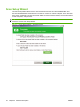
1. In a supported Web browser on your computer, type the product IP address or host name in the
address or URL text box.
ENWW HP Embedded Web Server 27
Software description