
Programming instructions

Mathematical Calculations
32
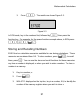
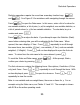
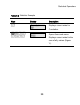
4. To recall a number, press L. With
RCL
displayed in the top line, key
in the number of the memory you used.
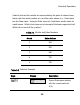
You can also perform operations to stored numbers. For example, press
5:$2 to store
5
in memory 2. To add 12 to the value of memory 2,
press 12:$+2. Later on, during a calculation, you can
press L2 to recall memory 2. Note how the new current value is
17
, (5
+12). +-* and / are valid mathematical operations in the storage
memories.
Recalling Stored Numbers
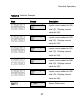
In RPN, typing 12L+2= adds the value of memory 2 to 12,
but it will not modify the stored value of memory 2. You can also use -*
and / after L.
In Algebraic and Chain modes, press 12+L2=.
Rounding Numbers
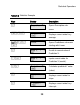
The 20b performs all calculations internally with 15-digit precision and rounds to
12 digits when returning the results.
When displayed, a number is rounded to the number of digits after the decimal
point set by the
FIX=
item in the Mode menu. The default setting is two digits to
the right of the decimal point. For more information, refer to the section titled,
The
Mode Menu: Setting Preferences.