System information
Manuals
Brands
HP Manuals
Computers
13-m005tu x2
51
52
53
54
55
56
57
58
59
60
6.
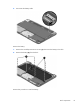
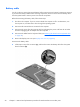
Disconnect the battery cable.
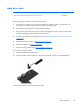
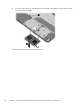
Remove the battery:
1.
Remove the six Phillips PM2.0×4.0 screw
s
(1)
that secure the batt
ery to the dock.
2.
Remove the battery
(2)
from the dock.
Reverse this procedure to install the battery.
Dock components
41
1
...
...
49
50
51
52
53
...
...
112