
System information


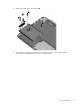


Hinge assembly
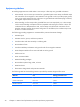
Description Spare part number
Hinge assembly for use in silver models 732280-001
Hinge assembly for use in red models 733906-001
Before removing the hinge, follow these steps:
1. Shut down the computer. If you are unsure whether the computer is off or in Hibernation, turn
the computer on, and then shut it down through the operating system.
2. Disconnect all external devices connected to the computer.
3. Disconnect the power from the computer by first unplugging the power cord from the AC outlet
and then unplugging the AC adapter from the computer.
4. Disconnect the tablet from the keyboard dock (see
Releasing the tablet from the keyboard dock
on page 34).
5. Remove the base enclosure (see
Base enclosure on page 35.
6. Disconnect the battery cable.
Dock components
39