System information
Manuals
Brands
HP Manuals
Computers
100B - All-in-One PC
81
82
83
84
85
86
87
88
89
90
15.
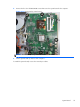
Remove the eight s
crews that secure the b
ezel to the display b
racket.
Figure 6-55
Removing the front bezel
16.
Separate the bez
el from the disp
lay panel brac
ket.
To replace the front bezel, reverse the removal procedures
.
Front Bezel
75
1
...
...
81
82
83
84
85
...
...
104