
System information






Front Bezel
Description Spare part number
Front bezel 646780-001
The front bezel is secured to the display panel bracket with eight screws.
To remove the front bezel:
1. Prepare the computer for disassembly (see
Preparing to Disassemble the Computer on page 29).
2. Remove the rear cover (see
Rear Cover on page 30).
3. Remove the optical drive (see
Optical Drive on page 36).
4. Remove the hard drive (see
Hard Drive on page 38).
5. Remove the fan (see
Fan on page 45).
6. Remove the speakers (see
Speakers on page 48).
7. Remove the hard drive cable (see
Hard Drive Cable on page 55).
8. Remove the optical drive cable (see
Optical Drive Cable on page 57).
9. Remove the inverter board (see
Inverter Board on page 60).
10. Remove the heat sink (see
Heat Sink (Thermal Module) on page 68).
11. Remove the system board shield (see
System Board Shield on page 66).
12. Remove the system board (see
System Board on page 72).
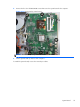
13. Push the display cable through the hole in the cover.
14. Move aside any remaining cables that impede removal of the cover.
74 Chapter 6 Removal and Replacement Procedures All-in One (AIO) Chassis