
System information





4.
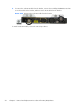
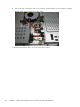
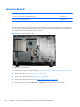
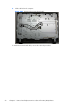
Remove the tape (3) that secures the cable to the computer, and then lift the cable from the
computer.
Figure 6-33 Removing the webcam module cable
5. Remove the webcam module cable from the computer.
To remove the webcam module:
1.
Prepare the computer for disassembly (see
Preparing to Disassemble the Computer on page 29).
2. Remove the rear cover (see
Rear Cover on page 30).
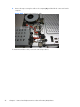
3. Remove the three Phillips PM20x30 screws (1) that secure the webcam module assembly to the
computer.
4. Lift the webcam assembly up as much as the cable allows (2), and then disconnect the cable from
the module (3).
Figure 6-34 Removing the webcam module
5. Remove the webcam module assembly from the computer.
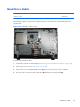
Webcam Module and Cable
53