System information
Manuals
Brands
HP Manuals
Computers
100B - All-in-One PC
31
32
33
34
35
36
37
38
39
40
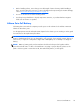
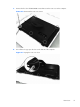
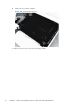
5.
Lift the rear cover
off the co
mputer.
Figure 6-4
Removing the rear cover
To replace the rear cover, revers
e the removal pr
ocedures.
32
Chapter 6
Remova
l and Repl
acement Pr
ocedures All-
in One (A
IO) Chass
is
1
...
...
38
39
40
41
42
...
...
104