
System information


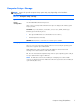



Computer Setup—Storage
NOTE: Support for specific Computer Setup options may vary depending on the hardware
configuration.
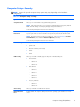
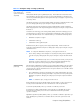
Table 2-3 Computer Setup—Storage
Option Description
Device
Configuration
Lists all installed BIOS-controlled storage devices.
When a device is selected, detailed information and options are displayed. The following options
may be presented:
Hard Disk: Size, model, firmware, serial number, connector color, SMART, emulation type.
Emulation type has the following choices:
●
None (prevents BIOS data accesses and disables it as a boot device)
●
Hard Disk (treated as a hard disk)
CD-ROM: Model, firmware, serial number. No emulation options available.
Storage Options SATA Emulation
Allows you to choose how the SATA controller and devices are accessed by the operating system.
There are two supported options: AHCI and IDE.
AHCI (default option) - Allows operating systems with AHCI device drivers loaded to take
advantage of more advanced features of the SATA controller.
IDE - This is the most backwards-compatible setting of the two options. Operating systems usually do
not require additional driver support in IDE mode.
NOTE: The AHCI device driver must be installed prior to attempting to boot from an AHCI
volume. If you attempt to boot from an AHCI volume without the required device driver installed, the
system will crash (blue screen).
Computer Setup (F10) Utilities
7