
Service and Maintain
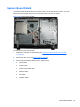
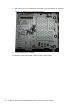

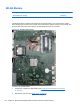


3. Remove the system board shield (see System Board Shield on page 63).
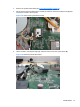
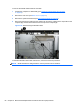
4. Disconnect the antenna cable from the module (1), and then remove the Phillips screw (2) that
secures the module to the computer.
Figure 6-51 Disconnecting the WLAN module
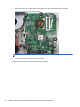
5. Lift the module to a 45-degree angle (3), and then remove it from the system board (4).
Figure 6-52 Removing the WLAN module
WLAN Module 67