
Service and Maintain



Power Button Board and Cable
Description Spare part number
Power switch board assembly 649230-001
Power button board cable 646782-001
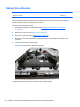
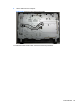
The power button board is located on the top right side of the computer (when viewed from the back).
It is secured with two screws and has one connector.
The power button board cable connects to the bottom of the board and to the system board.
Figure 6-44 Power button board location
To remove the power button board:
1. Prepare the computer for disassembly (see
Preparing to Disassemble the Computer
on page 26).
2. Remove the rear cover (see
Rear Cover on page 27).
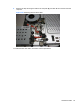
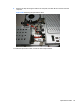
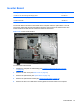
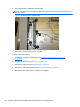
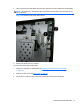
3. Remove the tape (1) and two screws (2) that secure the board to the computer.
NOTE: Note the location of the grounding cables for proper replacement.
60 Chapter 6 Removal and Replacement Procedures All-in One (AIO) Chassis