Service and Maintain
Manuals
Brands
HP Manuals
Computers
100B - All-in-One PC
41
42
43
44
45
46
47
48
49
50
3.
Loosen the memory cove
r screw.
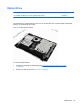
Figure 6-18
Removing the memory cover screw
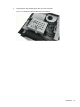
4.
Lift the memory cover off the co
mputer.
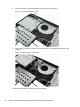
Figure 6-19
Removing t
he memory cover
40
Chapter 6 Remova
l and Replacement
Procedure
s All-in One (AIO) Chassis
1
...
...
46
47
48
49
50
...
...
98