
Service and Maintain

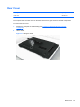
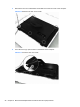

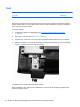

3. Remove the five Torx T15M3.0x8.0 screws that secure the rear cover to the computer.
Figure 6-2 Removing the rear cover screws
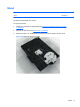
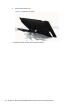
4. Use a flat tool to pry open the slots on the bottom of the computer.
Figure 6-3 Prying the rear cover loose
28 Chapter 6 Removal and Replacement Procedures All-in One (AIO) Chassis