
User guide

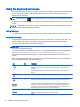

Icon Key Description
f11 Mutes or restores speaker sound.
f9 Decreases speaker volume incrementally as long as you hold down the key.
f10 Increases speaker volume incrementally as long as you hold down the key.
f6 Plays the previous track of an audio CD or the previous section of a DVD or a BD.
f7 Begins, pauses, or resumes playback of an audio CD, a DVD, or a BD.
f8 Plays the next track of an audio CD or the next section of a DVD or a BD.
f12 Suspends the computer’s wireless signal.
Using Windows shortcut keys
Windows provides shortcuts so that you can perform actions quickly. Press the Windows key
alone or in combination with a specific key to perform a designated action.
For commonly used shortcuts, use the
Windows Basics
guide.
Using the hot keys
A hot key is a combination of the fn key and the esc key, or the spacebar.
To use a hot key:
▲
Briefly press the fn key, and then briefly press the second key of the combination.
Using the keyboard and mouse 31