user manual
Manuals
Brands
HP (Hewlett-Packard) Manuals
All in One Printer
PHOTOSMART WIRELESS B109
41
42
43
44
45
46
47
48
49
50
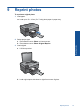
To set the number of copies from the con
trol panel
1.
Press the button ne
xt to
Copy
.
2.
Select the copy type.
3.
Press the button ne
xt to
Copies
to increase the num
ber of copies.
Chapter 8
40
Copy
Copy
1
...
...
41
42
43
44
45
...
...
119