
user manual






ENWW 10 Problem solving 325
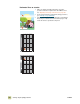
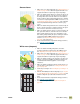
Color fade in one color
● Make sure that the humidity, temperature, and other
operation and location requirements of the MFP are met.
See “Operating and storage environment” on page 361.
● Print the Print Quality Troubleshooting Pages (see “To print
the Print Quality Troubleshooting Pages” on page 319) and
follow the diagnostic procedure that is listed on the first
page.
● For the latest information and problem-solving procedures,
go to www.hp.com/go/clj9500mfp
.