user manual
Manuals
Brands
HP (Hewlett-Packard) Manuals
All in One Printer
LASERJET 9500MFP
291
292
293
294
295
296
297
298
299
300
286
Clear
ing jams
ENWW
5
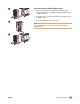
Remov
e the staple car
tridge.
6
Pull up on the le
ve
r that is labeled with a green dot.
7
Remov
e the dama
ged staple
.
8
Press do
wn on the le
v
er that is labeled with a
green dot.
9
Reinstall the staple car
tridge.
5
6
7
8
9
1
...
...
296
297
298
299
300
...
...
424